
iOS 26.5 was offered to my phone. Although I have Optimize iPhone Storage activated, that wasn’t enough. I had multiple gigabytes of music in AUM, over 7 of podcasts downloaded, and a swathe of media in WhatsApp that I hadn’t dealt with.
But there was a few GB free, not the full amount needed to apply the update OTA to which I believe is over 12 GB. So I thought I’d take my own advice and try it tethered. For those of you that don’t know, you have been able to do this since the iPhone came out. In the old days you used to use iTunes, and since it was decommissioned you now click on your device in the Finder sidebar and do it from there. Windows users still need to use iTunes.
When I clicked on my iPhone I was shown it had heaps more space than what the phone told me. I figured it must have decided that some of those files were in the iCloud and it could temporarily delete them if it needed to.

I have no idea why it reported >180GB of free space here.
So off it went and downloaded the ipsw file for 26.5. It also needed the mysterious driver update for the Mac so it downloaded and installed that.
Alas, it failed with this error:
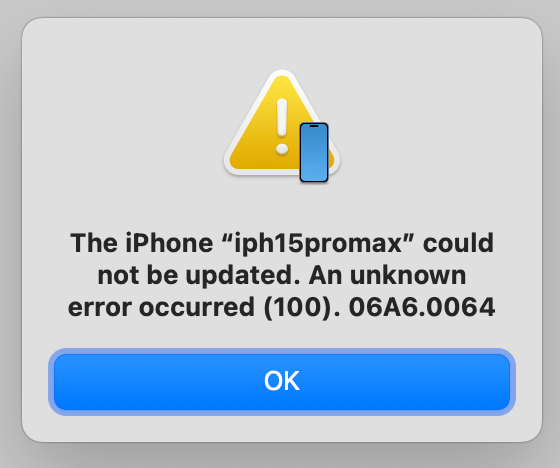
It’s almost been 20 years of iOS and they still can’t get it right.
So, in case any of you haven’t experienced this before, it means the OS is now corrupt; it’s no longer bootable. You just see a screen that indicates your only next step is to plug the device into a your computer. Well it doesn’t have to be your computer per se, but it usually helps. This is called DFU Mode, and it means the device is in a state where it needs the OS reinstalled.
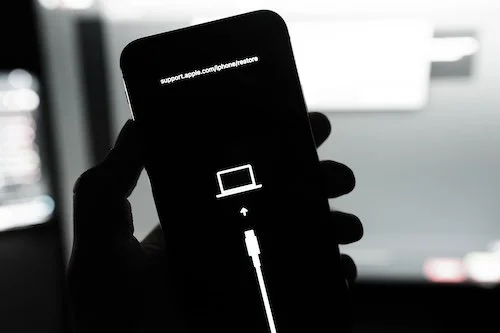
Photo by Viktor Hanacek from picjumbo.com
But in order to do that it has to be “imaged”. iOS is made to be secure, and for that and whatever other reasons Apple has, the device must be erased before that can proceed.
Hope you had a backup! You can either pay Apple do do this for you automatically while you are asleep (if you don’t work night shift that is) or do it manually, either by tapping Backup Now in the iCloud section of Settings, or backing up manually to your computer either with Apple’s software or 3rd party apps like iMazing.
It claims there is a chance that updating might work, so it tries that but in my case the OS was too far gone and then it says you have to erase and reinstall. My backup was from the previous night and I hadn’t made any new files that wouldn’t have been backed up via iCloud syncing, so for the first time in several years I erased and reinstalled.
When it finished I got a cleanly installed iOS 26.5. Then you go through the setup process like when the phone was new and you tell it to restore from your iCloud backup. As I have over 2200 apps installed, I let it go overnight.
When I awoke, some of the app icons were properly rendered, particularly the Apple stock apps because they come with the OS. But the rest had dark icons to show they weren’t openable. I tested some and they wouldn’t open.
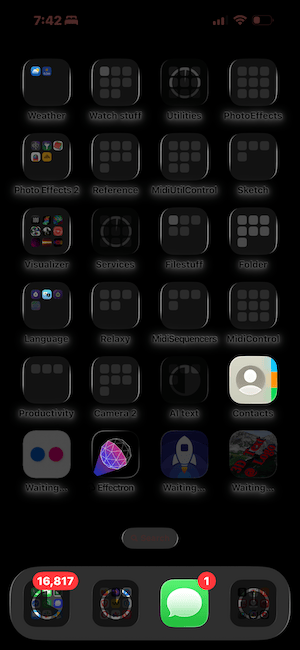
You never want to wake up to your phone like this
Finally I gave up and restarted the iPhone. Yay! It had finished but needed that one extra restart to get things back to normal. They still can't get it right.
Here’s some of the things that weren’t exactly the same as before the erasing:
Banking apps
As they are set up for security, mine needed to be reactivated using their SMS system, because whatever certificate it had installed to identify the device was gone.
Pocketcasts
All my downloaded shows were gone. I am not sure why they are not synced to iCloud. I checked the settings and there is no option to do so.
Camera Roll Access
In Threads, I had built up a large selection of images that it was allowed to access. They were all gone — that is, the list was empty, so if I want to repost something I have to find it again.
Other Permissions
A few apps that had been granted access to things like Health data had had them revoked for some unknown reason. It’s a minor annoyance to have to grant these again but they work as they used to once you do this.
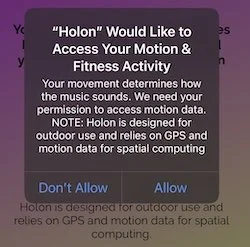
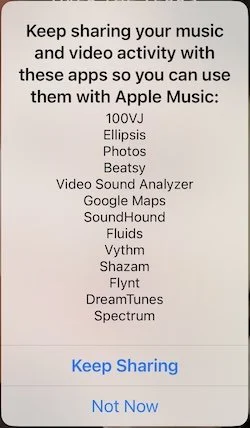
Signal
This is a secure messaging app, and in order to get your chats back you have to have saved the security key first. I thought I had done that but alas it’s nowhere to be found, so I have lost all of those.
Bluesky
I was signed out of this. It wasn't too hard to sign back in just using saved passwords.
A New Issue
I'm not sure when it started, but Springboard — that’s the name for the screen that has all the icons you use to launch your apps from — has a lag that makes it extremely tedious to move apps. The first issue is that tapping-and-holding takes around 5 seconds for the wiggle mode to kick in. Then when I move the app icon near to the side of the screen, there is another long lag before it moves sideways. The icon moves smoothly while I drag, but its running so far behind that it doesn't realize what page I have stopped on and goes on to the next page. It’s almost unusable. I am not sure if its even worth making a support ticket with Apple because they are just a few weeks away from the iOS 27 beta launch and they could not (see how easy that extra word was to add, US readers?) care less about iOS 26.5 issues that are not security related.
Conclusion
So there you have it, my first full restore in several years. It does not go as smoothly as they claim. There is definitely room for improvement. I understand the security issues: if someone has access to a backup of mine and they reimage it onto another device, they should not get access to my banking or secure communication apps, and there’s no good way for apps to give a notication to a user before they erase their device. Especially when there are times when you have no choice such as this one.