
Tool Much Fun 27
It’s time for another thrilling installment of Tool Much Fun, a one-stop site to quickly catch up with what’s around in the world of creativity and productivity software. Sure there are other sites to find just one of these categories, but here you can find a curated selection, because we don’t just do one thing anymore. Each description is by me, no AI is used to write them. There will be a few things you’ve heard of in your travels, but hopefully a few you haven’t and even more hopefully one of them will delight you and make your work easier or faster.
This edition offers:
Music, Samples, Podcasts, Fonts, Mac, iOS, Graphics, Animation, Video, Development, AI, Training, Language and Media Consumption.
Podcast version!
This just in: I have posted the podcast version of the issue below, if you prefer to listen while you do other stuff, and then pop back here for the links to anything you found interesting.
Music
As you might have inferred from the title, this one is for making “dystopian” and disturbing soundscapes, possibly aimed at emotional soundtrack type work, or just tension-making music.
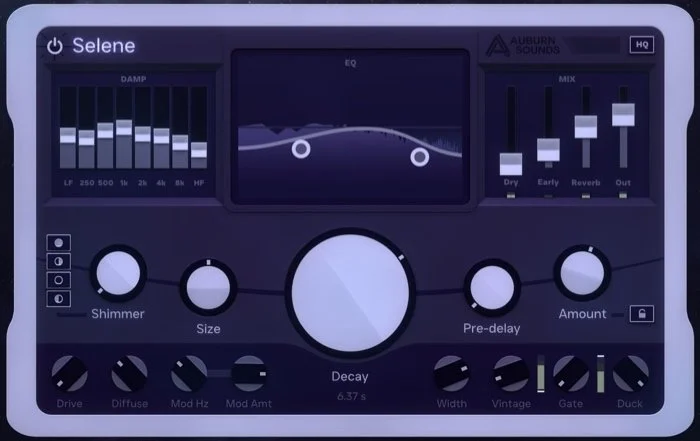
Selene and mean
It’s Auburn Sound’s turn to make a reverb. I wonder: in the list of all effects ever made if reverbs are the most common. Maybe in second place after compressors? This one is an algorithmic reverb that includes Ducking and Gating.
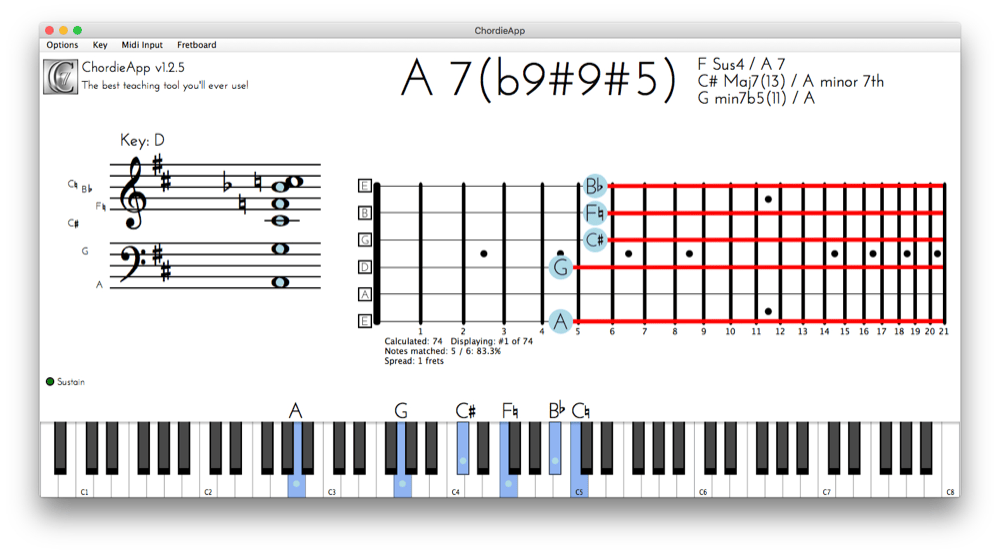
If you play an instrument by ear and are in a situation where you work with other musicians, you may need to tell them what chord you’ve written but didn’t know the name for. Chordie removes doubt by showing you the name and how to write it in standard musical notation.
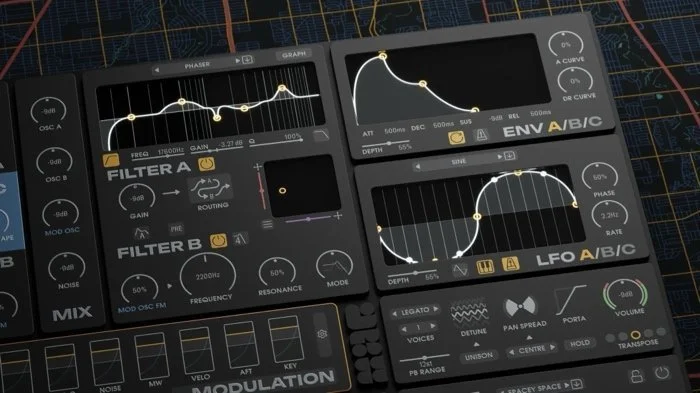
Better than Google Map?
Yes it’s a synth but heads deeply into modular/“West-coast” territory, including 3 oscillators.
Fred continues to expand his range with PolyFlo, which is a plugin you can use to send MIDI CCs as LFOs or sequences into other plugins such as synths or drum machines. So it “turns the knobs” for you, keeping things dynamic.
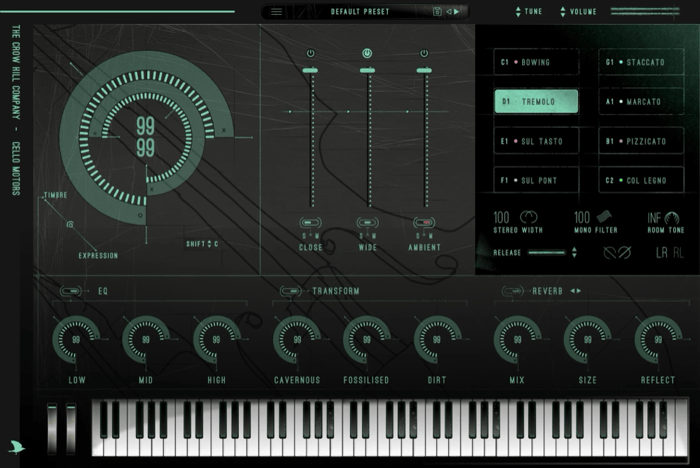
Crow Hill makes some nice sounding stuff, even if it is on the pricier side. This one is a single-job plugin for making tense cello stabs. They also make Pocket Strings and a few others that are more affordable.
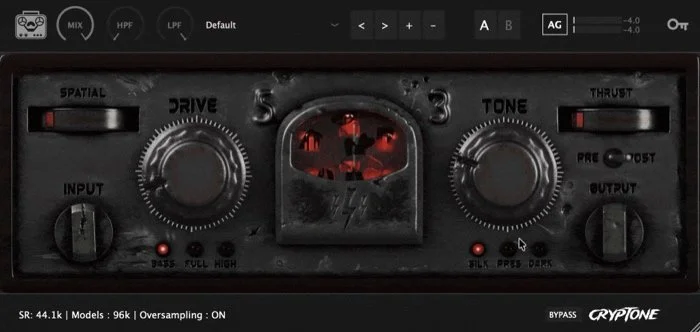
Cryp Tone or Crypt One?
Essentially a combo of compressor, saturator and EQ to give you the vintage tone from various warm-sounding hardware.
This is for Abelton Live, and it aims to reduce complexity so you can get on with making your track. There are over 120 attributes but you only turn one knob for each one and it handles some of the options for you silently.
This is a “Sidechain Ringmod” plugin so I guess that means you can modify the ring modulation effect with another audio track?
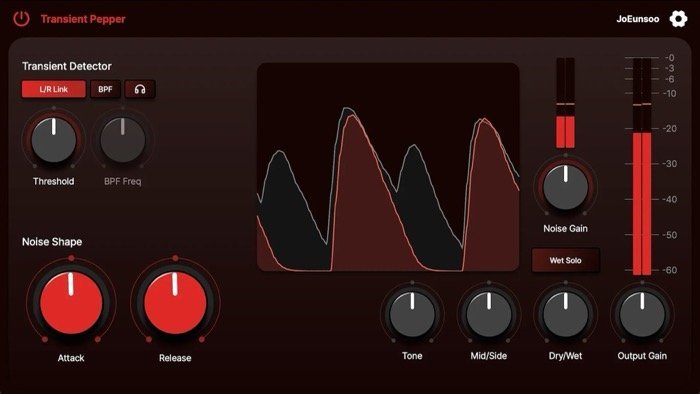
Pass the pepper
This detects transients and adds a layer of noise bursts at those moments to create textures that you couldn’t easily achieve with other methods.
A macOS menubar utility for showing how many minutes of recording time you have remaining on your computer.
Have you got a lot of songs that are partially done? Many musicians and producers do. This aims to do some of the mixing work for you by mixing your stems automatically — without AI or reference song EQ matching. If you like it, buy through my affiliate link.
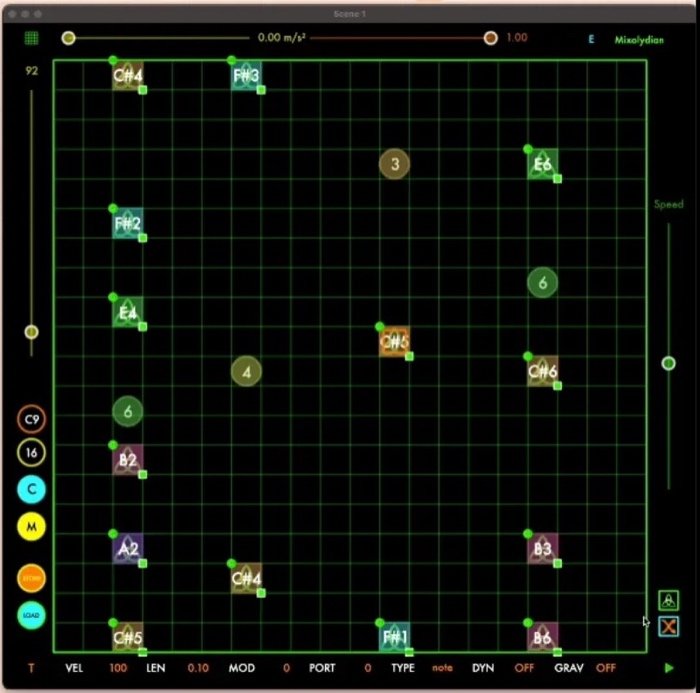
For the chess fans
This one is a physics-based MIDI sequencer, but rather than only having a square to bounce midi-playing objects off, you can draw polygons to make more unique rhythms.
It might be obvious what this does from the name, but it is a cleanup tool like a resonance suppressor to get a cleaner, more balanced mix. They said this would be out by now but it still hasn’t surfaced.
An app for Mac and iOS which lets you draw a melody by drawing a line. Five modes are supported: sketch, hum, tap, tilt and AI.
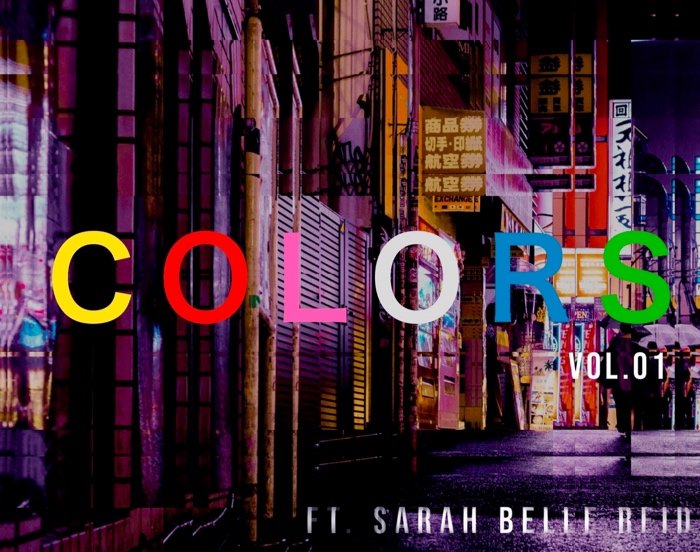
She comes in colors everywhere
Ms Reid has created a pack of long loops with synthesizers, modular synths, effects, and brass instruments that is 1.3GB in size.
Drum & Bass Sample Pack consisting of 25 atmospheres, 55 basslines, 35 drum construction kits, 140 one shots, 25 FX and 25 Synths.
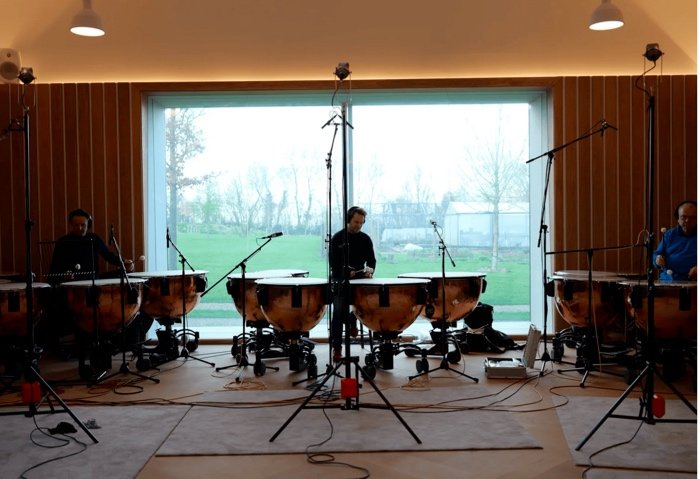
This vendor offers packs such as a “Sleep Piano”, an “ASMR Choir” and a cinematic/esoteric pack called “Valley Forge” made with a 15-piece timpani ensemble and an analogue synth.
Podcasts
A DAW specially designed for podcasters, or other vocal audio work such as audiobooks.
By now many of you have used a dedicated podcast player app to listen to podcasts. See those cover art images and sometimes chapter markers for the longer shows? This free app lets you add those to your podcast audio file before uploading to your host.
There’s a heap of information buried in podcasts, and unless the creator has made a transcription, it is not easy to search for what was discussed. This app uses AI to make transcriptions then make summaries and mind maps. Processed data is exportable as notes to Notion, Obsidian, LoqSeq and as Markdown files.
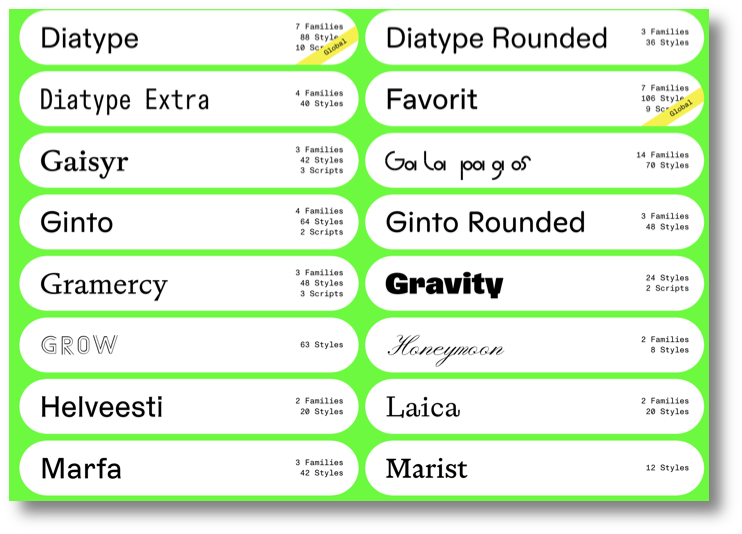
Make your designs hum with Dinamo
Fonts
Dinamo’s site is one of the coolest I’ve seen for a long time. Click typefaces to see their range. There is a mixture of playful display faces and useful workhorses. However several of them are Helvetica clones which I would suggest that many normal people would not be able to spot the difference between, with subtle changes to some glyphs. But not you — you can see them in a few milliseconds. Also much cheaper than Helvetica or Akzidenz Grotesk.
Mac
Much like uBar did a few years ago, this utility brings the Windows Task Bar to macOS. Another in the library of utilities that take the desired user interface items from Windows. Good for switchers that liked it.
It’s drizzle fo’ shizzle
Provided you’re not getting wet if you don’t wish to be, rain can be relaxing for some people. This is a relaxation app that makes animated raindrops fall on your Mac screen, from a light drizzle to a downpour. But it also has a pomodoro timer. I don’t see anything about rain sounds though.
I’ve put this in the Mac section for two reasons: because there is no Windows-only section, and this utility can support attempting to rescue Mac formatted hard drives. So once again: this runs on Windows and I am not sure if it will work in a Virtual Machine, but it’s good to know about if you are in a mixed environment or have access to a Windows machine if you have a hard drive that has become faulty — and they will all die eventually — that you haven’t backed up and need to get the data off.
ignite technologies — Mac mini in the Cloud
Some people need access to a Mac that has a high speed internet connection. Maybe it’s to run a server, or maybe if you’re a developer who needs to make an iOS or Mac app but you don’t own a Mac to run Xcode on. This cloud service allows you to access a Mac mini remotely.
Screen recording is one of those categories that has grown over the last few years, and is a necessity for anyone wanting to demonstrate their apps or other work. This one includes video editing, automatic transcript, summaries and caption generation, plus has an option for interaction from your viewers, translation into over 100 languages and hosting so you can share them easily. There is also an API for integration into other services. Compare with Camtasia, Zight and CleanShot X.
There is no shortage of todo list apps but this is one of the slightly rarer ones that has a Mac app as well as iOS companions. Your list is synced via iCloud and it supports file attachments. Try a month for free, then AU$50 annually to keep going.
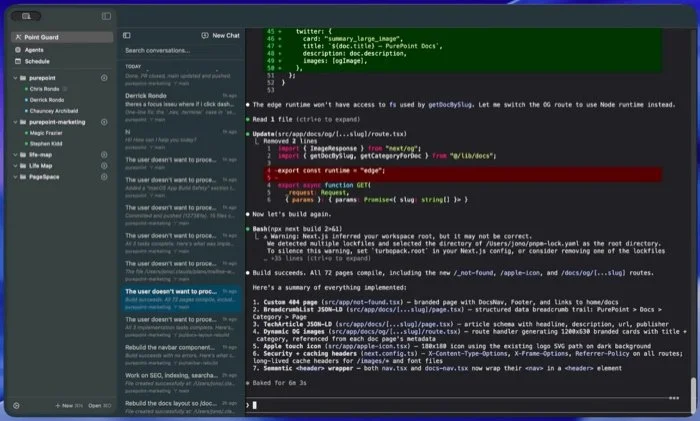
A Terminal app built for agent swarms as were recently made popular by Claude Code which begat Clawbot. Github link.
When OS X was launched, we were a bit unsure about the Dock. It replaced the Control Strip to save us going into the Control Panel to make changes. We’d heard of DragThing and other launchers, but the Dock took a little while to get used to. Now we have more things we want to do and apps like this combine the Dock with features like a file well that was made popular with apps like Yoink, but can also be found in DefaultFolder and PathFinder.
If you work with images a lot, this might be great for you. It can watch a specified hot folder and compress or convert images and video, and can even do it straight from the clipboard. Ready for you to paste an optimized version somewhere.
iOS
The first two apps are todo list apps but I noticed that according to Apple they track/share your personal info. I don’t see why they would need to do that, so I am not giving them the benefit of a description.
Text replacement became a thing a few years ago and a number of vendors released apps for this function. Typinator has stood the test of time with its extensive feature set and at long last has an iOS companion app which syncs with your Mac app. Expand your phrases by switching to the Typinator keyboard.
Todo list apps are plentiful, but you have to set them up somewhat. This one makes that easier by having a number of categories already set up and other life-management features: calendars (Google, Outlook, and iCloud), to-dos, habits, notes, grocery ordering and weather lookup.
You need a colored light for some photography or videography? You may already own one: your iPad. This category of app isn’t new: change the entire screen into a tinted lamp. Onscreen controls allow changing the color and brightness. For iPads running iOS 26 as a minimum.
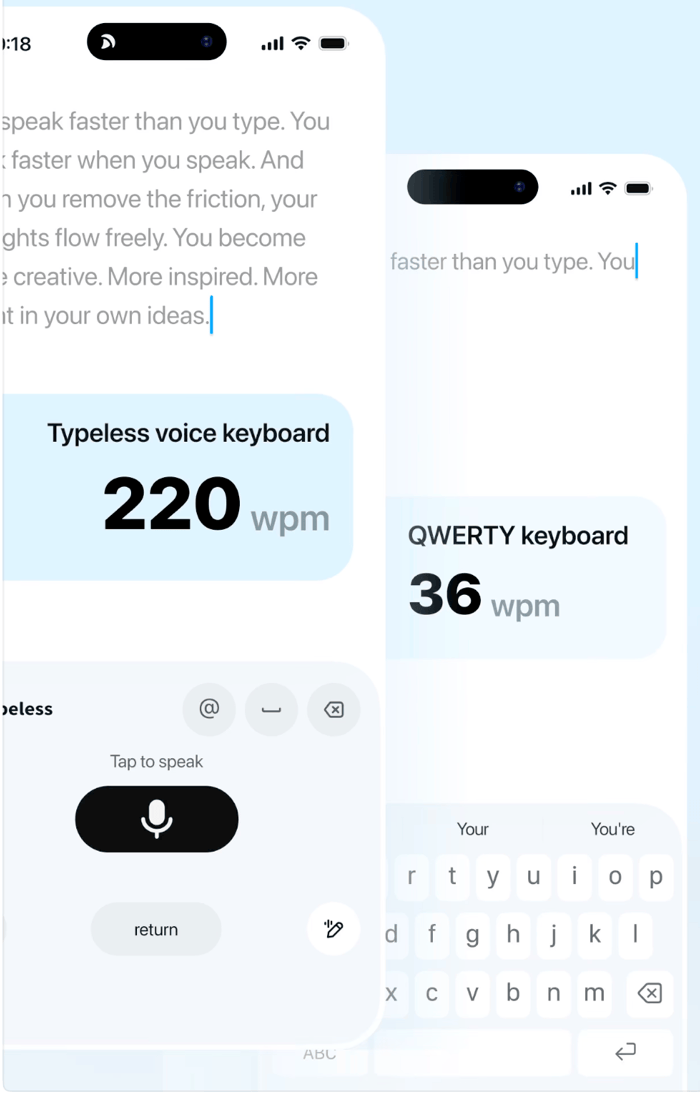
I could type less
A location app for tracking where you were and seeing the path on a map.
What’s up to six times faster than typing? Dictation, if it works properly. This app lets you do voice-to-text in over 100 languages, automatically removes ums and ahhs, and because it runs as a keyboard, you can use it anywhere (except to type in a password of course).
This note app lets you save text, photos, screenshots, links, tasks and more and it uses AI to do the filing and sorting for you.
ios Music
It goes to show that if you look away from the App Store for just a few months you’ll find something new. This one is a both a standalone app and AUv3 plugin for sending MIDI to instruments. It can import MIDI and MusicXML files.
An algorithmic drum-pattern generator. AUv3 MIDI plugin for iPad & iPhone, and standalone app for Mac.
A generative synth with all the expected features like 2 oscillators and filters, plus a 16-step sequencer. It also has some modular features where you can long press on any control and assign the LFO, envelopes and so on.
A MIDI sequencer on steroids. This can be used standalone or as an AUv3 plugin. Four lanes are supported and includes ratcheting and probability controls.
An audio editing app for iPhone and iPad. All the standard features are offered, plus it can host AUv3 plugins to add effects to your files.
An AUv3 plugin for Room-style reverb. Seventeen rooms are offered, plus a ducking feature.
An AUv3 plugin or standalone app for practicing drums. These genres are included: Blues, Rock, Pop, Funk, Country, Jazz, Soul, Reggae, Disco, Hip Hop, Afro-Brazilian, Afro-Caribbean and Afro-Cuban. Try 50 plays before you need to upgrade to the Pro version.
An AUv3 plugin which can play MP3, WAV, AIFF, M4A, CAF, FLAC, and AAC files. You could use this to play along with prerecorded music files, or just have it as a channel in your host such as AUM or apeMatrix and have it play songs during your break between sets.
A “dirty” delay, as a standalone or AUv3 plugin. Stretch the on-screen worm to set the delay time.
This is one-trick-pony app which is for ducking the volume of one channel based on another. Commonly used — in case you aren’t aware — to get the volume of the bass lower for a fraction of second to let the kick come through strongly. But it can also be used in other creative ways.
iOS 3d
For the iPad. A few years ago 3D on a tablet device was unthinkable. This is another in the growing category. Exports as OBJ files so you can use your models back on your computer. Although the example image shows it can render textures, this might chew up your battery and will not give as good results as your computer.
This is more for industry, the use case being going on site and seeing some stockpile or other objects you need to measure the size of so you can document this in your project.
ios AR (Augmented Reality)
One of a number of AR-painting apps that let you draw in a 3D space defined by what actual space you are pointing your camera at. They generally have basic tools so don’t expect to paint complex, detailed images.
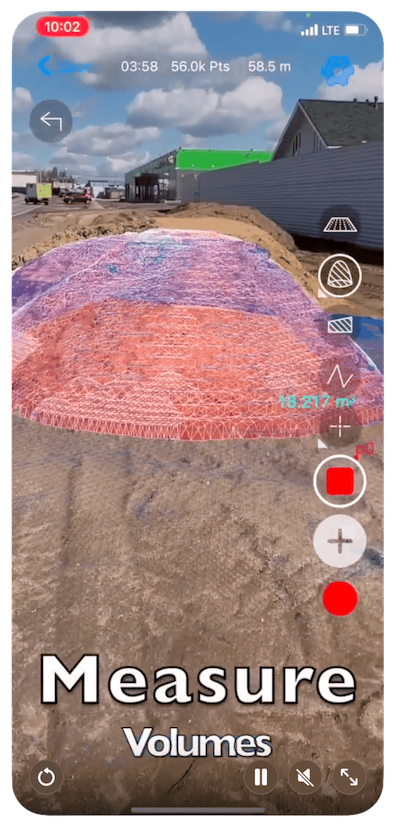
That stockpile speaks volumes
Graphics
OKLCH Color Picker, Generator and Converter
What’s this, a new color model? oklch uses a color space called OKLab to describe colors. This site has a guide article and tools for converting from hex to oklch, palettes, gradients and a gamut visualizer to see where the color boundaries are. Check it out if you love color.
“Enter any website URL and instantly discover all the fonts it uses. Preview them live and download with a single click.”
An alternative to Adobe Substance Painter, this is “a procedural materials authoring and (experimental) 3D model painting tool, based on the Godot Engine.”
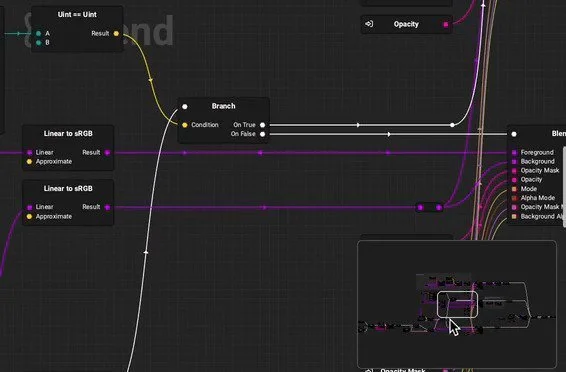
Another alternative to Adobe Substance Painter, this allows you to create textures for your surfaces that can increase the realism of your 3D models, or just make cool textures! A free version is offered that requires attribution.
If you work in 3D, have you heard of this one? I have only seen it mentioned once. This appears to be a modeler and renderer. Supports “Microvertex, Per-pixel or Ptex painting” which, because I don’t use 3D software, I don’t know what they are.
Need to sketch out some ideas and add notes? This is a web app for a collaborative whiteboard. To share, you need to sign up. Compare with Apple’s FreeForm, Microsoft OneNote and…
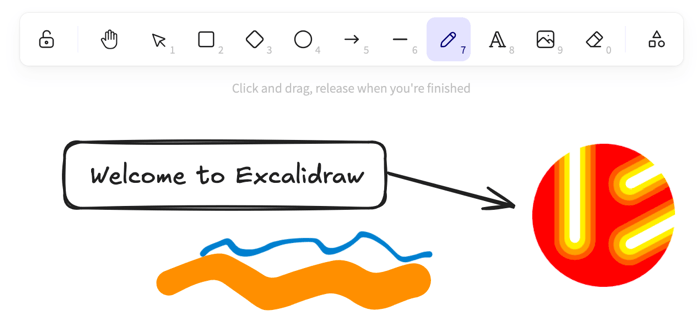
Excalidraw the sword from the stone and ye shall be king (or queen)
Another free whiteboard tool. This one has a few more features that tldraw, such as some beta versions of AI-based text-to-diagram. US$6/month gets you the full feature set of Excalidraw+, such as sharing non-editable/read-only whiteboards, or you can collaborate with others in real time — privately because it’s encrypted.
“The most intuitive collaborative design platform” Branding. It’s a lot of work. This site is all about it. It was a toss-up whether or not to have it in the increasingly random AI section or here, because it taps into a variety of AI services to help you achieve your goals. Models include Seedream, Ideogram, Nano Banana, OpenAI’s assortment and Flux. US$15 gets you unlimited tokens and 10GB cloud storage if you like the free taster of 5 projects.
Back in the day, computers were designed to show alphanumeric characters in a grid. That’s all they could handle. If you wanted to show graphics onscreen, you had to arrange certain characters. When ASCII was formalized it included glyphs for making shapes and shading. Rasterized images were called ASCII Art. This app revives this almost-lost use case. Great for keeping your files small!
A free web app for applying filters to your image. Sure, they’re not groundbreaking but you’ve got Voronoi cells, Wave Lines, Edge Detection, Halftone and more, then you can process contrast, saturation etc and add more effects like bloom, grain, scaliness, and vignette. Then export in PNG, JPEG, GIF, video (if you used the camera as an input source), SVG, text or html.
Not sure where to put things like this. It’s a visualizer for MIDI files, and you can play back audio too and export the whole thing as a video file. But you don’t compose the music in here, so it doesn’t really go in the music section. The notes appear as lines going from left to right. Might be cool if you want to quickly post a song with some visuals.
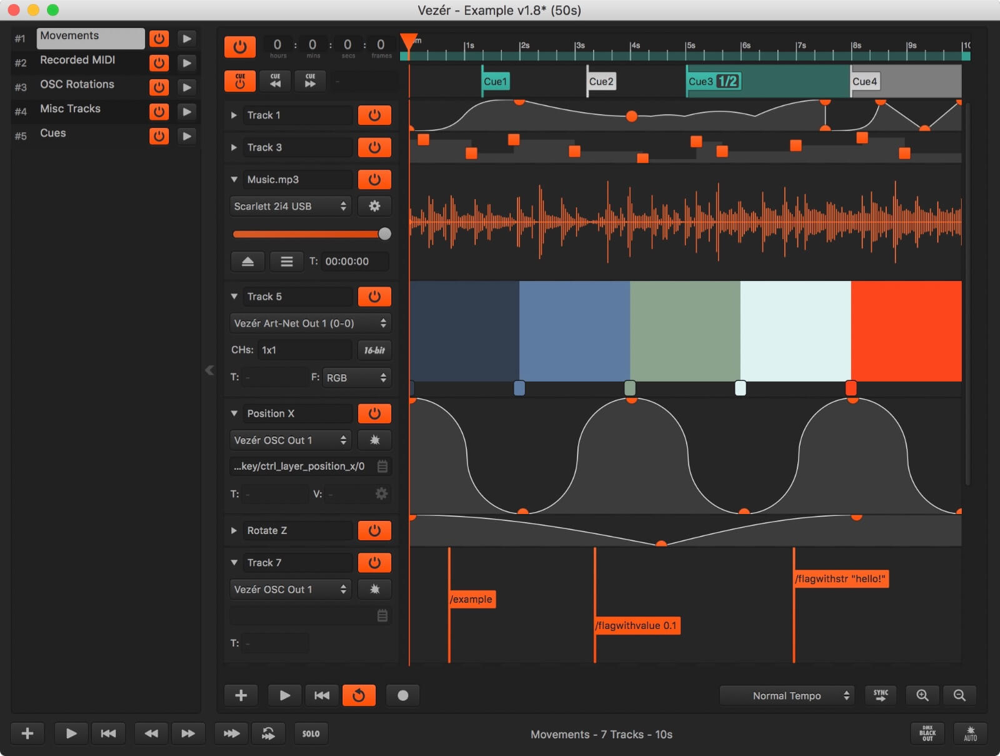
You may have heard of QLab, and this is similar. It’s a timeline based MIDI/OSC/DMX sequencer for triggering events during a show. It also handles audio tracks. I mean, you could use it during a live recording piece even if you don’t broadcast the piece live to an audience. It doesn't appear to host plugins for the audio or MIDI, so I assume they expect you to send the audio and midi to other software or hardware that handles those effects.
They also make Mitti, a video cue and media playback app. This has a slightly different focus to Vezer, and can trigger videos, still images, PDF files, windows from other apps running, or even live camera input, kind of like OBS.
Animation
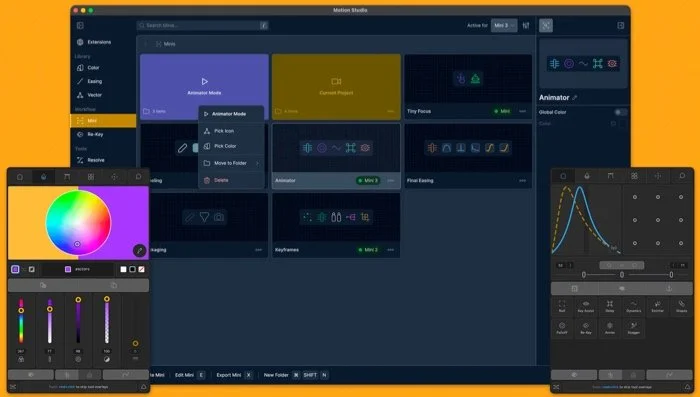
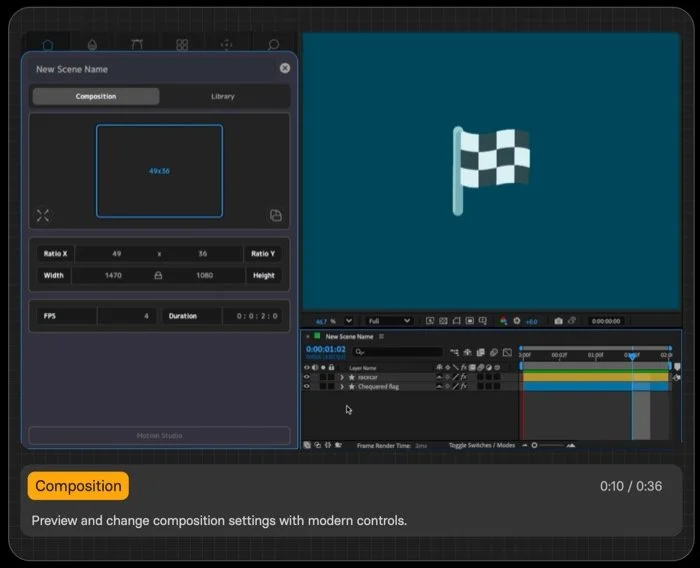
“The most helpful extension for motion designers”
Motion design has a number of attributes that need to be applied and this one lets you make very complex animated graphics. The site shows it works with After Effects, Premiere, Illustrator and Davinci Resolve. Too bad so sad for Final Cut users like me.
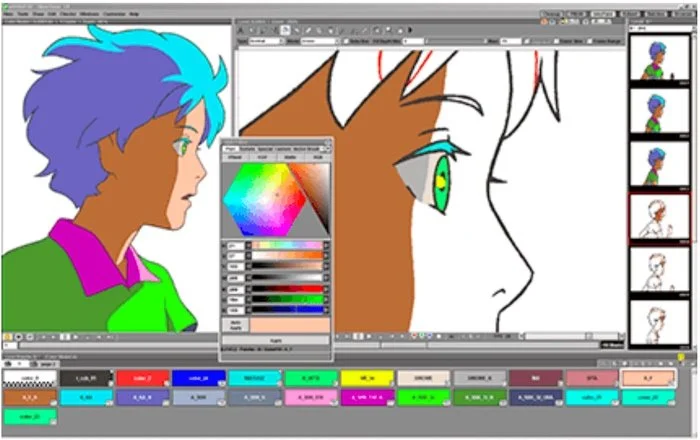
OpenToonz is an open source animation app based on an existing package called Toonz. You may make commercial products using OpenToonz. It not only includes tools for creating and editing the visuals but also organizing the animation sequence.
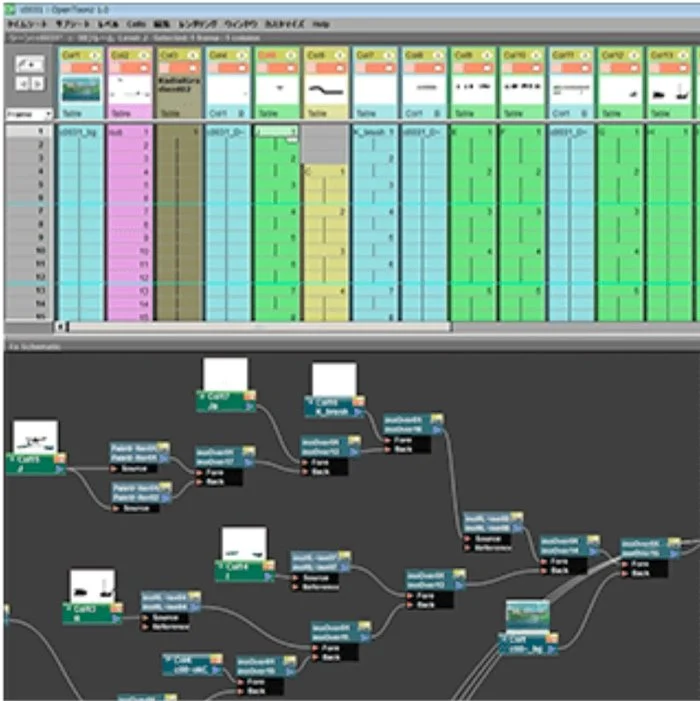
Node stone unturned
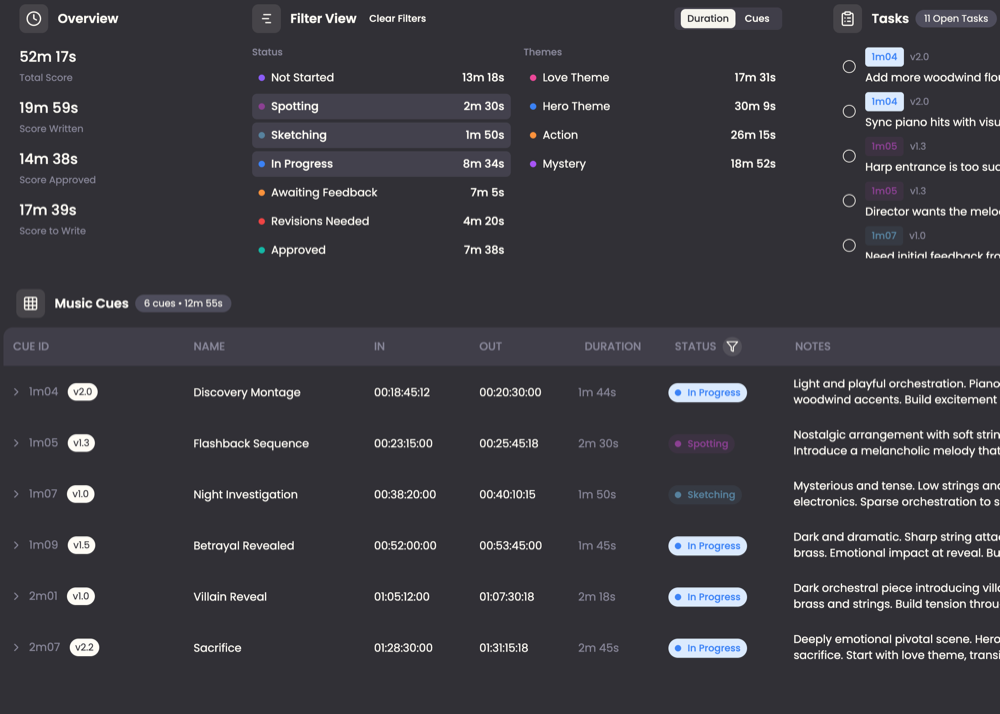
Composing for movies is a big job, and there are lots of revisions to be made based on feedback from the movie makers. You could try NoteTracks and some shared notes system like Craft, Notion etc. but that would take a lot of time to set up and none are all fine tuned for the admin that this work needs. A score composer has taken all the pain points they experienced and made a system for making it all easier.
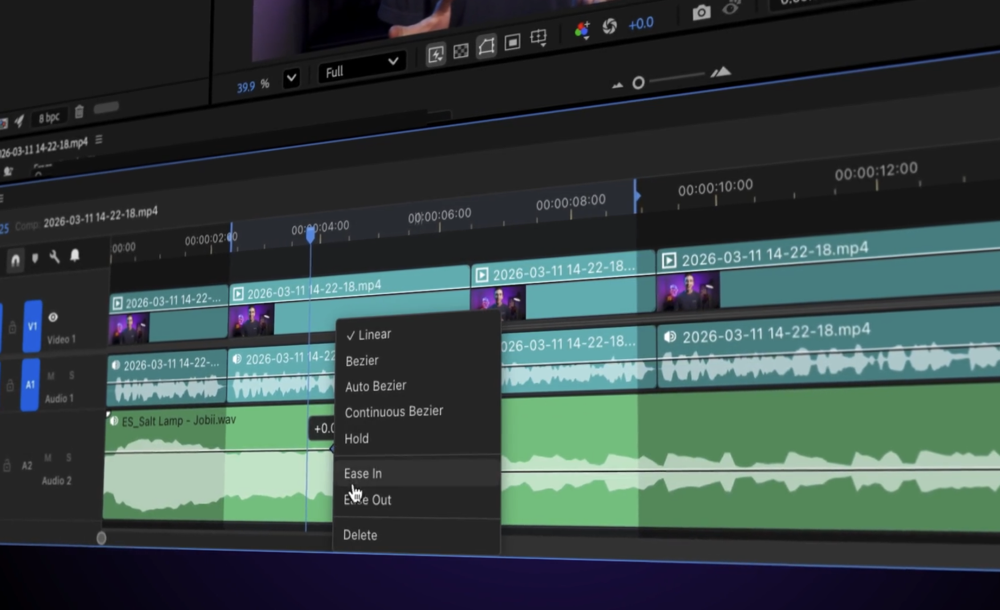
After Effects users rejoice! You no longer need to jump back and forth from After Effects to Premiere, or at least not as much as you had to. This allows track-based clip editing in After Effects. You can trim, ripple, cut, and move clips without roundtripping to Premiere. While you’re there, Jake also offers a ton of After Effects and Blender scripts and tools, plus courses which would have gone into the Training section if I’d found that first.
One of the world's largest libraries of 4K, 9-angle driving plates for TV or movies. For when you need background footage of people driving around for certain scenes when you’ve filmed the actors in a non-moving car with a green screen behind them. Mention Uncaught Exception if you buy from them.
Development
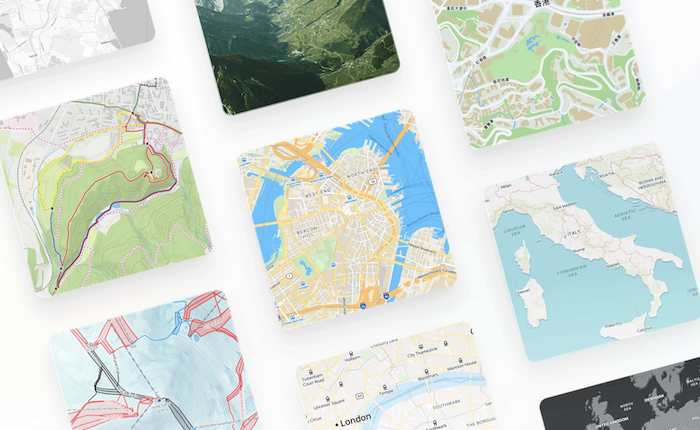
All these worlds are yours, except Europa
Maps for developers. Many sites need maps, and this one allows you to integrate them into your site. Views include street, satellite, outdoor and topographic. Overlay data from other sources to create visualizations, or overlay weather data.
Unless you work somewhere with a lot of servers, you might not realise how they are managed these days. Yes there are racks of servers with CPU, GPUs and storage, but it’s not like using the desktop version of Linux that has a ton of CPUs and lots of terabytes of storage, it has virtual machines that are invoked for each task. And for those to work properly they have to be configured using a template, which is one of the things this platform can help with. It is one of several in the Infrastructure as Code area.
“The missing half of Claude Code's voice mode.” Text-to-speech with karaoke-style word highlighting. Fully local, no API keys, one file.
You’ll be amazed when you can see what modern web tools can do with text. This library shows you a few examples of reflowing text wrap on the fly. Github link.
AI
I had this recorded as a site called Metaphysic whose tagline was “Revolutionizing Hollywood with AI for Entertainment” but when I went back it’s now called Brahma. They say you can “Create video, audio, images, avatars, and localized content, securely at scale, in a unified workspace.” Seems they are aiming at the enterprise market.
The byline was “Visual Coding Meets Agent Swarm”. When you visit the site it’s a text field awaiting your prompt, a la Mistral, Claude, Gemini and so on. The models offered are Instant, Thinking, Agent and Agent Swarm. Buttons in the sidebar offer creating websites, documents, slides, spreadsheets, deep research and working with code. Warning! You need to make an account to use this at all, and they either want your Google account hooked up or your phone number.
This appears to be a model specifically tuned for discussing vulnerabilities in code. They suggest downloading a client and it’s for Mac, windows and Linux here.
This one uses AI to help you redesign your home. The company name seems to be from Turkey based on the name. This category seems to be popular as the related items section has 10 more to check out.
This is for making videos, and seems to use a tweaked model of Seedance that lets you upload an existing video, highlight multiple characters and change their appearance into superhero, cartoon characters, robots, you name it.
Here we have an interesting use case: say you have an image with all the graphics and text all designed already but it’s in another language? The menu supports over 50 languages, I stopped counting after that.
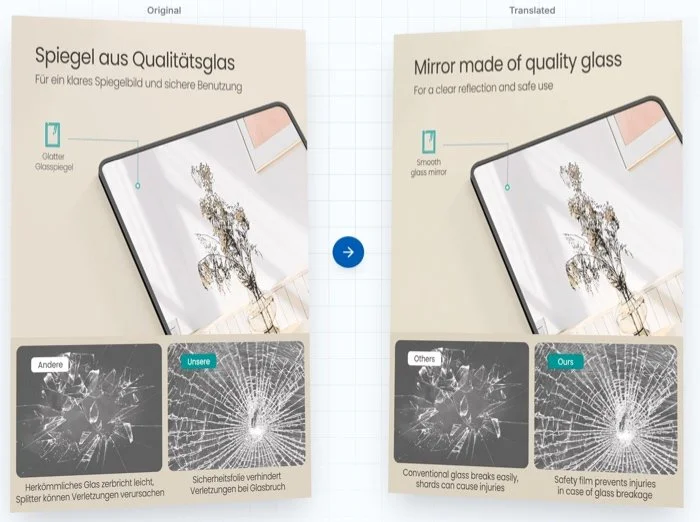
HQ sent the image in the wrong language? Fix it with Translateimage
The link is a landing page for their app which is one of those with a suite of tools for background removal, reels & stories templates, and adding music, effects and transitions to get your social media post to become more exciting.
Maybe this belongs in the Development category — it’s another tricky one — because it’s some middleware type thing that lets you make tools that connect to the commercial models. Ollama, OpenAI, and Anthropic are examples.
By now most of you are aware that there are lots of models. But why stick to just one? This site is one where you can ask your question or prompt to several at once, without having to copy and paste between several browser tabs. Plans start at US$5/month.
Language
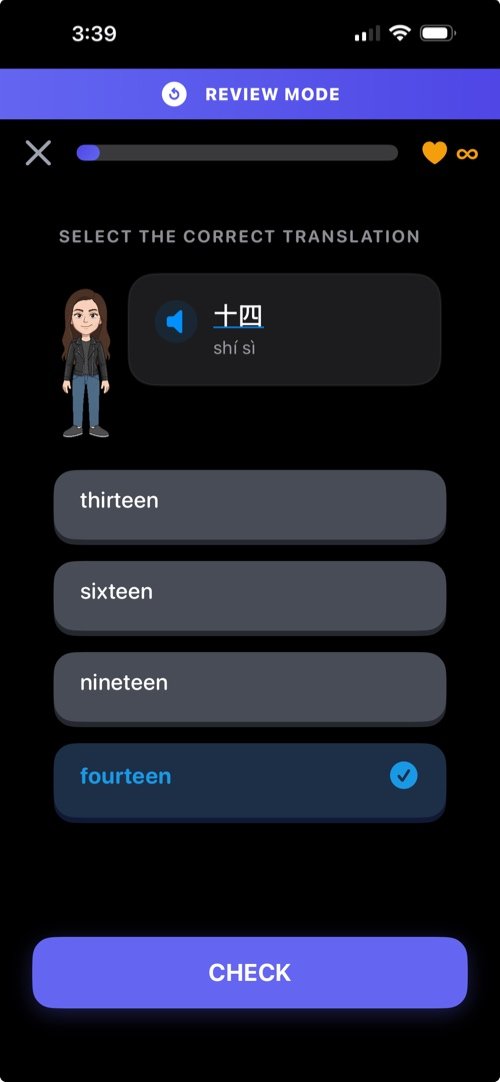
What language will you Lairn?
Language learning made fun. Want to move away from that well-known app with the owl mascot? A free account gives you access to >600 courses, a vocabulary trainer and ten lessons. Upgrade to pro for ad removal, mistakes review and unlimited usage.
The new version boasts over 70 languages in over 850 language pairs.
Structured lessons — learn step-by-step with bite-sized exercises
Placement test — skip what you already know and start at your level
Grammar lessons — master grammar rules with dedicated practice
Vocabulary trainer — never forget a word with smart spaced repetition
Mini-games — practice with Word Match, Pair Sprint, Scramble, and Blitz
Conversation practice — try voice conversations in your target language
Pronunciation feedback — speak and get instant feedback on how you sound
Instant explanations — Understand why you got something wrong when you do
Friends — connect with friends and learn together, then challenge them head-to-head on lessons
Leaderboards — climb the ranks from Bronze to Diamond every week
Daily quests — complete daily goals and earn rewards
Reading practice — import your own texts and learn from your preferred content
Personal insights — see your strengths, weaknesses, and AI-powered tips to improve
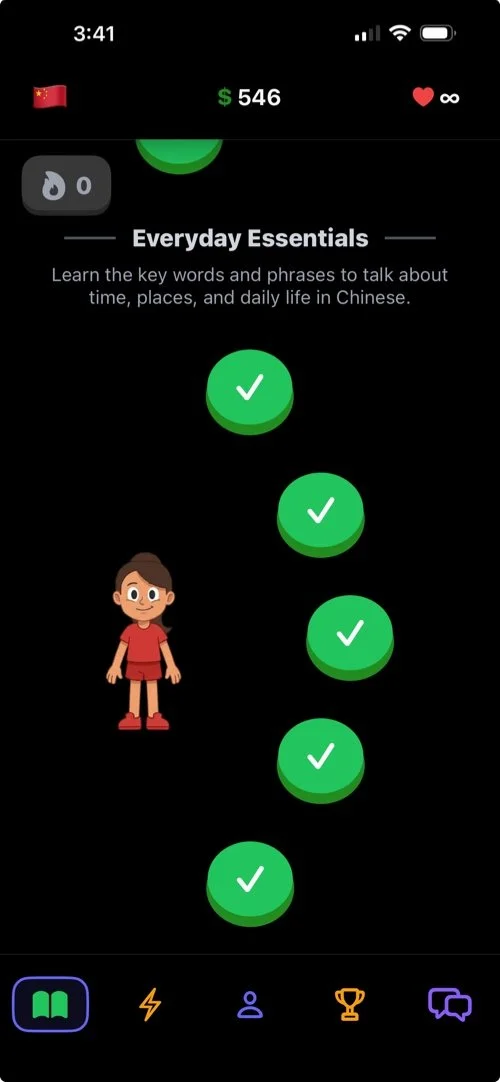
They even have Thai, unlike that other app
Media Consumption
You don’t have to use Amazon or Audible, or at least not as much with alternatives like this. US$25 a month gives you unlimited access to their text and audiobooks, using apps for iOS and Android.
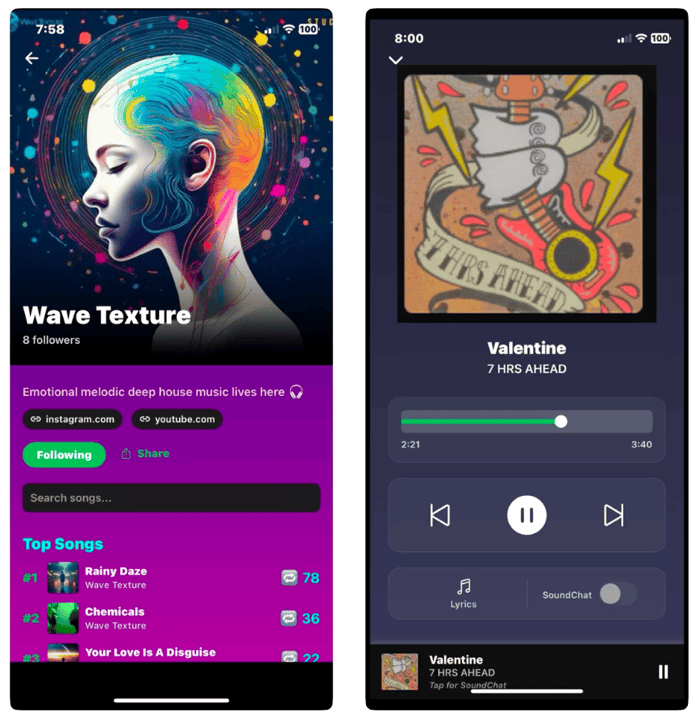
This is a music streaming service that also has a social media aspect (unspecified, but I guess you can follow other listeners etc). As a result the Privacy section on the App Store shows it tracks you for seven items.
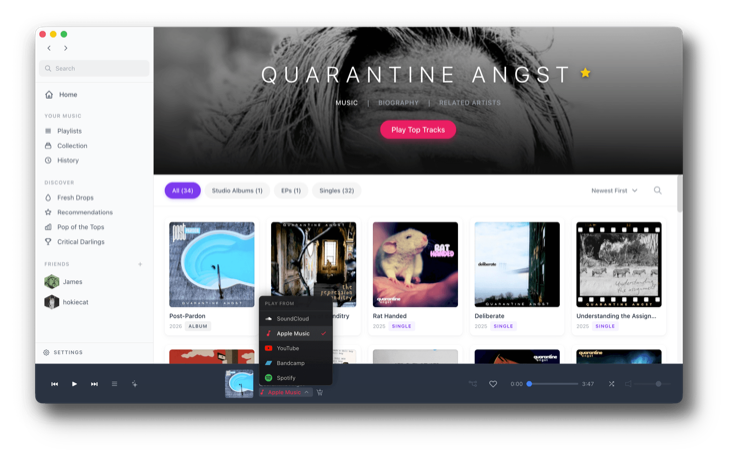
Don’t jump without a parachord.
Currently in beta, this “invites all your streams, local audio files, and playlists scattered across multiple services to the same party.” So like those multiple service messaging apps that started appearing a few years ago, this gets you to sign in to your various streaming services so you can use one player to access all your content.
Custom feed builder for Bluesky. This one aims to give you control over feeds. I’ve watched the quick demo video and I’m not sure how it works. Possibly a contender for the occasional Promo section.
They claim to be the largest collection of free content on the Internet. The categories include text, audio, videos, software — apps, educational and games.
Although it was a wonderful ride finding out about all these tools, all good things must come to an end, at least temporarily while I prepare the next issue. If you found this or the previous 26 issues useful, a donation would be greatly encouraging. Click this PayPal link to send me what you can, or visit the Support Me page to find my affiliate links however those are largely Music based. Until next time Internet, wherever you are!