
Tool Much Fun 28
Surely even these gaps between posts isn’t enough time to both do your work and check out — and possibly buy and install — new stuff for doing that work. But here we are, at the 28th issue of Tool Much Fun. There are always new apps, plugins, samples and websites coming out. I wonder if in some alternate universe there is an evil version of TMF which only lists apps and sites that have shut down or become discontinued. I used to save the final goodbye emails from various services I’ve tried so I wouldn’t forget them. Sometimes they got bought out by a larger company, others closed because they weren’t paying their bills. Anyhow, please find enclosed a fresh batch of all the assets and resources I stumbled across since the last one. Well, that’s not exactly true — these are just the ones I had time to look up and check out for you. I hope you discover something cool.
This edition offers:
Podcast version!
I have recorded this issue in audio form if you prefer to have it read out to you while you do other things.
Music
Endogen
A “lowercase” synthesis environment (yeah new to me too) for microsound and drone, made with Max for Live and SuperCollider. But you don’t need M4L to use it, the free Max Demo standalone app allows you to use it. Not for the faint of heart though— it looks complicated.
Live Workflow Tools
A suite of 7 tools for enhancing and streamlining your Abelton Live production.
Minuit Solstice
This one “makes any sample into a unique, playable map, revealing hidden textures within your sounds. Made with ambient, experimental, and aleatoric music in mind”.
Polarity Productions Polarity-RES
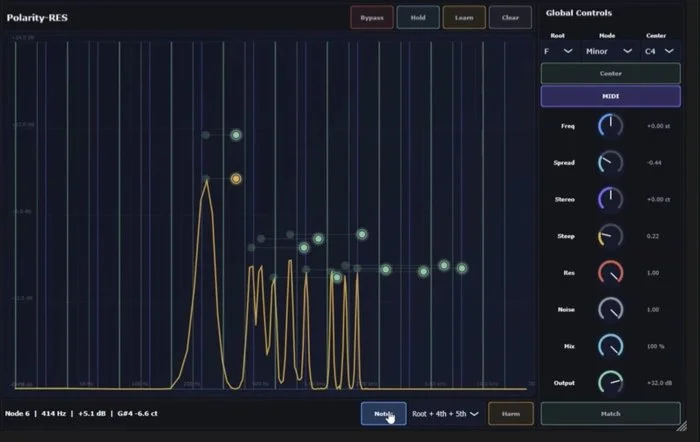
Wow, I have been looking for something that does this for a while. It is a resonant filter. I did find some others, such as Carp Audio’s Resonote and Superchord. This one has a lot of great features like locking the harmonics to a scale and analyzing incoming audio for resonant frequencies. Plus, it’s free.
Hooktheory
“Create amazing music” A combination of music-writing and theory software; it appears to teach theory as you write, with lots of visuals and examples so you know how to write something that works and why it works simultaneously. It does not appear to be AI based.
SoundWare SizzleVerb + Tize
A distortion and reverb plugin that combines studio-grade sound with unmatched versatility, along with the TIZE plugin, featuring >220 presets and effects for HipHop, Trap, R&B, Pop, EDM, and more.
ReStem
A Stem Separator specifically designed for drums. When you buy sample packs of drum loops, I find they don’t always include the separate one shots or stems. So what can you do if you want just the hi-hat part? Software like this can split the elements into separate parts for you to use as you wish.
Basic Wavez Dr. Fill
I often use some drum loops and they of course play the same thing on repeat. But humans like an occasional fill to break up the beat and add tension. So aside from using a tool to break up the loop into parts or a chopper tool, what else can you do? Some MIDI sequencers have randomization and ratcheting, which in combination could add some fill-type sounds. Or you could use this Drum Fill Generator.
Hahmo DSP SuperClassic
The “supersaw” synth sound became popular in dance and other EDM categories and this instrument plugin lets you get that urgent, thick sound.
Echio
“Music Feedback & Mentorship from Top Artists” Some musicians like to gather feedback on a work in progress before they complete the work and publish it. But your family and friends are often of little help, either they are too vague or don’t have time to listen to it at all. This site lets you pay other musicians — whether you find them to be Top Artists is subjective, but if they don’t have time to listen to your piece then you aren’t charged and you can pick someone else.
Joe Topjian’s Music Apps
Joe makes a few, including GridStep and Perc8 there is also Lattice, Console, Room, Verb and Comb some of which are donationware you can obtain via the app store. Here is a link to one to make them easier to find.
Morphulus Spectrus
No it’s not a rare Harry-Potter-universe spell name, it’s a modular multi-effects processor. For some reason the plugin-making vendor community has reawakened its admiration of multi-effects, compare with the new ones from Serato and Brainworx, which are perhaps not as modular as this one. Twenty-one effects are available, but 9 of them are different types of reverb.
Granvia Fantamidi
A scale-based MIDI randomiser and arpeggiator. A free 5-minutes-at-a-time-but-fully-working demo is available.
Monomate
Ever had to work with files that were recorded in stereo but you need them to be mono? You know, the ones that end in .L and .R. They’re a pain to import into DAWs — their example is ProTools but it happens in Logic too — because it doesn’t handle them properly. This app claims to help fix that before you import them. Available for Mac and Windows.
MuseHub
As the ‘hub’ part of the name implies, this aims to be a one-stop shop for all things music, at least for stuff made on a computer. They sell plugins, loops and samples and offer training courses.
Basehead
An open source sample manager. Compare with the offerings from ADSR and Waves, Sononym and Telescope. I omit Samplism because they won’t answer my support email requests. This seems to share the same name as:
Basehead
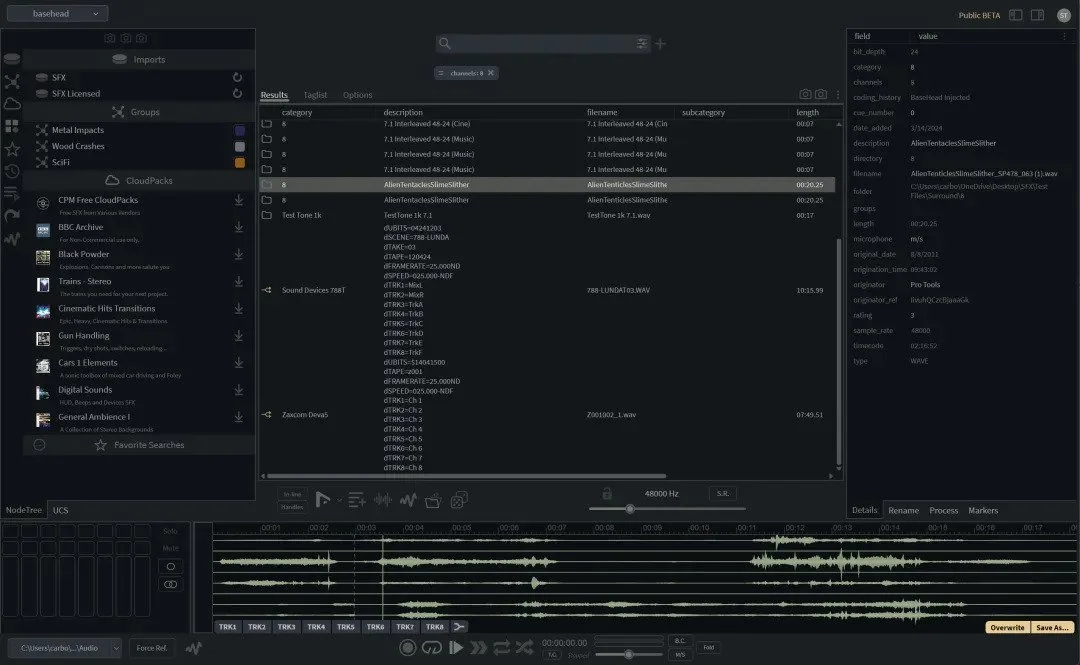
“The Ultra SFX Search Engine” I’m not sure why they don’t use the term “Sample Manager” on their site because this looks like it is a very good one. But it’s more than just a manager because it includes a plugin that lets you play the sound directly into your DAW, and there is a new module that lets you generate new sounds using AI.
Higher Plane SpaceWalk
A plugin for creating dreamy MIDI chord progressions for ambient or cinematic music. Purchase on Gumroad. He also makes Lifehive which I added to the Promo category in Tool Much Fun 24.
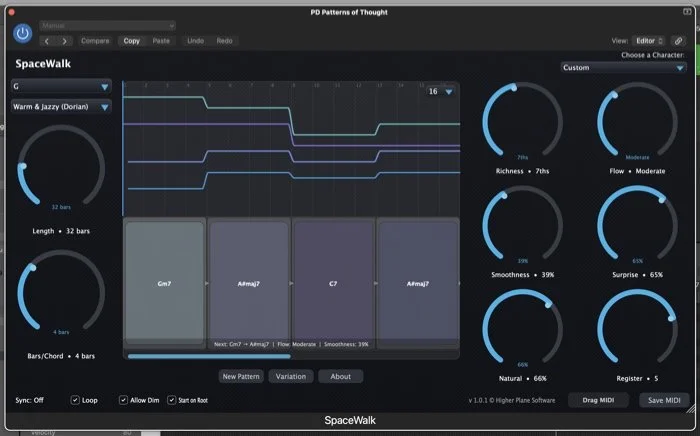
Simpler controls than a spaceship
SoundWare Proton
First mentioned as coming soon back in Tool Much Fun 4, this one lets you combine granular, flanger, drive, delay, chorus and reverb plus “filter motion” and “movement” LFOs to dynamically change the sound.
Audivor TERRASTRATE
A Cinematic Hybrid Instrument for composers, i.e. soundtrack work.
Samples
sound.variant
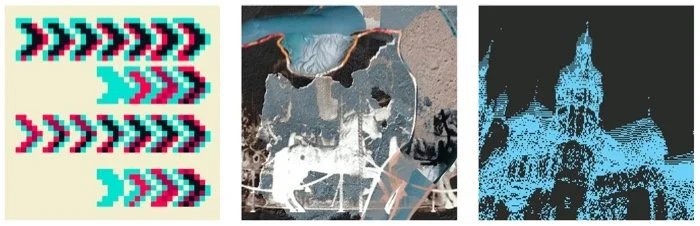
Cover artwork is cool
This group does samples, plugins and more. I am putting the sample pack here this time but may add their plugins in a later edition.
Kick & Bass Store Electro X Tech Vol.2 - Samples & Presets
1.45GB of samples of bass, drums, vocals and more, plus 100 Serum presets.
Angelo Imani Soundpack 3
A pack including 33 drum loops, 35 perc loops, 17 hat loops, 19 drum fills, 35 hats, 26 kicks, 40 snares/claps/rims, 34 toms, 35 tonal impacts & transitions, 24 risers, 17 textures, 32 ambience, 33 arps, 21 bass one-shots, 15 full melodic compositions, 15 granular melodic ideas, 19 melody ideas, 19 choir & harmonies, 34 vocal loops & atmospheres, 14 talking samples, 33 vocal one-shots and 16 miscellaneous sounds.
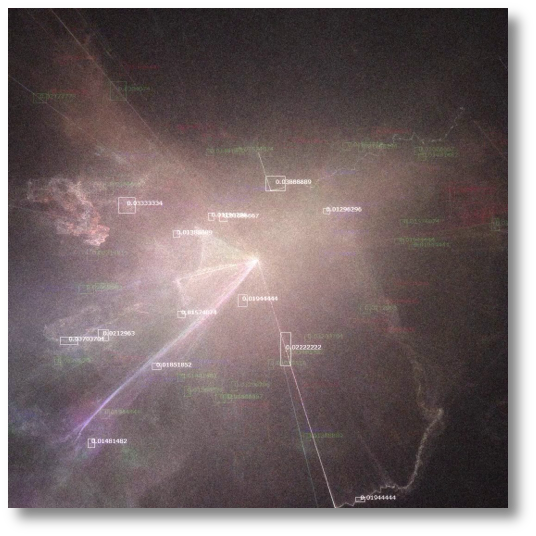
Analog Crafts Modular Percussion Bundle
The bundle consists of 8 packs of 800 percussion samples, including rhythmic loops, textured hits, analog-style noises, clicks, metallic elements and modular sounds.
Zenheiser Arcadian Drums
2.7GB of drum sounds and 70 MIDI beats. I’ve bought from Zenheiser before and they’re good. I regret taking so long to include them in this blog.
Joe Gautrey’s Pop Producer Ukulele - Volume 1
38 ukulele loops. Joe also does Vocals, Bass, Piano and Guitar packs.
Rocket Powered Sound Color Bass Bundle
Over 500 samples and Vital presets (quantity of each not specified) plus bonus vocals, acoustic courier and bass one shots.
Basic Wavez
Kicks, Claps, Hats, Melodic House, Afro House plus a pack that includes “Ear Candy”, Vocal FX, Sweeps and Atonal One Shots.
Noisr
Samples galore, plus Ableton racks and presets for Serum U-He Diva, Saturn and Korg MS-20 (Arturia version)
Needs No Sleep Signature Kicks Vol 1
50 house and tech house kicks, 10 curated by the creator of the pack and 10 bonus kicks for various situations.
Work
Kanri
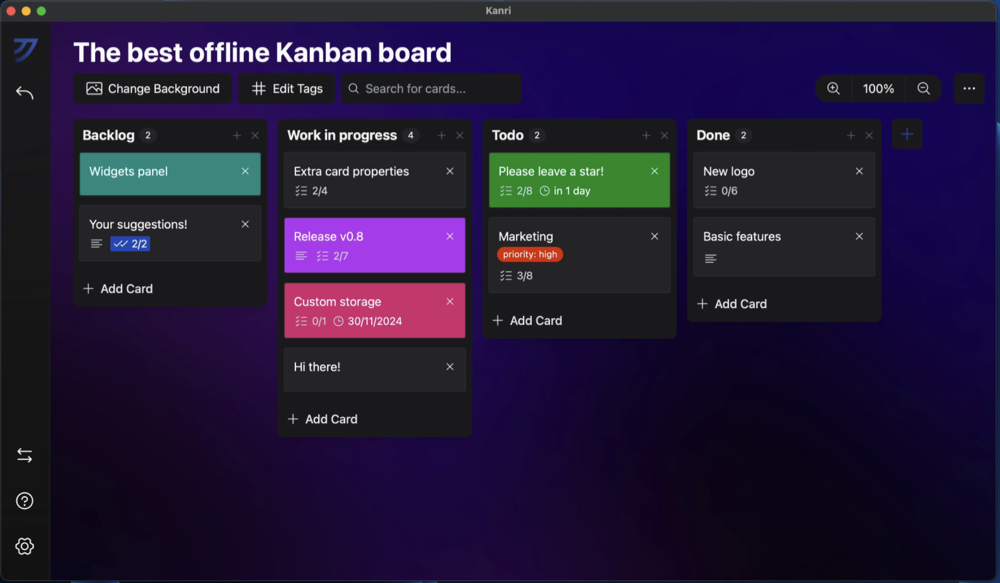
“Your Personal Offline Kanban Board App”. Aimed at people who are fond of Kanban board interfaces for their todo lists but prefer to keep things local rather than using popular cloud based platforms like Trello.
Zoneless
A time zone aware scheduling site, for when you need to make appointments with people from around the world. A challenger to the popular Timeanddate site.
Mailbox
Email: still important after all the decades it’s been around. Gmail reached the top spot some time ago, taking over from Hotmail as The Account to Have in the general populations’ minds. But not everyone is a Google fan. Competitors like Hey and Protonmail fall in this category. These pretty, stock-photo-looking folks store your email on purportedly secure servers in Germany, and you can get started with €1 a month for 2GB of mail, 3 aliases, calendar and address book. Two more Euro bumps you up to a more reasonable 10GB of email and you can attach your domain name to it, plus some Microsoft Office integration.
Tap Forms
Many of us have been looking for that special something in between a spreadsheet and full database for a while. Filemaker used to be my go to but that has turned away from home users and is quite expensive now joining its longtime nemesis 4th Dimension (4D). Tap Forms sits more in the space AppleWorks’ database module used to live, with the exception being this is a modern version that syncs to your Apple devices.
eM Client
“The Best Email Client for Windows and Mac”. That’s a big claim— people get very fussy about their email clients. Come to think about it, people seem very fussy about everything these days.
The next two are aimed at people who need to organize their more physical work:
Supasite
This is a platform for tradespeople who have longer ongoing jobs. We had some work done a couple of years ago and this would have been useful to replace going back and forth between emails with attachments and photos being sent in WhatsApp.
Zwift
Yes I know both the former app and this one are industry specific and those folks are generally not readers of the blog, but maybe you know someone in the hospitality industry. This system is for online ordering and marketing for restaurants, including takeaway orders. A point-of-sale system is offered with the usual reporting to see what’s moving over a given time period.
Tidst
This peculiar-named utility adds time tracking into Todoist. For people who need to account for and bill their time, but don’t need a full per-window tracker like RescueTime. Compare with Toggl, who deleted my account because I didn’t use it enough.
When2meet
A simple schedule-suggestion website along the lines of the once-revered Timebridge and more recent successor Doodle. Donationware.
Rippling

This interface will make some ripples
“#1 Workforce Management System” This one is aimed at the enterprise market. It is a one-stop shop that includes modules for HR, IT, Finance and Payroll and can be customized to suit your business. There is also some AI assistance offered to increase efficiency, but that probably incurs added costs.
Kaizen
This pretty-looking productivity app replaces your current mess of a system with somewhat siloed calendar and todo list apps. It offers kanban board view, and furthermore its claim to fame is AI integration so you can dictate what you need it to do.
MonoDesk
Their bylines are “Less admin. More creative flow” and “One workspace built for creative professionals” — maybe that’s you!
PDFAid
A suite of online tools for manipulating PDFs.
Zenzap
Work chat. Everyone knows how to use messaging apps, Apple Messages and WhatsApp have made sure of that. But they’re not integrated into your other work systems, and Teams is clunky at its best. This crew has made a work chat system that makes communication with your team easier. It offers AI based agents that can do tasks for you, connects to a bunch of services like Monday, Google, Salesforce, Trello and Zoom, and is available on iOS, Mac, Windows and Android. A free tier is offered to tempt you.
RevPDF
A free, offline PDF editor. It can annotate, redact, sign, compress, split, merge, and convert PDFs. Works on Mac, Linux, Windows, Android & iOS.
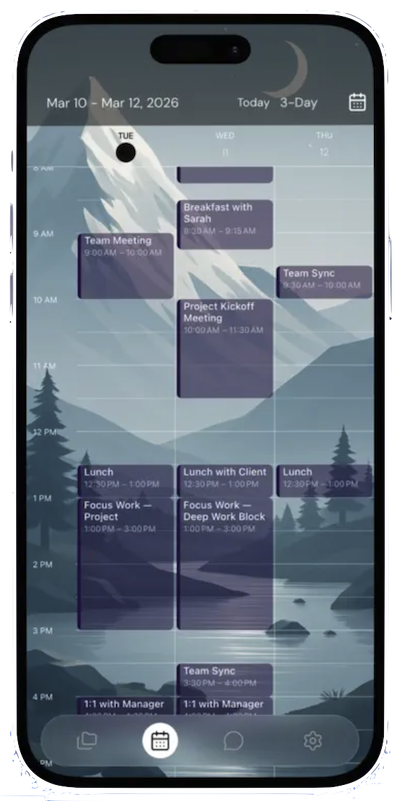
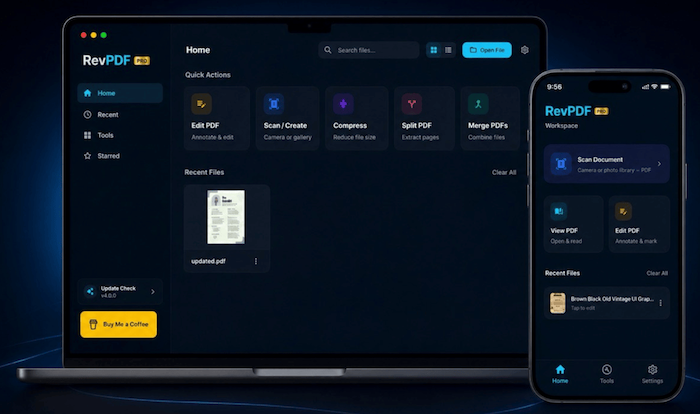
Rev(ise)? Your PDFs with RevPDF
Own Your Day
An AI-powered junk-drawer-then-convert-things-into-todos organization and planning app. Currently on waitlist.
Todometer
Some people like progress bars. This todo list app shows you how far into completion each task is, in a clean interface. For Mac, Windows and Linux.
Work Receipts
Many people don’t realise how important it is to document events and discussions at the workplace, but rather than adding these items to a journal app or a category in your junk drawer, calendar or todo list app, this one is specially designed to record work stuff. Seems useful when you have issues with your manager or coworkers. An AI agent called Jayla guides you through processes as you record your events.
Strikingly
“Making a website has never been easier”. Well I’m not sure about that, because back in the day you could make a crappy site by exporting a Word file to HTML and just posting that. This of course lets you make a lot prettier and more functional sites, and includes some ecommerce functions too. I’ve put this in the Work category as it’s not aimed at people who consider themselves to be developers.
Fetchy
Are you addicted to texting, or just feel thrilled when you can confirm or opt out of things using the Messaging app/SMS? This might be for you. It lets you text your agent to get your todo list and other information. Currently in invitation only phase.
Mitra
This is an iOS app which uses AI to handle voice calls. It can model your voice to be able to make outgoing calls that sound like you. Also handles other languages, but they are not listed in the product info copy. All that compute must be paid for of course, and this uses a Credits system. 300 Credits is AU$50 but it’s not clear what that gets you. I’m not sure how successful things like this will be, as most people already dislike automated incoming calls, on the other hand this would probably be an improvement on traditional phone tree systems especially if you are not a native English speaker and could choose to converse with the AI software in your preferred language.
Mac
ManageEngine Desktop Central
This is for Mac administrators that need to manage a fleet of Macs, and if you’ve never done that before it’s a lot more work than you might expect. With this type of system you can see the versions of all the software installed on your staff’s Macs and push out updates or deploy new apps to them. There are a number of competitors in this space, including the popular JAMF and Mosyle. This one appears to be owned by Zoho who have been around doing web app suites for a while. However, I did notice they seem to have an error on their web page so that’s not a great look.
Bloom
“Finder, but Refined” Following in the footsteps of Path Finder, which I own but don’t use often enough, this is another Finder replacement for power users that aims to give us a number of modern file management features that the Finder still lacks. Firstly is a multi-pane layout that I think was first offered by TotalFinder, then improved navigation by typing a search term in a search strip at the top of each window that appears to work quickly, rather than the slow Spotlight based search that Apple provides. After that there are a ton of visual improvements such as column auto-resizing and being able to see inside ZIP archives without opening each one.
Inset
This one could be a “game changer” to use a hackneyed term, as it lets you grab any part of a window of any app and make that into its own resizable floating window which is always on top. Yes there have been other apps that let you take screenshots and keep those at level 0, and other apps that just do a whole window of an app, but this one does just portions, so if you need to just keep an eye on a progress bar of some website or something while you do other things. Amazing.
MotionDesk
Sweet emotion
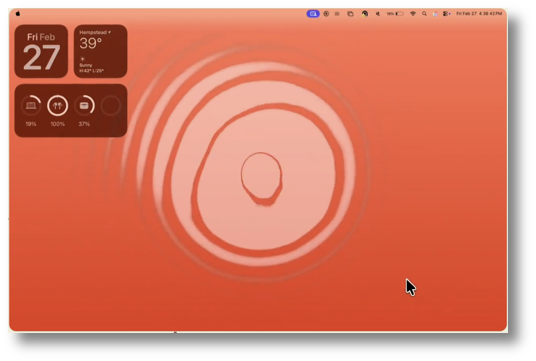
How our Macs look is quite important for some people. The first time I saw an animated desktop was years ago when someone made a Windows app that could play a movie as the “wallpaper” which blew me away because my Mac at the time could only play tiny movies. This one plays dynamic interactive animations or your own videos. There have been a few other attempts at beautifying our desktops and this one looks good, however I barely see my own desktop because I have so many windows open at once. It also includes over 40 pretty icons for your folders.
DeckPilot
An “Adaptive Control Surface” for using an iOS device to control your Mac. I have owned Remote Buddy for some years but I rarely remember to use it, and other people own proper StreamDeck hardware and there are other StreamDeck clones around to compare with. So basically instead of your iPhone just sitting there as you work, you can use it to switch apps or do other commands. It’s subscription based so you’ll want to use it daily to justify the cost. For a lower-cost-but-fewer-features alternative check out
Choclift
At the moment this does app switching which you can set up with 8 pages of 8 apps each.
Ikuna
Workspaces — that is, the apps that you need to use with their positions where you want them to be. Apple never built in a consistent way to get apps to save their window positions. This is another in a category of apps that let you get back to the perfect setup you had each time you need to do a task. For example if you work with a web browser you want on the left side and two other apps in the top and bottom corners on the right side.
Astropad Workbench
Astropad has been working hard making several useful apps for Macs and iOS, I feel embarrassed that I haven’t gotten around to listing them here in TMF. This one is a remote access app so you can control Macs from your iPad, even if they have no monitor attached (headless). Works for 20 minutes a day for free.
TopNotch
If you own a MacBook and that notch bothers you, this app by the makers of CleanShot (affiliate link) changes the appearance of the menubar to black and makes it a bit bigger so the notch is less visible. It’s also free!
HMAKT99’s UnTouchID
Use your phone's fingerprint to authenticate on any Mac — sudo, screensaver, App Store. No $199 Magic Keyboard needed. Works with iPhone, Android, Apple Watch, Wear OS, or any browser.
Mario Guzman’s Quicktune
Not everyone disliked the old look.
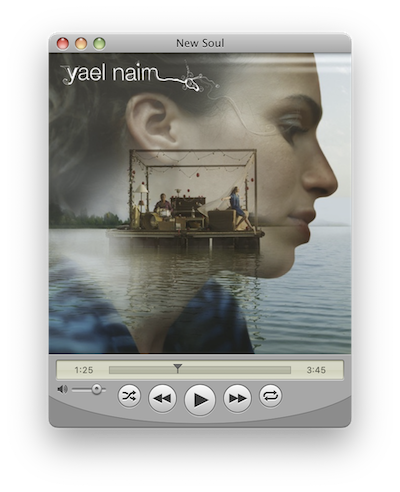
Do you long for those halcyon days of OSX, when windows had that skeuomorphic brushed metal and glassy button look? This app is a music player that will ease the nostalgia.
Nano Cal
Sometimes you just need to see what’s coming up and you don’t want to launch your Calendar app, or pull out your phone and launch the calendar app on that. Many years ago someone thought of putting the calendar or list of upcoming appointments in the menu bar for quick access. The app Fantastical was one of the most popular, and this app continues the tradition.
haokaiyang’s list of QuickLook plugins and packages
QuickLook is a boon to many Mac users. Although Apple seems proud of it and encourages developers to add plugins to ensure QuickLook can preview files in propietary formats, they never really encouraged an environment for obtaining these the way they did with, say, Safari plugins by adding them to the App Store. So they are around but hard to discover. This is a list that you may find handy.
iOS
We’ll mix things up a bit and start with the iOS 3D category.
ios 3D
Feather
Not your typical 3D modeling and rendering software. This app uses 3D as the workspace but is for drawing and animation.
3D Modeling: Design My Model
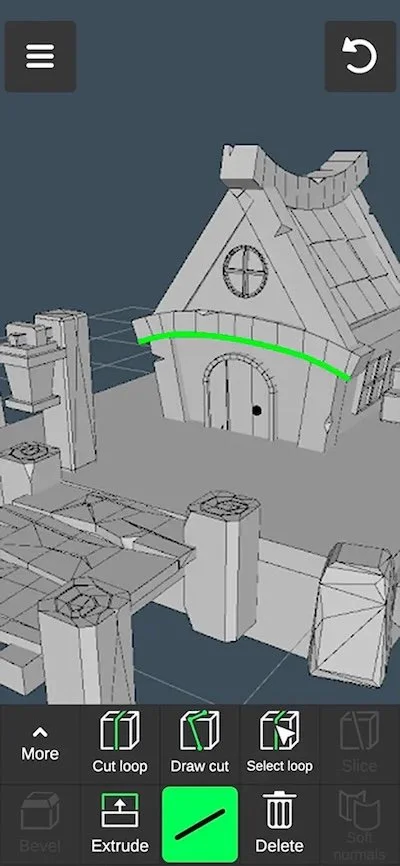
3D on mobile continues to improve. If you need to get started on some models on a commute or if you only have an iPad, apps like this can help. AU$60 annually allows exporting in .OBJ for more refinement back on your computer.
KIRI engine 3d scanner & lidar
Another in the category of creating 3D models from real objects, however this one can create rigs (e.g. bones) for your models, supports editing functions like filling holes plus quad mesh and PBR textures too. AU$60 for the first year then $80pa for subsequent years.
Qlone 3D Scanner
Somehow this 3D scanner app does not require a LIDAR capable device to work. Not sure if the models come out better if you have one though. This includes some editing tools, can import over 40 formats of 3D objects but requires a one-time purchase to export in OBJ, STL, FBX, USDZ, GLB (Binary gITF) which includes animation, PLY, and X3D. The highest tier listed is AU$50 but there is also a cloud credits scheme for some of the features, so beware.
DWG FastView - CAD Viewer & Editor
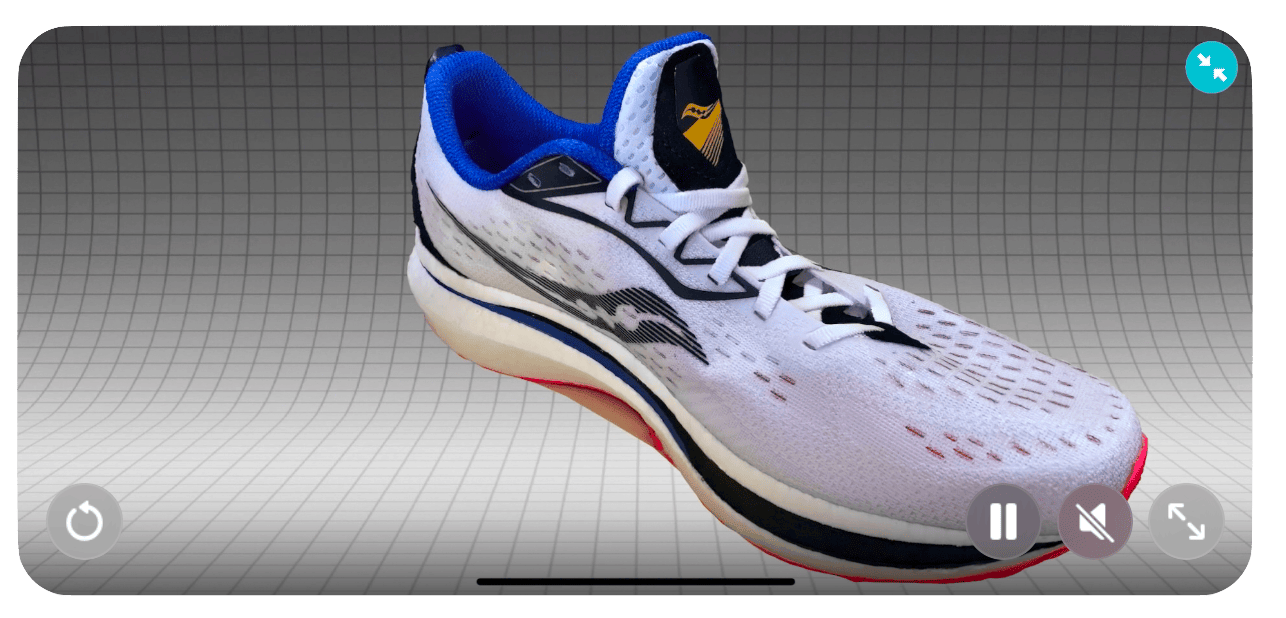
Here’s one for the engineers and technical side of 3D work. This can view CAD formats CATIA, SolidWorks, STEP and others, plus AutoCAD (DWG and DXF). AU$120 annually to do your CAD work on the go.

Omniscient
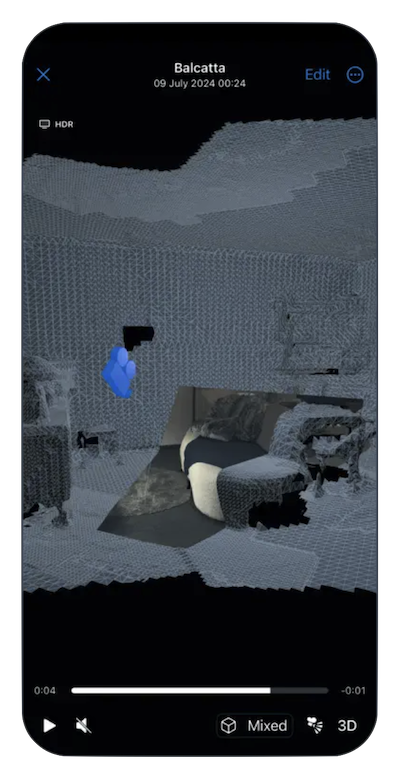
It seems to be a combination of 3D environment scanner and camera tracker. There are already quite a few apps for creating a 3D model of a place you’re in, but I don’t think most of them record the camera position simultaneously like this one does. I’m not sure of the use case. Are we supposed to scan our rooms and then modify them in the proper 3D software later? Export Video Files (.mov), Camera Data (.abc, usda, .fbx) and 3D Scans (.obj)
iOS graphics
There was too much content to include these in the last issue, so the iOS Graphics section was skipped. Here they are:
Aximmetry
I usually don’t include apps that need other hardware to work, but this is interesting to see this side of production. I’m not really sure how it all works though, because their only example is someone in front of a green screen and there are already green screen apps.
Exsto
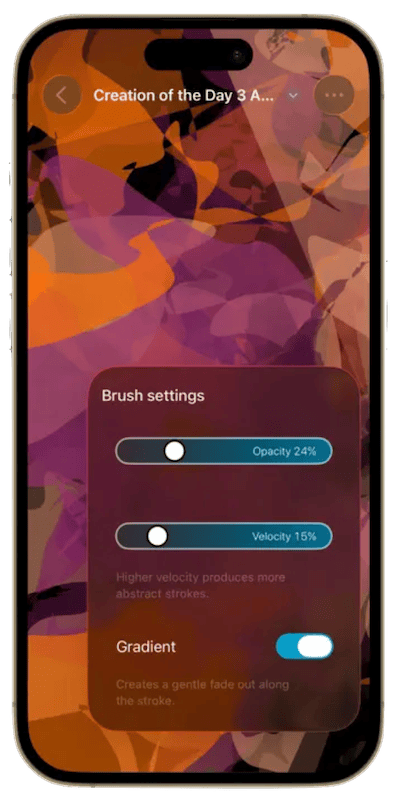
This is another art app but they have aimed at the “art as therapy” market, rather than just saying “you can make art with this”. It’s one for making impressionistic and abstract pieces. It supports the Apple Pencil on iPad and can export in PNG, JPEG, TIFF or SVG. There’s a choice of subscription or outright purchase for AU$70! I used to think $22 was steep for an art app once upon a time.
DPTH PRO
Do you like playing with depth of field in your photos? This app generates depth data and lets you adjust it, plus export 3D photos with the parallax effect and Portrait mode.
Darkness Camera
A number of camera apps for low light photography are around which use various tricks to boost the exposure. Many of them add grain but if it lets you see details you couldn’t otherwise see then maybe that’s what you need. This seems to have some denoising and smoothing operations to improve the quality of the boosted image.
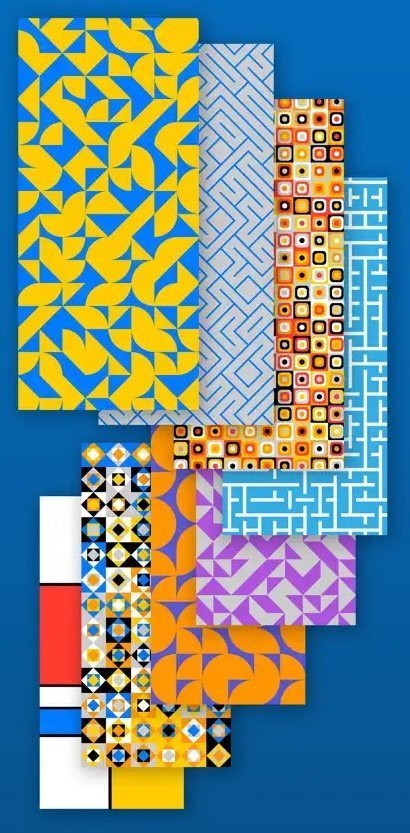
You need graphic, abstract art or textures? This app lets you do it with traditional algorithms. Plus it’s free and collects no user data.
IIWII
A film simulation camera for iPhone. Since the time of Hipstamatic and Instagram, people have wanted old style photography looks for their digital photos. This single purchase (non subscription) app looks like they are more serious about helping you make good looking photos than some others which just want you to pay monthly forever.
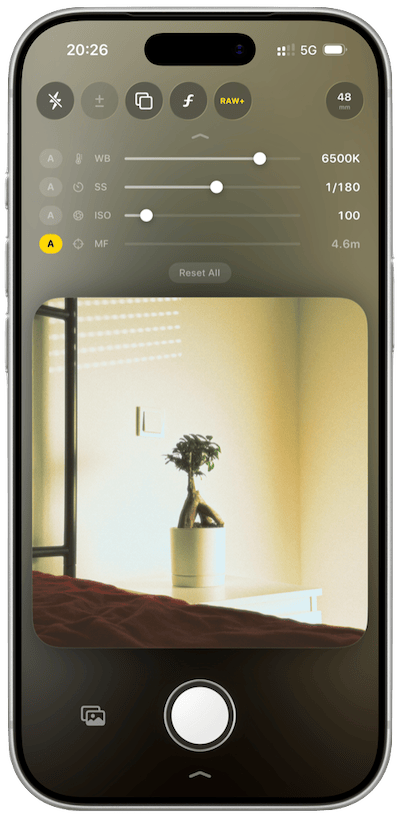
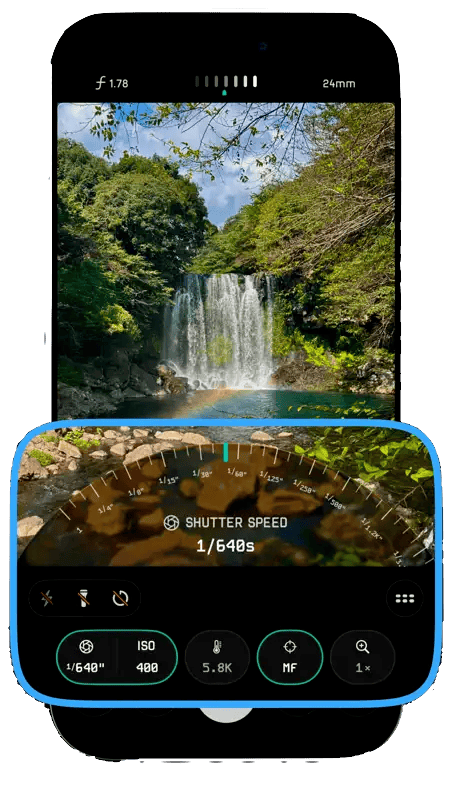
Photographers that know what they want often need more control than what the stock Camera app offers, and developers have flooded the App Store with many alternatives such as this. A smart-looking camera app that can shoot in ProRAW 48MP if your iPhone model supports it. It’s not subscription based but there is an IAP for AU $13 for “Pro Access”, but its not clear what that means.
Ahmni
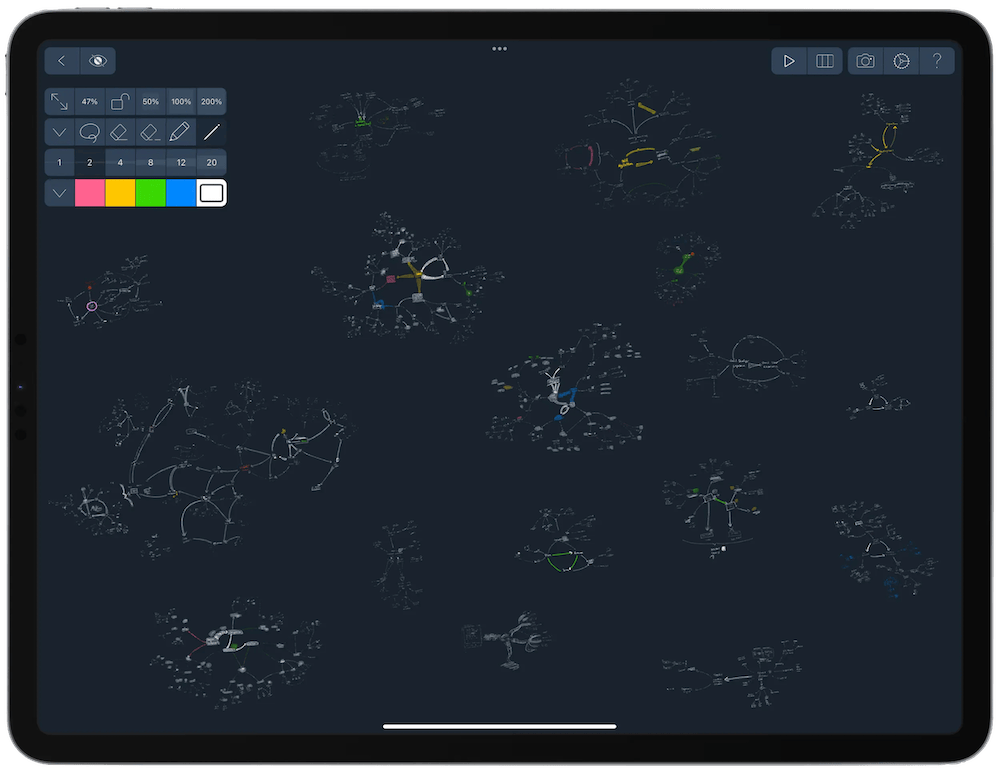
An “infinite canvas” app, which is one of the kinds of drawing note apps that lets you keep zooming in to add more drawn notes, if you feel you need to add more detail to your sketches but it seems like there’s never enough room.

Moiré / Interference
We are sure to have seen Moiré effects for the first time when we saw two window flyscreens in front of each other. This app lets you make these famous interference patterns using a range of source patterns which you then layer on top of one another to get interesting textures. Only in black and white, but you can then use this as a layer mask in other graphics apps.
iOS Video
Audio Sauce
For some reason this category isn’t more popular, maybe it’s because people tend to add or edit the audio for their videos in a video editor. But sometimes you just need to quickly add an effect to a single uncut video, export it and share it. This one offers volume boosting, reverb, saturation, EQ and pitch shifting. It’s free to install but costs AU$15 to export the videos.
ios Music
Cycler XS02
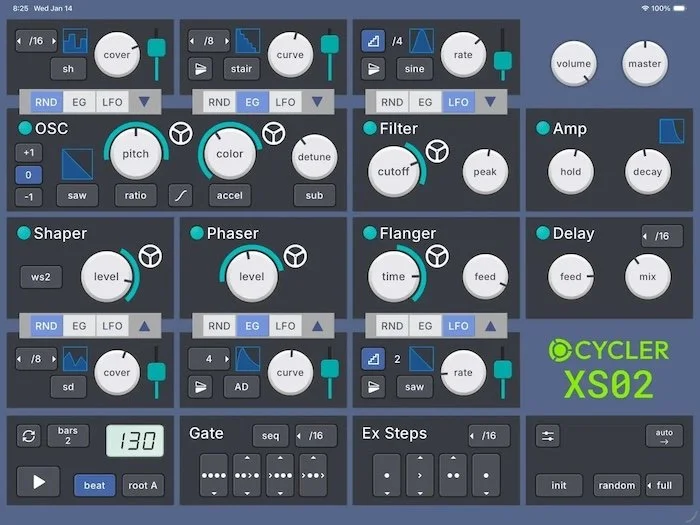
This is called an “unpredictable performance synthesizer” aimed at dynamic pieces such as those in psytrance.
Beepstreet Otoo
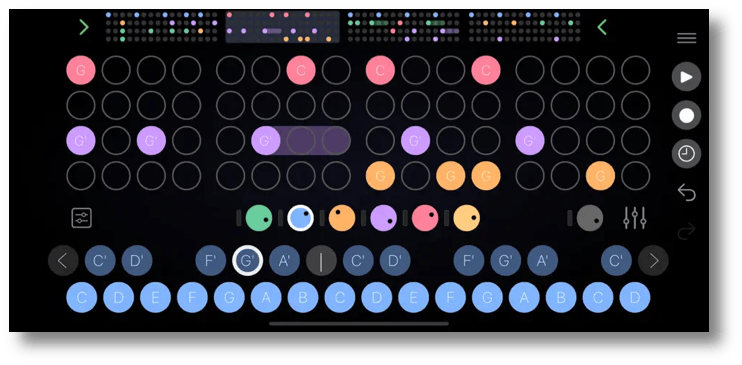
This is a “playful groovebox and sequencer”. It has 4 lanes on iPhone and 5 on iPad. It’s a host for your other AUv3 effect plugins, up to 2 per instrument and includes a sampler. You can export the whole piece as a loop or just export the MIDI for using elsewhere.
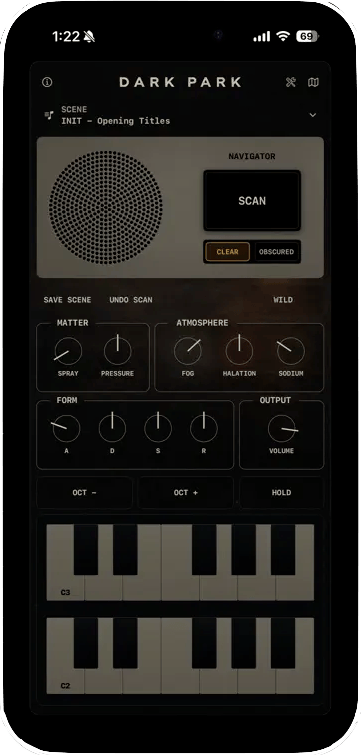
Dark Park Cinematic Synth
Create and play analog-sounding pads and drones for cinematic or emotional pieces. It’s an AUv3 plugin so you can use it with your other instruments. For iPhone, iPad and Mac.
Snorkel Synth
This is a synth for iPad only. The workspace is divided into Patterns, Arpeggiator, Chords and Drums. Each tool is its own synth engine with three oscillators, dual filters, four LFOs, envelopes plus effects, so you can have a lot going on all in the one app. There is no mention of it being an AUv3 plugin though, which is a shame.
Tapko
This one is an AUv3 plugin or standalone app drum sampler. The usual 16 pad layout is offered plus useful features like MIDI learn, round robin sample playback and layering.
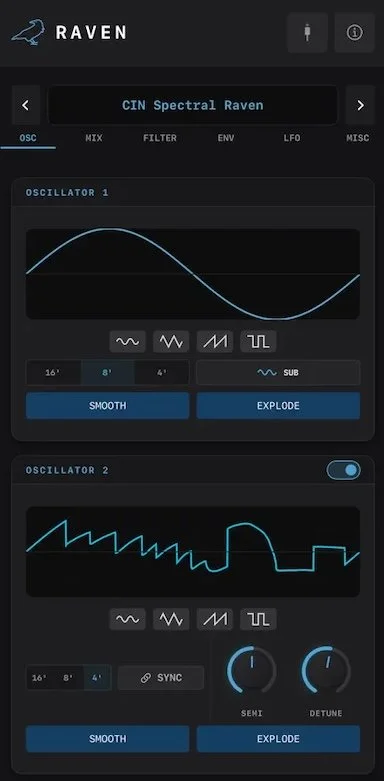
They’ll be raven about your song
Bringing their panoply of music software to two, Feral Audio has this one which is a wavetable-morphing synth which lets you draw the waveforms and morph in realtime plus a “full effects chain”.
Mix to Mobile
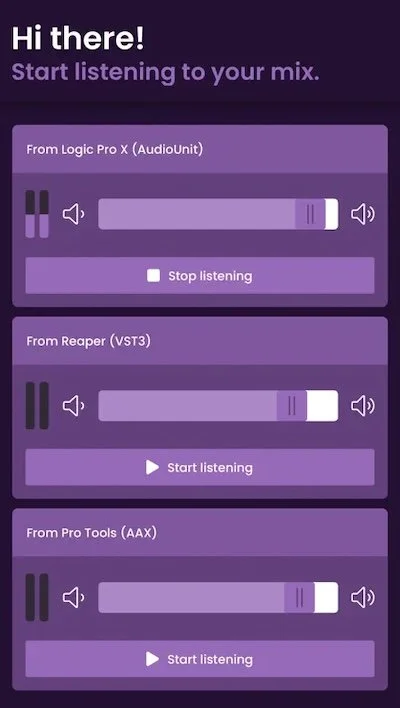
When it’s time to hear what your mix sounds like on other devices, it can be a hassle. You have to get your rendered file somewhere, then open the Files app or Dropbox and play it. Tedious. This one lets you stream live audio from your DAW to the app, and make changes in realtime. iOS 12 minimum which is good because you can leave your old iPhone attached to a stereo and hear your mix quickly.
Recodec
An AUv3 plugin for lo-fi tone, i.e. bit crushing and saturation. Also works on the Mac.
drop - Audio to DAW
Apple gives you Voice Notes and lets you drag and drop from that into Logic or another DAW. This basically does that but makes it a little easier, as you just click the Mac menubar app and your recordings are right there, synced via iCloud. Twenty-five recordings can be done for free, and you don’t have to create an account to use it.
Graphics
Excire
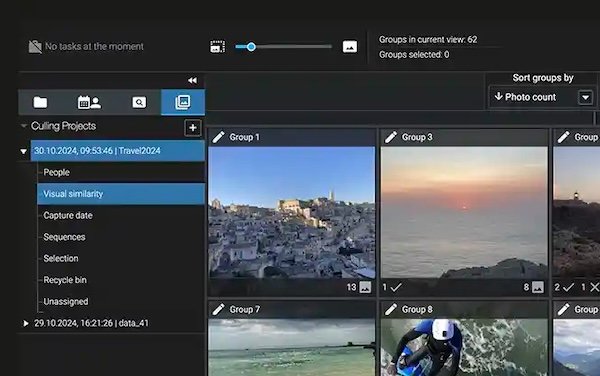
This group from Germany offers two products: Foto and Search. Features include free-text search, face recognition, auto-keywording, and smart culling. Foto is the full app and Search is a plugin for Lightroom classic. They boast AI software to help with these tasks but everything runs locally; no cloud or servers are used.
ShutterEncoder
Need more control than what Apple Compressor offers? Check this one out. It uses ffmpeg as the backend which gives you a ton of file formats you can output, and offers additional features like audio separation and transcription, text translation, colorization, face blurring, background removing, cut without re-encoding, audio replacement, rewrap, conform, merge, extract, subtitling, and video inserts.
PixelSwift
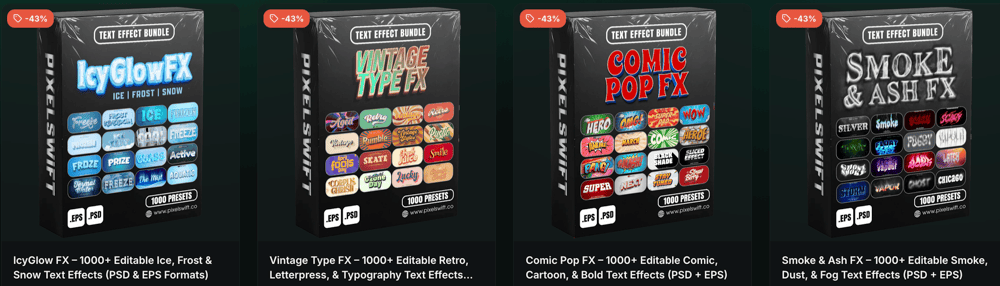
These folks boast over 20,000 Photoshop and Illustrator styles. Lots of flashy eye-catchers for use in headings, posters or possibly packaging designs. The Illustrator ones say they are also in .EPS format, but I wouldn’t wish buying these just to use in Affinity Designer. For those of you subscribing to Creative Cloud, the 2018 version is the minimum version.
TidyImage
“Bulk Image Compression & Editing for macOS”. If you work with images a lot, you’ll undoubtedly have had a large batch of images that need to be in various sizes, say two different thumbnail sizes and in different formats. This tool allows you to compress, resize, crop, rename, remove banding, and strip metadata from many images at once.
One Click Boutique Store Everything Bundle
Another one for Photoshop subscribers, this is a bundle of over 200 assets and Photoshop Actions. It’s times like these I wish the Actions worked in Affinity Photo.
Dinamo Font Gauntlet
A tool by Dinamo that lets you change all kinds of font attributes and even test them in different colors with different backgrounds.
Skedr
Automated sharing and scheduling for Flickr Groups. Yes, people still use it.
Rediscovered items!
These next few were supposed to go into TMF 25 but due to some failure in my notes workflow did not make it in, and then were forgotten.
Karl Sims’ Reaction-Diffusion Explorer Tool

Try it, it’s fun
This is a cool free web app for making interesting faux-3D textures. You get control over two source points, scale, flow, orientation, 12 color maps (CLUTs) and six of the color attributes. Have a play, it makes some unusual designs then drag your mouse over the image area to play with the virtual material. Use your computer’s screenshot tool to export your creations, as it lacks an export function.
TiXL
TiXL is the new name for Tooll Version 4, which I hadn’t heard of. It’s an open-source app for real-time motion graphics. It’s currently only available for Windows (probably why I hadn’t heard of it) but Linux and Mac versions are in development, but there is no release schedule published.
MeltMixPix’s Fractility

A a real-time, interactive fractal art generator for Mac, Windows and Linux. These folks also make a few others: Grid Morphosis, 3D Fractal Surf, Moshiscape, and Fractaerium.
Charley Pangus’ Displacecraft Plugin
Over 3.2 million high-quality photos/textures through a built-in gallery, right inside Photoshop, but it’s not for clip art. You use the Displacement Map feature to get some interesting effects on your existing work.
Development
RevenueCat
I hope this cat works harder than mine does.
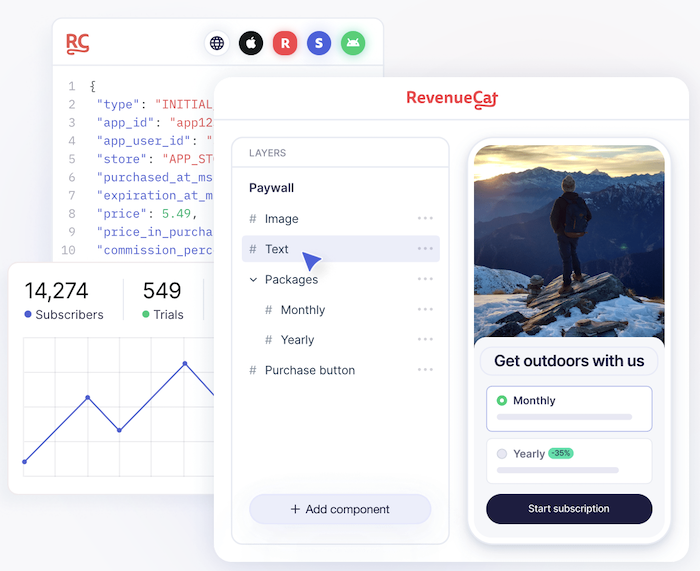
“In-App Subscriptions Made Easy” Even thought I’m not personally fond of subscription based apps — often because many of them promise continual enhancements that never seem to arrive — I do in fact pay for a few that are affordable. If you are a developer that offers a subscription model, this service gives you management and analytics for iOS, Android and Web Apps.
Kirby
To make more than a static website you need a CMS. This is a modern-looking one that seems to have a lot of features.
Playbook
“Ship Apps & Product Features That Users Adopt Instantly” This one isn’t software, but it also doesn’t fit into my Training or Promo categories. It’s a book on how to adopt a successful strategy for building and launching an app. Real apps are used as examples.
Publora
“The Publishing API for the Agent Era” Posting consistent content to all the Social Media platforms is a drag to do manually, and there have been a few players in this space over time. This one not only offers a REST API but also offers AI Agent integration with their MCP server. Over ten platforms are supported, and you can use an onscreen calendar to schedule your posts.
89luca89’s distrobox
Use any linux distribution inside your terminal. Enable both backward and forward compatibility with software and freedom to use whatever distribution you’re more comfortable with.
Readymag
“The design tool for outstanding websites” Ever see a slick website and wanted to make your own? Essentially this is a site-building tool with a modern interface. Templates are available to get you started.
AI
XAVIOR
“Your Personal AI Computer” This is a system aimed at personal life management. It can see your calendar, drive, contacts, and tasks and take actions on them. I suppose this is the kind of thing that people expected Siri to be able to do by 2026. Having not used Gemini on an Android I don’t know how it compares.
elvex
“Every employee, AI-powered.” No, it’s not another AI software vendor trying to tell you to replace your human staff with AI agents. Agents are involved though, in this case they are doing a reverse of the usual scenario of offering a blank chat box for humans to type into, instead they prompt your staff first. Lots of API hooks into Slack, Zoom, Teams, Asana, Confluence, Intercom, HubSpot, Monday, Snowflake and more. Aimed at the enterprise market.
Syllaby
This is a video-making platform aiming at people or organizations that want to make viral videos. It taps into Sora (I thought that was gone?), VEO and Seedance to make the videos and then includes an online video editor as well. It supports 25 languages.
Chatsonic
A “AI Marketing Agent Multi-Model Chat Platform”. This employs GPT-4o, Claude, Gemini and Flux in an integrated platform aimed at marketers. Free taster offered and then US$16/month to get unlimited file analysis (standard work formats like PDF, PPT and CSV) and integration with WordPress. Is that still a flex? I didn’t think it was that popular anymore.
Jasper
Another offering in the marketing space, this one uses agentic AI to create and manage campaigns and includes tools that keep your team’s voice consistent. Various automations are offered to improve your efficiency.
LM Studio
“Discover, download, and run local LLMs”. There has been much discussion about AI being run on servers and the power consumption thereof. This tends to ignore the ability to run LLMs locally which would have comparable power use to me rendering video or playing a graphics intensive game.
Magnific AI
“The magic image upscaler & enhancer”. This one claims at the top to use “Every AI model” and further down the page “all the latest models” to generate images, video and audio using a node-based canvas which is becoming more common to see. This is the new version of Freepik which I mentioned in Tool Much Fun 17. Aimed at medium to large companies or enterprise and plans start at US$18.50 a month.
MagicPath
Use AI to help you design interfaces without coding them manually.
Eddie AI
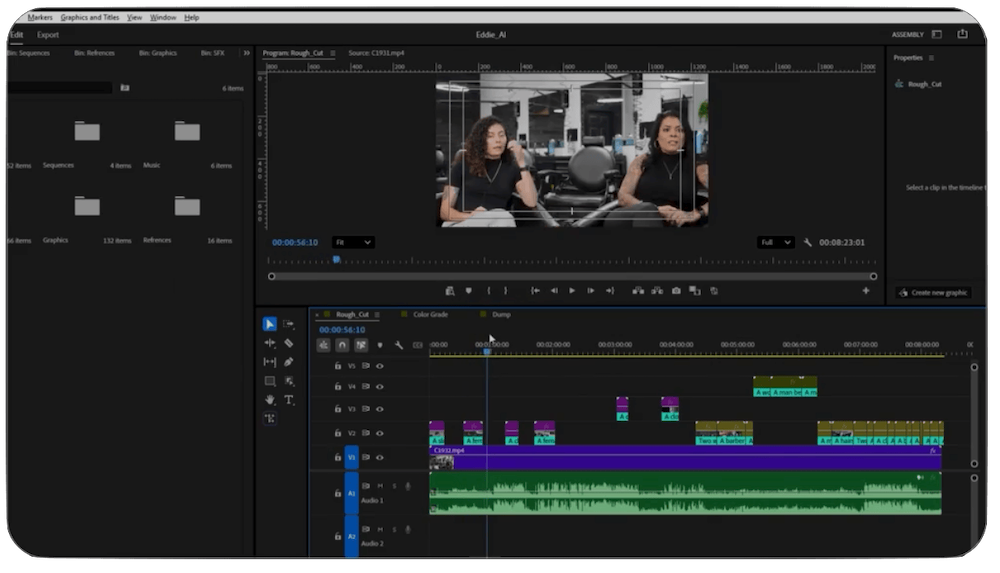
The hard-to-find screenshot.
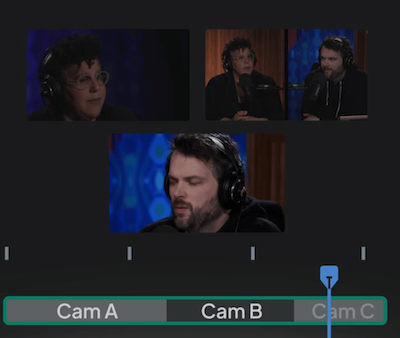
This is an AI assisted video editor app for Mac and Windows. It can do things like sync and aligns up to 6 cameras, automatically logs and organizes A-roll interviews with smart summaries, best soundbites, and filler removal. Also check out:
Yammi
Wabi
The makers of Wabi are interested in what they say is an upcoming era of personalised software. Most things we want to do are rather specific, so they envision finding and customizing mini-apps to do this.
Figma Weave
Formerly Weavy before it was bought by Figma, this one lets you use multiple AI models at once. They list Google, Kling, OpenAI, Bytedance, Black Forrest Labs, Runway, Luma, Lightricks, Wan, Grok, Recraft, and Bria, some of which I hadn’t heard of before so don’t feel bad if you hadn’t either. Free to try a basic account and the next tier is US$19 a month.
ImagineArt
“AI Creative Suite for Images, Videos and Voice.” I hope people don’t use it for voice so much. The cadence is still a few years away from sounding natural.
Sana Learn
“The AI-first platform that transforms learning” Uh-oh, the notice says they’ve been bought by Workday. Training modules are big business. I hope Workday gets better from this acquisition.
Genviral
An AI content creation and automatic posting tool. OpenClaw, Claude Code, Cursor and Codex are supported. Auto post to TikTok, YouTube, Pinterest and more.
Base44
A site for creating web apps. Free to try a basic account.
Omi
The Age of Agents is approaching. Just like Apple envisioned in its famous Knowledge Navigator video, this software claims to observe things happening on your Mac so you can get it to help you with tasks.
Captions.ai
People are used to using the messages app for texting videos to one another. With this app, you can text a video to it with your prompts and it will text you back your video with the changes you requested.
ConjureInk
A “a unified creative writing platform that transforms how writers conceive, develop, and produce fiction across multiple formats and markets” This does not aim to write a story for you, but to help with you writing.
Aiode
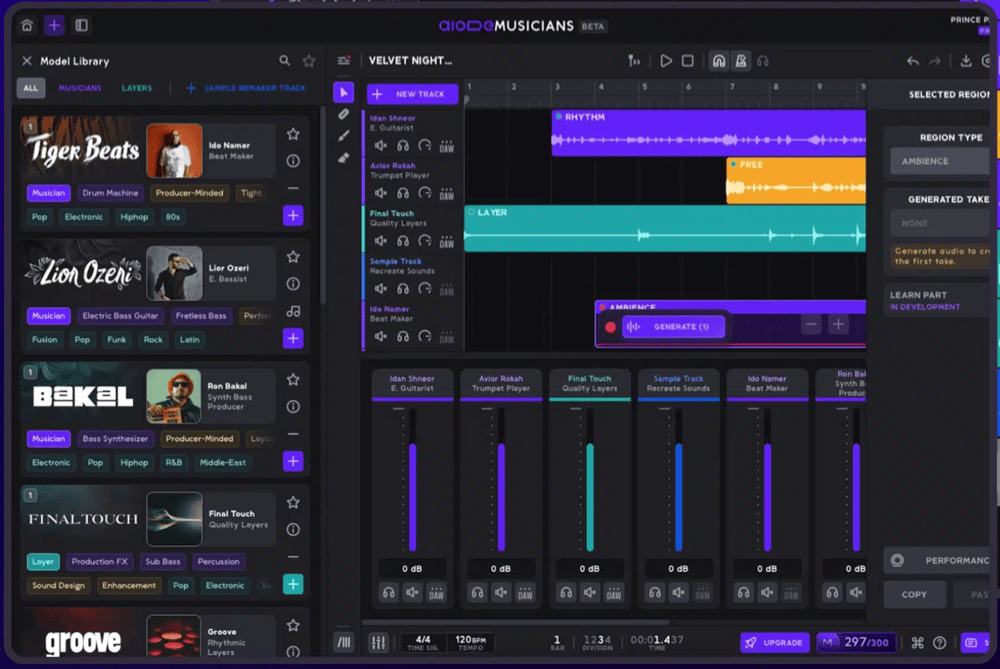
Setting a new standard for busy interfaces
This Music site (alternate link?) doesn’t just create a whole track in one hit. You pick from 12 different producer models to make the stems of your song and then mix it in a virtual DAW.
onyx
An Open Source AI Platform - “AI Chat with advanced features that works with every LLM.” This means you have to have a paid account with one of the AI services so you can hook it up.
safishamsi’s graphify
AI coding assistant skill (Claude Code, Codex, OpenCode, OpenClaw, Factory Droid, Trae, Hermes, Kimi Code, Kiro, Pi, and Google Antigravity). Turn any folder of code, documents, papers, or images into a queryable knowledge graph.
Feynman
An Open Source AI Research Agent. It uses four agents: Researcher, Reviewer, Writer and Verifier and offers these workflows: Deep Research, Literature Review, Biomedical Literature Review, Peer Review, Code Audit, Replication, Source Comparison, Draft Writing, Autoresearch, and Watch, but I don’t know what it watches.
Social Media
Bouncer
X neé Twitter became full of posts that many people don’t want to see. This is a tool which uses AI to remove unwanted categories from your feed. Unfortunately for the desktop it’s only available as a Chrome extension, but there is also one for iOS. There is a local model available and other popular models require a paid account so you can hook up your API key.
Gistvox
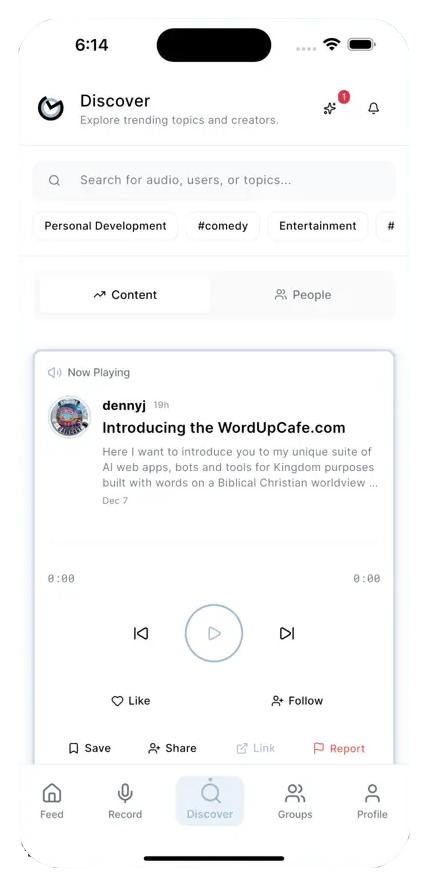
Try it once, you’ll get the gist
Social media has struggled to find a winner in the audio-only category. I have seen several come and go over the years, none becoming as popular as X and Threads for text or Instagram and TikTok for video. This one isn’t a subscription, there are one-off prices starting at AU$30, but I did notice it tracks a lot of your data, so beware.
Oliphaunt
Mastodon aimed to be an alternative to X, and one of things that was good back when it was Twitter was being able to use 3rd party clients. This is a native Mac app for Mastodon use. It’s AU$30 a year.
Training
Elliot Jay Stocks
Books and videos on typography and design.
Jay Maas’ Maasive Mixes
A comprehensive music production course over 15 modules that starts with the basics of making the track, then finishes with mastering, promotion and career growth.
Media Consumption
Nightingale
Sing along to your favorite songs— this one “uses AI to separate vocals from any song in your own music collection, turning it into an instant karaoke experience.”
MKStreamer
We want to watch our shows on any device, but it’s not always straightforward to do so. This app lets you stream a variety of common video formats to AppleTV, Chromecast or other SmartTV protocols.
Marvis Pro
Plenty of people have issues with Spotify or Apple Music. So why not try another app to play your music? This one will give you some other options, but it does need the Music app to remain on your device. For iPad.
What? That’s it? Like your favorite TV show, it can’t go on forever. But fear not, plenty more await you in the next issue, and should I ever have a slow news day there are always some older items that I found before I started this site. Also, what’s the deal with YouTubers saying “I’ll see you in the next one”? They can’t see me at all. I’m the one doing the seeing. They should say “You’ll see me in the next one.” Happy clicking, and please charge that Apple Mouse when you have a toilet break rather than complaining about the port being on the bottom.