
Tool Much Fun 29
It’s crazy how much stuff is out there being made for creative folks like you. And I keep my eye out for it whether it’s mentioned in a comment or shown to me in an ad, and if it’s interesting it ends up here. Sure, there are a lot of Procreate Brush Packs, Kick samples and note taking apps out there, and you probably don’t need all of them. But if you don’t already have one of these, you’re kind of in a good place because you can choose from a huge range, rather than saying “oh well I better just use what I bought two years ago”. In particular the video, 3D and animation stuff just keeps getting better. I hope you find something interesting.
9 July edit: I’ve just uploaded the podcast version of this post, so if you prefer listening to reading you can play it here, in Pocketcasts or Apple Podcasts.
Music
There was no shortage of music plugins and tools for this edition. So many that I had to bump at least two edition’s worth, or it would take too long to get through them.
JackTrip Labs
“Make Music Together Online” When we all had to stay at home as much as possible (read: lockdown) during the pandemic, many musicians turned to online collaboration tools to stay creative. This one is a free and open source system that claims to have latency as low as 25ms while still achieving 1536kbps of audio quality. I have not compared this with others in this space, but it seems pretty good.
Jay Cactus Layerizer
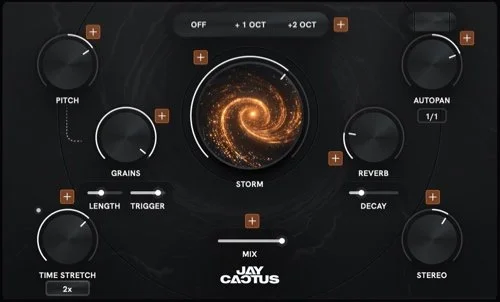
It seems to me Mr. Cactus isn’t new as his site includes training courses and sound packs. This may be his first plugin. It says it can “transform any melody into a unique background layer in seconds. A single plugin to pitch, warp, stretch, space and add unique texture to your sounds”. The effects include a randomizer, autopan, granulizer, octaver and widener to achieve this.
Christian Alexander’s Singlegrain
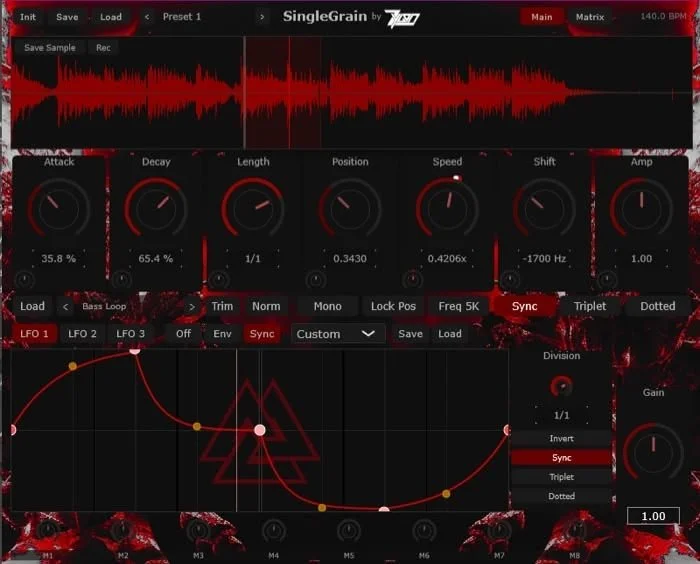
Speaking of granulizers, this plugin is one dedicated purely to that. Developers seem to have become almost as fond of making these as they have done with compressors and reverbs. So if you are interested in making the kind of sounds and noises that granular systems can make you might as well get a good one. This one boasts 3 internal LFOs so you don’t have to switch back and forth to a tool like the ones from Cableguys.
Joey Sturgis Tones Toneforge DI Match
You may have heard of EQ-matching before, and this one does at first appear to be something like that. Joey’s tool claims to be specifically aimed at DI signals such as those from guitars and basses rather than a generic input signal like a microphone recording, stem or whole track. One example is being able to change the tone of one brand of guitar into another, or from single coil pickups to humbuckers, that kind of thing.
Lunacy Bismuth
Music producer Virtual Riot has collaborated with Lunacy to make a resonator plugin, and as you’d have hoped it lets you tune the resonant frequency. Controls for the arpeggios, filter and some LFO-based modulation are included. You can run this either within Lunacy’s Beam or standalone.
Orra Audio Orra EQ
Newcomer Orra Audio gives us a combo of 16-band parametric EQ (great for the control freaks) with dynamic saturation included.
Band Mule
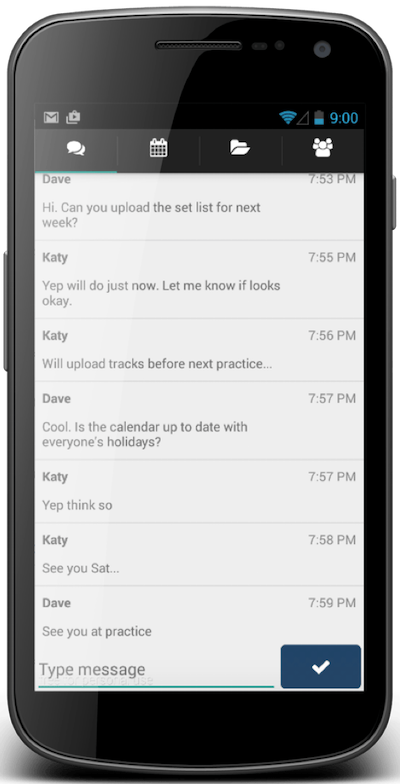
“A private band organiser” Not sure why they have to remind us it’s private. I don’t think that many bands are posting rehearsal dates to each other on their Facebook feeds. But it does keep the discussion away from the prying eyes of social media’s algorithms I suppose. This one has a Shared Calendar, Private Chat and Set List creation function, three core features that band members need. Available for iOS, Android and the web. Plus they offer a basic website builder to get your band’s public presence started.
Synthacle Forma
A “Cross-Feedback” FM Synthesizer. I have a few FM synths but I generally find them difficult to figure out. I think this is because the mathematics are so inscrutable that most developers haven’t figured how to make interfaces that are intuitive. That said, I don’t immediately know what the “cross feedback” refers to. I had a listen to some of the demos but it didn’t sound that different to what I can already achieve so I held off buying it.
Klangio
This one lets you transcribe music into sheet music. It uses AI based software to do this, but I felt it more appropriate to include here in the Music section as it is a utility rather than for generating any new pieces. There are versions for piano, guitar, singing, drums, violin and woodwind instruments.
Acedia Audio Kerosene
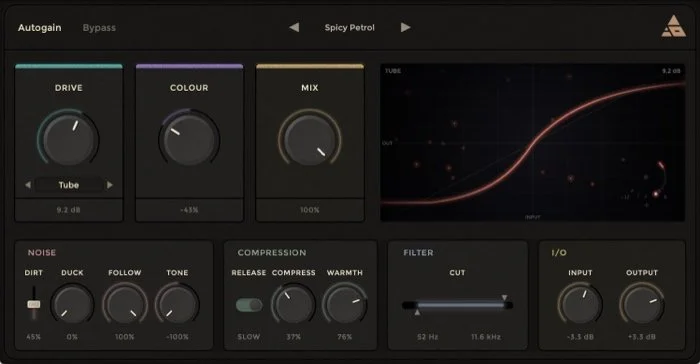
There’s no shortage of saturation plugins around. This one aims to be the best by offering 4 saturation modes, 8x oversampling, over 40 presets, a compressor, filter and wet/dry mix tool. As such it has a higher price tag than many on the market. I leave judgment about whether or not it’s worth it to the reader.
Jürgen Moßgraber’s ConvertWithMoss
It’s a multi-sample Converter. Samplers are cool, right? They have changed music immeasurably. Many of them don’t just play a WAV or AIFF file, that is, they might import those but the other attributes have to be stored somehow, which has led to an array of sampler file formats. This one supports over 40 formats including Akai MPC, Logic .exs, Ableton, Korg, Reason, Roland, SFZ, SoundFont, TAL, Kontakt .nki and more. Plus, it appears to be free and open source.
Stagecraft Software DropZone
I once thought about the sound of scratching that appeared in rap and hip hop songs, and it is quite a complex chain. First you need the a whole band to record a song, then get it pressed onto vinyl, then you have to have a company make the turntable and only then can you use it as an instrument! This plugin aims to let you make that iconic sound via software, with a range of controls to emulate what you’d normally do with your hands.
Temecula DSP MDV-ii
A free emulation of the Alesis MidiVerb II, this includes 100 factory presets including reverb, gate, reverse, flanger, chorus and delay. These folks also make an emulator of the Ensoniq DP/4 called DEEP/4 but to get those sounds you’ll need to pay US$100. There are almost 300 presets included in that one.
10K audio Gyro
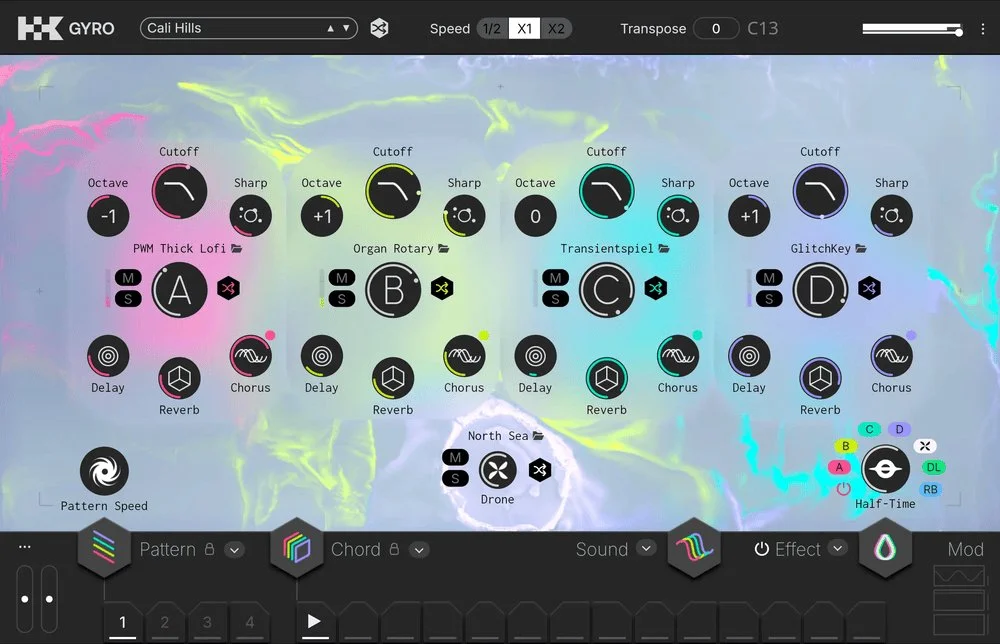
They call this one a “real-time loop crate”. So it’s a playable instrument plugin with four channels, a sequencer and tons of controls. The setup is that there is a lite version called PLAY for US$16 with 438 presets but to get under the hood to access all the parameters, that jumps to $239 (minus the $16 you may have already paid).
Expressive DSP ExpressiveVerb
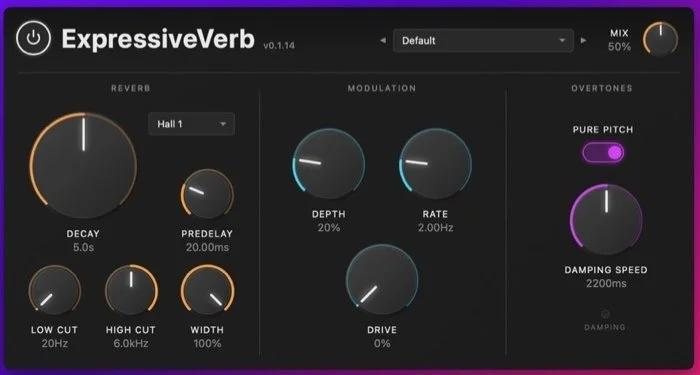
These folks aim to reduce the muddiness caused by reverb tails that just stomp all over the frequencies you didn’t want them to. They do this by analyzing the pitch of the incoming signal and adjusting appropriately.
Dillon Bastan’s Entanglement
Dillon, who you might recognize from the Ableton Live downloads page has made a “Quantum Wavetable Synthesizer” which can make a range of unusual modern sounds.
blööps dorothy
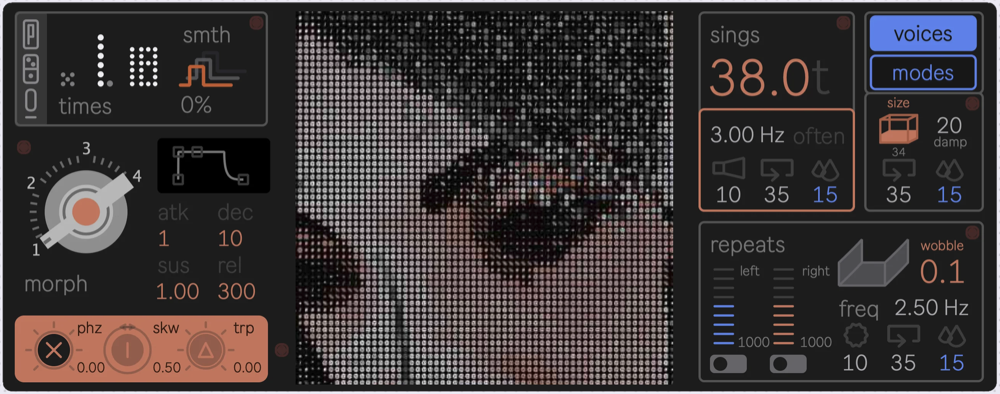
Amusingly-named bloops is back with a polyphonic phase-distortion synth plugin. Although your immediate reaction might be “another synth?” It does have its own retro flavor that is not easily creatable with others.
Sampleson Boomcha
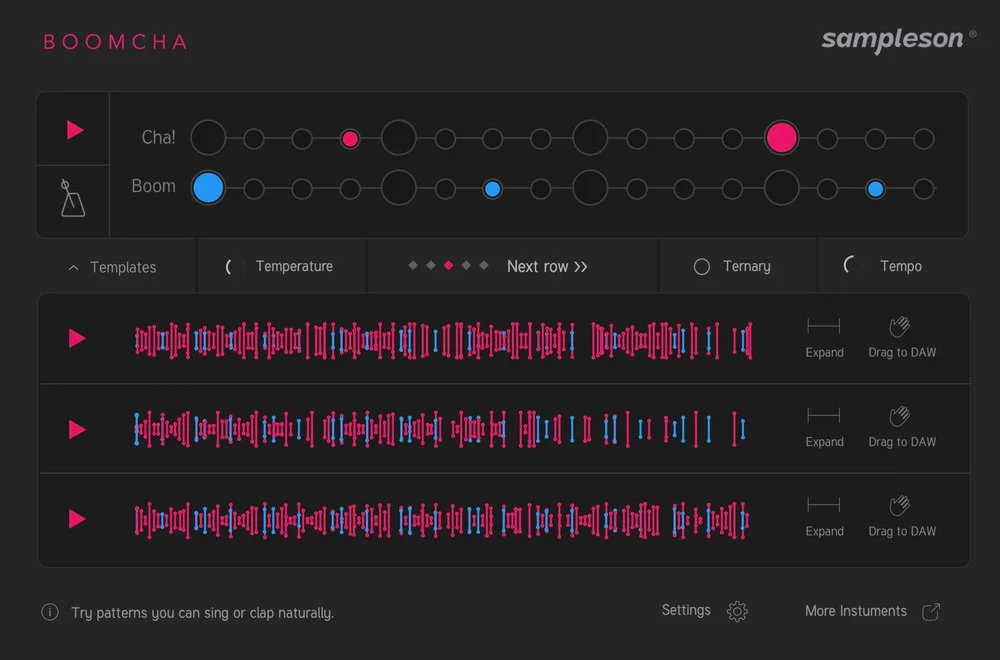
This one is for making MIDI sequences for your drum loops. The difference here is that it asks you to enter a rudimentary — no pun intended — version of the beat that you want, and it dives into a library of MIDI drum parts that most closely match your version. Then you drag and drop into your DAW and trigger your preferred drum plugin.
Brisk Audio
Online audio tools: record, cut, join, merge, mix, add echo or reverb. Even if you don’t need this one yourself because you have an audio editor, it’s worth remembering these if you are at a non-musician’s place and want to quickly edit something.
Celestial Plugins Waveblender
A plugin for mixing all your tracks using AI software.
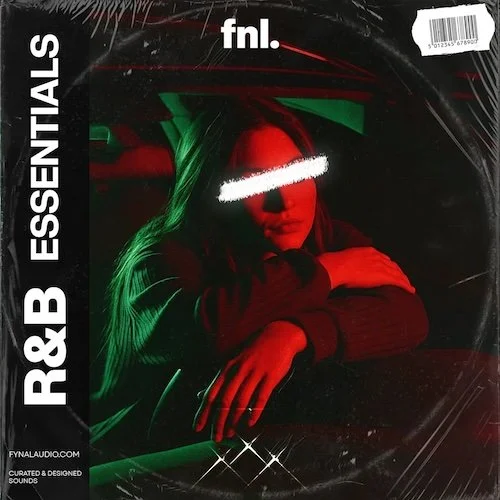
This bundle includes the Y2K and R&B essentials packs with over 90 and 30 sounds respectively, both including MIDI data, oneshots and loops, plus two Serum presets and two tutorials.
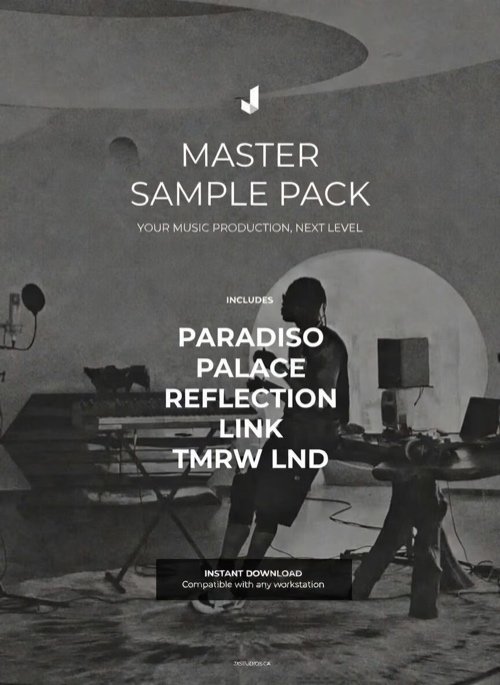
It’s a big one. Over 2,000 melody loops & one-Shots for hip-hop, R&B, trap, drill, house, ambient, over 1,200 Drum Samples such as 808s, kicks, snares, hats, percs, all tuned. Over 500 VST Presets for Serum, Omnisphere, Massive, Sylenth, ElectraX, over 150 MIDI patterns of chord progressions and melodies. Plus five bonuses are offered at the time of writing this.
Sample Agency Gabber Nuke
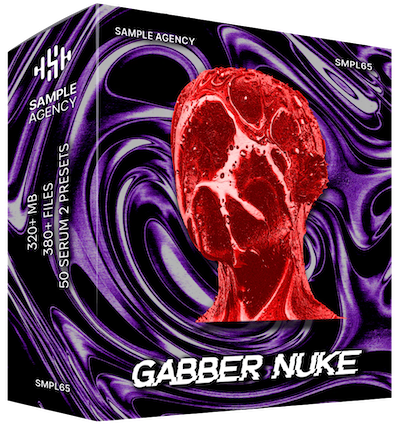
A pack of 329 one shots, loops and MIDI files, the samples of which include drums, synths, effects and vocals, plus Serum presets. For the genres Gabber (which I hadn’t seen before), Hard or Oldschool Techno, Happy Hardcore, Hardstyle, and Eurodance.
Illements
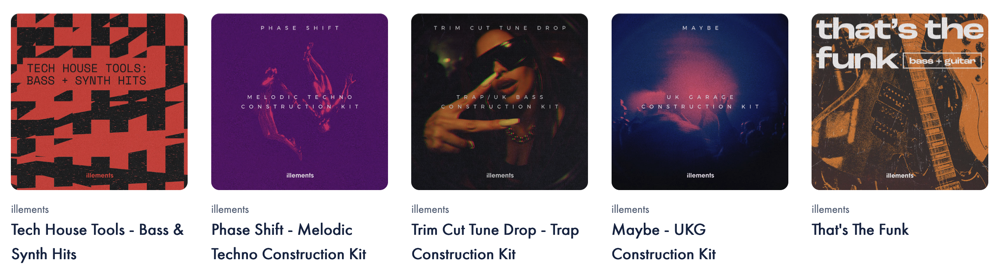
These folks make samples in over 40 genres which I won’t list here.
Velvet Sample ULTIMATE COLLECTION
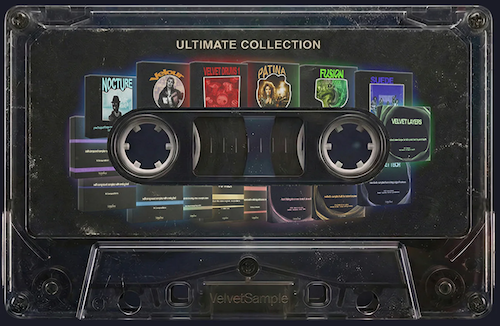
Twelve packs of unnamed-genre samples and loops, three drum packs and two MIDI packs.
Exo Audio Blush Multikit
This pack may make you blush? It comprises 347 oneshots, 50 drum loops, 30 other loops, Serum presets (gee that’s a popular synth), 85 MIDI files, plus bonus session files and tutorials.
Sound Dealer Samples
Perhaps the slightly higher price for these is to pay their graphic designer for the arty cover designs, or maybe they’re good quality. I leave it to you to decide. These folks offer a library of Jazz/Soul, R&B, Trap, Hip Hop, Boom Bap and other genres. As an example, the Boom Bap pack includes bass, FX, percussion, horns, kicks, breaks, chopped samples, snares and vocals.

Kontakt Instruments
Purgatory Creek Soundware Classics Collection
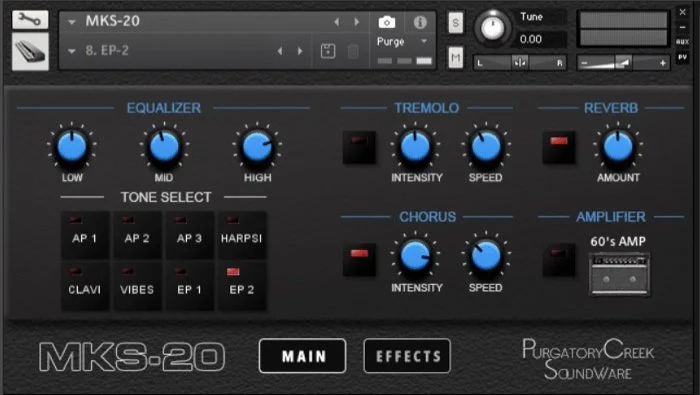
This comprises over 6GB of samples from the Mark I, II, Tine Bass, MK-80, MKS-20, Dyno and CP70b keyboards. At US$24.95 it seems too good to be true.
Project Sam Lineage Percussion
An orchestral library. I think it uses its own engine, but I don’t have a separate category for things that use their own engines.
Writing
Hypnotyping
Although the developer has placed this in the Social networking category, I don’t feel that’s apt. This aims to improve one's writing skills by… forcing you to write in timed intervals? I really hope it can choose another font besides Courier. I don’t want to look at that all day.
Inkle Studios Inklewriter
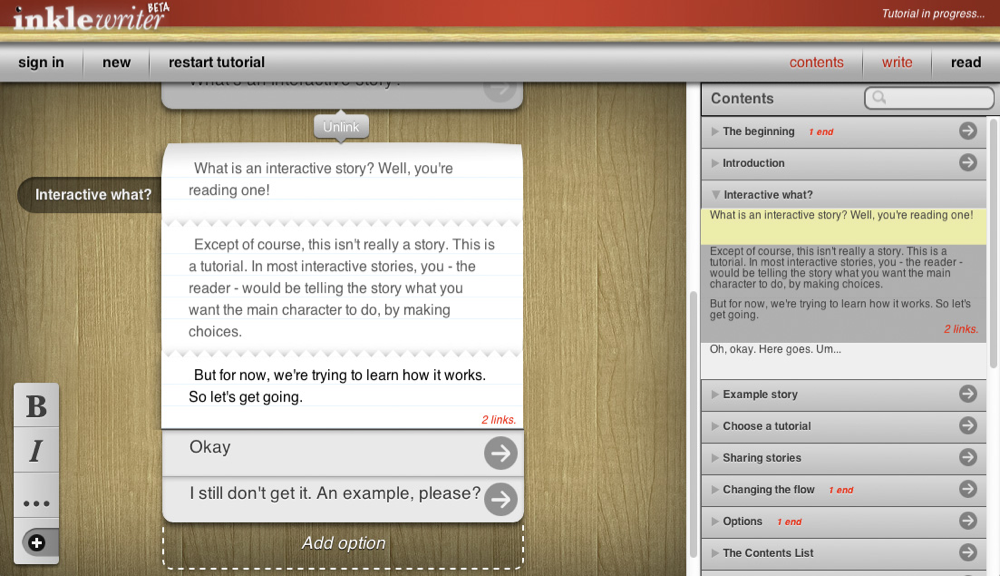
This is a free writing tool that aims to assist with writing interactive/hypertexutal pieces. It keeps track of branching storylines without having to use diagrams. The final pieces can be shared with anyone but I’m not sure if that means they have to download some kind of reader app.
Linewright
A screenwriting app for the iPad (and it should work on Macs too but it’s not verified). It lets you type in industry standard screenplay formats. Minimum system is iOS & macOS 26, which is a bit of a surprise for a text-based app.
Zettlr
Writing prose has different needs to writing technical documents or academic papers. This one is for the latter and can connect to reference managers. Zotero, BibTeX. JabRef, or Juris-M are listed on the home page. I haven’t heard of the last two. It claims to also work with Papers or the inexplicably popular EndNote but the setup looks complicated. Available for Mac, Linux and Windows.
Fade in
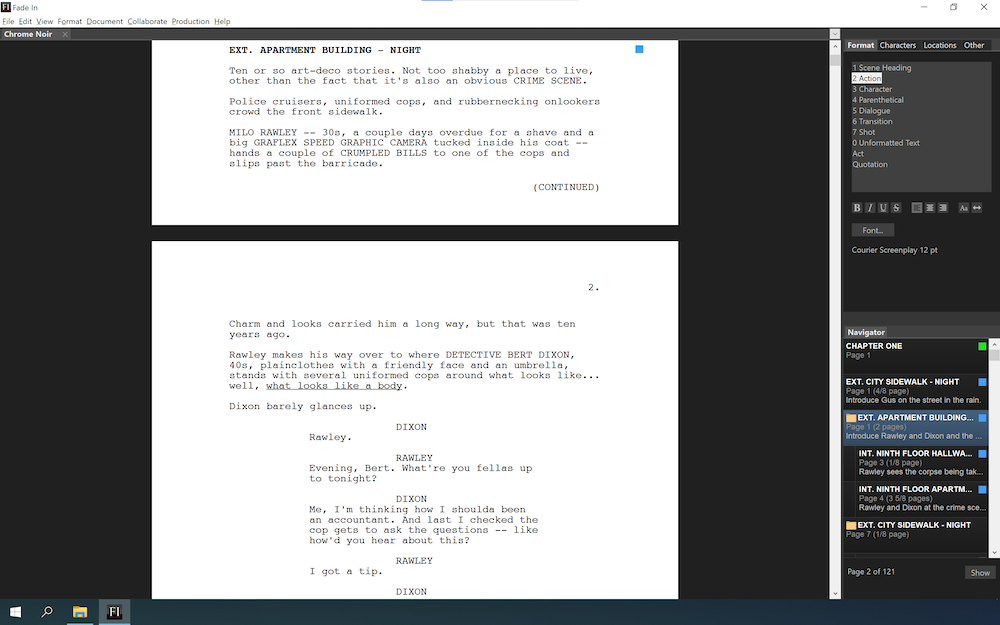
Pro-level scriptwriting software aiming at the throne long held by Final Draft. This sports a long list of features I won’t repeat here, including autocomplete of character names, location, scene names and times, plus revision tracking.
BookWitch
Although this boasts an AI based backend, I have chosen to keep this in the writing section because it does not use that software to help you compose the actual text. Instead it’s there to help you write by keeping track of characters, details, tone, story flow and other attributes. Then you export in EPUB & PDF format.
Fonts
ArrowType

This foundry has a small range of modern sans serifs that remind you of some of the classics without the usual high price tag. With regards to that they don’t have the usual pricing structure; they come to an arrangement with you depending on how large your company is and how big the project will be. I can only include one sample easily because they don’t have a page that shows many of them in one hit.
Bravetype

This founder is called Brave Lion Fonts and they’re from Berlin. Unfortunately because of the home page I couldn’t give you one of those examples that has a few of their faces in one hit. They have chosen MyFonts as the reseller so you can just go there directly to see all the faces. They are mostly workhorse faces for headlines and a few for particular jobs. There is something slightly quirky about them so if you want your or your client’s project to have that “je ne sai quois” (sorry for using a French term for a German foundry) then they might be what you need.
Avondale Type Co.
Avondale (ATC) has a small range of faces but each has a different flavor— not dozens of versions of a Futura or Helvetica clone as we’ve seen from some other foundries. They look like they would be good for branding, posters and headlines on a website more than for body copy.
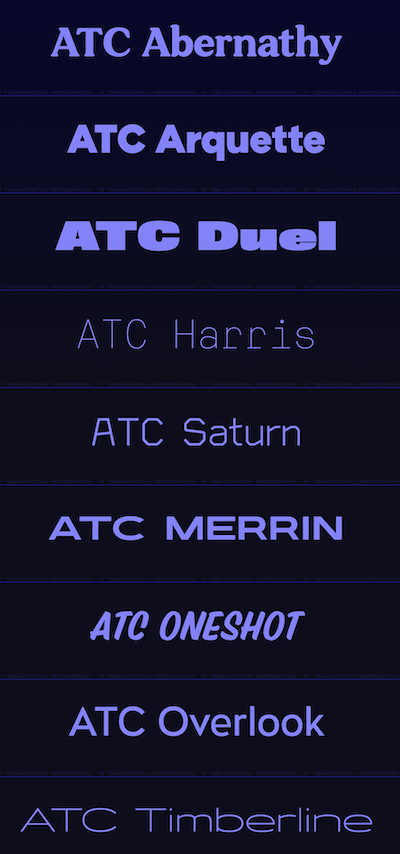
Want some more cool fonts? Check out TypeType
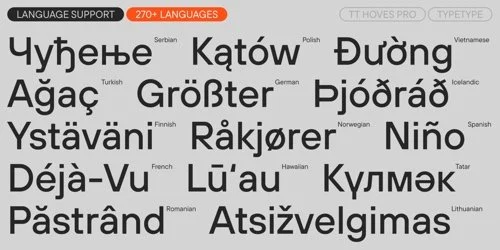
TypeType’s range covers tons of languages.
Mac
The Mac devs have been pumping out stuff lately? Maybe because they are using AI to help them finish their code? Who knows. In any case there is a big haul this issue.
LaunchOS
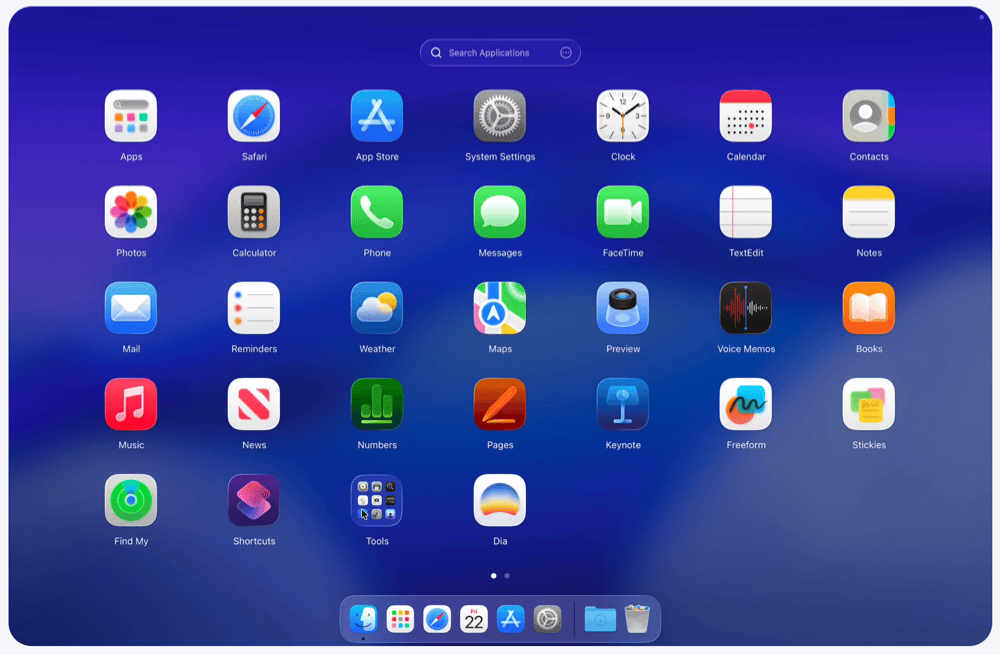
When Tahoe was released, some people were aghast that Apple had decided to discontinue Launchpad, which had been around for a few years. I always thought it had been designed to ease the transition to macOS from iOS, to make it more familiar for iPad users in particular. But I guess Apple can see how many people have ever opened it and it was not enough for them to continue developing and supporting it. Now it’s no longer a stock app, 3rd party developers have come to the rescue.
Launchy
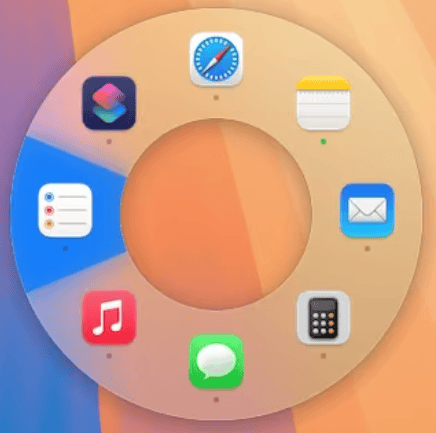
For switching apps on-the-fly we have always had the icons shown to us in a row. Apple doesn’t seem to like circular interfaces unless you are talking about the click-wheel iPod. This one isn’t new, I recall desiring one with Pie in its name years ago but never got around to buying it. No, it wasn’t Pieoneer or the four others that appear if you search for that in the App Store. Maybe I should do a comparison post about this specific type of app switcher.
Sindre Sorhus’ Supercharge
It seems like Sindre has looked at lists of complaints about what features are in Windows but not in macOS, and made a utility app to address as many of them as he can. For example Windows users like to move files with Cut and Paste operations without holding down the option key, and also to delete files with the Delete key without holding down the ⌘ key, and open files with the Return key instead of ⌘-O. In addition to things like those, you can also make numerous tweaks to window and Dock behavior. You really need to look through the whole list, you will probably even find some things you didn’t think you needed.
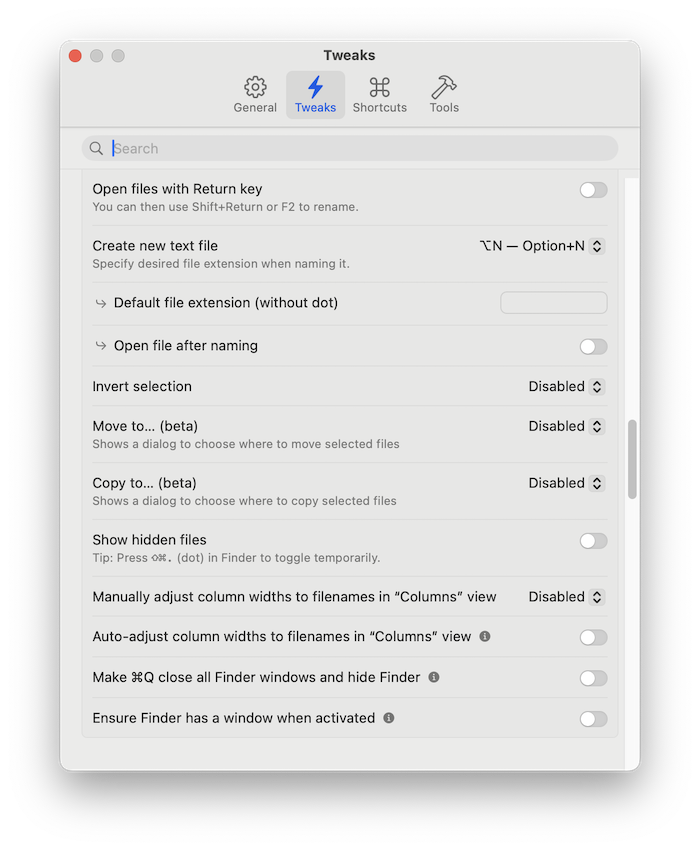
Supercharge your Mac (the interface, not the battery)
DockPops
Some love the Dock, others never use it. If you’re in the former category and you want more out of it, have a look at this utility app which allows you to make nicer-looking popup tiles of apps, folders or files. For free you can set up 2 pops with 6 items each. We like Freemium! And it’s only AU$3 if you want the full version.
Shotglass
Screen recorders seem to be on the rise. So if you’re unhappy with your current one, check this one out. It includes cursor zooming and following plus includes a mini video editor to clean up your screen recording before exporting it.
vashpan’s xcode-dev-cleaner
“If you want to reclaim tens of gigabytes of your storage used for various Xcode caches - this tool is for you!” Yes, Apple doesn’t really care how much storage their stuff takes up, and this tool is specifically designed to clean up unneeded Xcode caches.
Lounge
“Declutter Your Menu Bar” another in the Menu Bar Manager category originally made famous by Bartender which had a fall from grace some time ago.
Network Weather
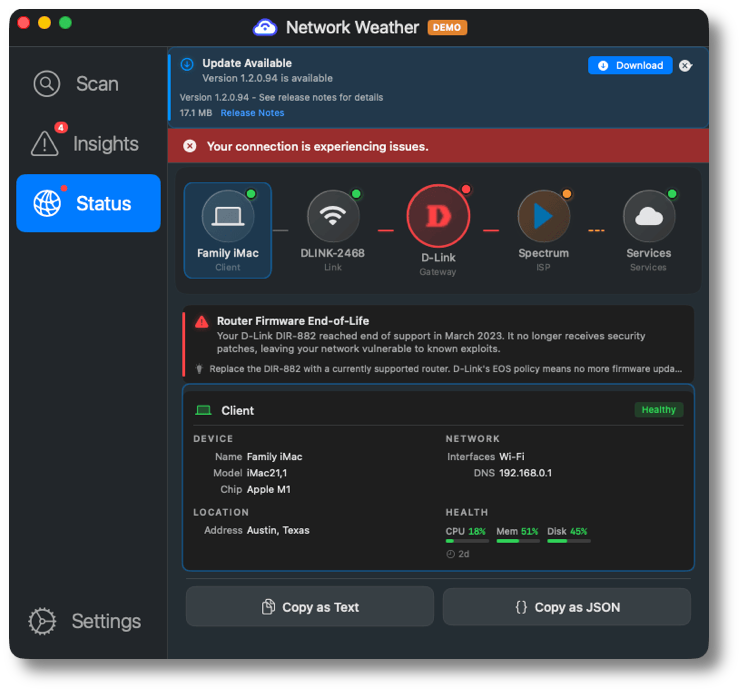
“Know What's Wrong With Your Network” You remember when Microsoft and Apple first started including a diagnostic wizard tool you could invoke from certain dialog boxes when you found something wasn’t working? They were useless as… insert colorful/NSFW phrase here. This utility app claims to do this diagnosis properly, going from your computer, then WiFi, Router, ISP, VPN if enabled and them your destination service.
Radio Silence
This one I found about 6 years ago, so it’s technically an ICYMI app, and lucky for you it’s still around. It’s a reverse firewall so you can block certain apps from getting network access. Could be useful for travellers who need to watch their data usage while overseas.
OpenLogi
Logitech Options+ is the app for configuring all the cool features of the Logitech mouse. How can they get the hardware so good and the software so bad! I tried it a few years ago and although it has some redeeming qualities they are marred by high CPU usage and interface bugs (the ones I experienced may have been addressed since then). This is a native, local-first Logitech Options+ replacement written in Rust.
Prostir Zvuku
Called a “spatial nature sound mixer”. It’s tricky to know where to put this one. It is an audio program, but I don’t think it was intended to make music with, rather its a sound healing/relaxation style app, and as such it can be for anyone, not just musicians so here it is in the Mac section. Sounds include rain, fire, ocean, wind, birds, forest, thunder, crickets, and streams.
Shixin Huang’s Czkawka Tauri
Bet you didn’t think you’d see Chinese and Polish in the same sentence today. This is a GUI frontend for the duplicate file remover Czkawka. Check it out if you think you have duplicates taking up space on your storage.
LowTechGuys Cling
Inspired by the Windows app Everything, this is a fuzzy search utility that claims to find things better than Spotlight can, and also finds system, hidden, dot files, and app data. Free for basic use then €12 for the Pro version. They claim it is “very much not like” ProFind, HoudahSpot, EasyFind, Tembo or Find Any File, which is a relief because I recently bought the latter from Bundlehunt.
Sandwich Vision Hovercraft
Yes, it’s a video app, but it’s a tool for videoconferencing rather than normal video pieces. It lets you use your hand to move the position of the picture-in-picture, for example some slides you are talking about. Plus, you can draw onscreen with your finger, type text live onscreen, both keyed out so you don’t see an ugly floating window, and import a 3D model and rotate it.
iOS
There were so many apps to cover for the last issue that the first four on didn’t even make it in. Just want to remind people that some of these will also work on your Mac too, but you have to check for them in the Purchased section of the App Store.
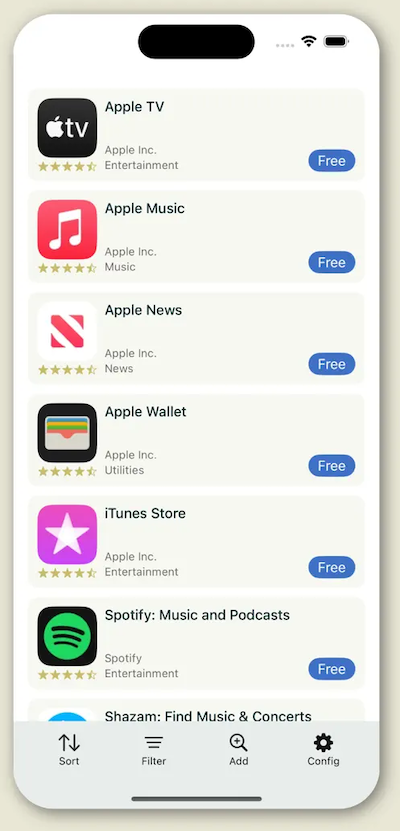
Stash those apps
App Stash List
A wishlist app for saving all the apps you hear about, hopefully from me! This one seems to be free, and I have just installed it. If it works better than WSH LST I shall move all the apps from that into this one and cancel the subscription, which stings more because that one still has unfixed bugs even after several years.
Markpages
Read-it-later apps are a dime-a-dozen, or in this case free. If you are missing Pocket, this clean-looking app may be a good way to save bookmarks as you travel the web and social media sites.
Futurenote
An odd app that is somewhere between a diary and self-reflection app. The idea here is that in a normal journal app you are free to browse whatever you’ve written in the past at any time, but this one prevents you from reading the note until a specified time in the future, so you’re locking the message in a digital time capsule. If you’re into this idea, it’s AU $6 a month or just pay a one time $80.
Collection of Inspiration
Although the name appears to be inspired by sites like Pinterest, this says it can save notes, videos, documents and links, so its more of a junk drawer style app to save things as you find them.
Time Atlas
No, not a sequel to Cloud Atlas. An app to help you remember. Not things you have to do in the future, but things you’ve done and where you did them. If Apple Journal or Day One are not quite doing it for you, have a look at this diary app. It’s AU$100 a year, but if you love it there is a lifetime purchase for $300.
Notemagnet
If you’re more visually-oriented, a list might not be working for you. This friendly/cute themed app is more icon based, that is each category gets its own icon so you can separate the items in your mind more easily. There are 9 packs of icons and notes can be in 6 different colors. This developer also makes:
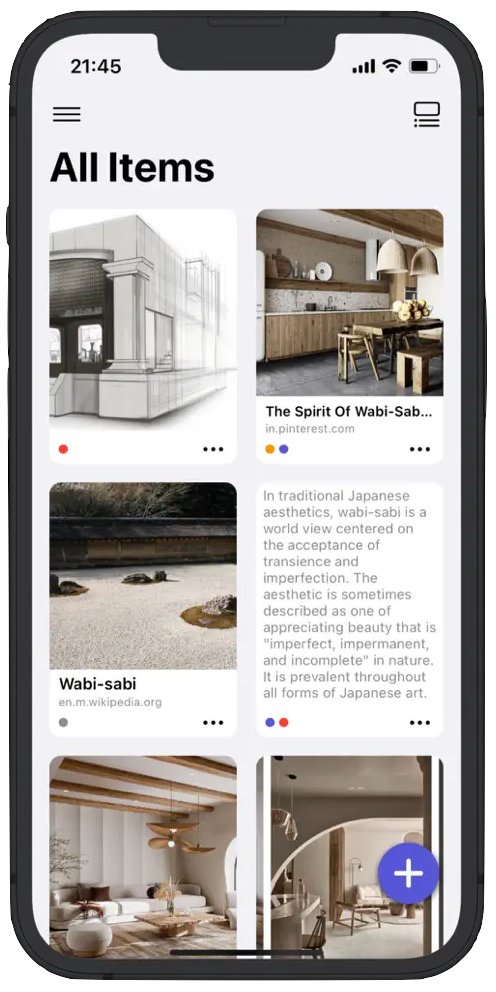
Kind of like Pinterest
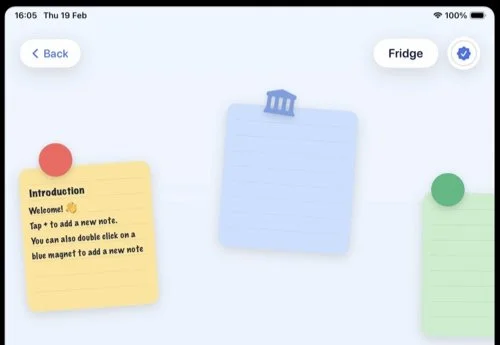
Notes at jaunty angles
Control Deck
A utility app for giving your MacBook’s screen some useful duties if you don’t have a workflow that makes use of another window being open on it. So this is like the apps you’ve seen that give the job to your iPad, but you just click on the icons instead of tapping. You can launch your commonly used apps or shortcuts.
Loupe
Apps need to request access to various things such as the Camera Roll or microphone. This utility app allows you to see what apps have permission to what hardware or software resources.
Selkie Design Hour by Hour
Trip planning is arduous, and this app aims to lighten the burden by allowing you to type in what you need to do and when and it figures out the details like travel time.
Penloop
This is an organizer app that offers these features to help you: Events, Todos/Reminders, Notes and Journals, Timers/Stopwatches, Logs and Bookmarks. Works on iPhone, iPad and Mac.
Mirroring for iPhone
Due to the ongoing battle between the EU and Apple, if you are based in the EU you can’t use the now-famous Mirroring feature, which Android users claim to have had for several years. This developer has decided to make their own version that is not subject to the same laws somehow.
iOS Graphics
Imajourn
You’re a what? No, it’s like “imagine”. This is an art and visualizer combo app that lets you make graphics with waves, chladni patterns, cymatics, and fluid dynamics in both 2D and 3D.
Action Button Camera
That Action button: not sure what to do with it? Why not make better use of it by using this app, which assigns it to launching this camera app, so you can be ready for a shot more quickly.
Lampa
Want that old-school digital camera look, or just photos like you got from your old iPhone? This app avoids HDR or any AI processing and includes features like halation to get good vibes. Unfotunately this will cost you AU$50 a year or just pay for two years to keep it forever.
Graintouch
An art app for making Risograph, printed-style images.
A few music visualizers here:
Lumi
Color Music
Musical Envision
This is a music visualizer that user the iPhone’ LIDAR scanner to make images.
iOS Music
Pixelboop
An app for creating music visually. You drag colored blocks on a grid without having to think about notes or chords.
Lattice
Drum pattern generator. Works as an AUv3 plugin.
Voxomat
“Resonant Lo-Fi Modulator” From the description it seems to be based on formats to get that human voice quality from your notes.
Osculatrix
At its heart its a tremolo, but includes modulation and saturation to take your sound to previously-unimagined places.
Airdrum
I first saw this type of app a few years ago. It’s for using the iPhone’s motion sensor to trigger drums. This one comes with some onboard sounds or sends MIDI to one of your drum plugins.
Arpeggiano
Microtonal keyboard. Doesn’t mention MIDI out.
iotaTONE: Microtonal Keyboard
This one has a number of onscreen note layouts and MIDI out listed.
Vectronome
A metronome with randomness functions to make dynamic rhythms. USB, Bluetooth and WiFi MIDI out are supported.
Notetracks
I first mentioned this back in Tool Much Fun 8, but I have made this a proper listing because it’s now an app for iOS! If you hadn’t heard of it by now, it’s for adding timestamped notes to audio files. Great when you’re collaborating with someone on an audio file.
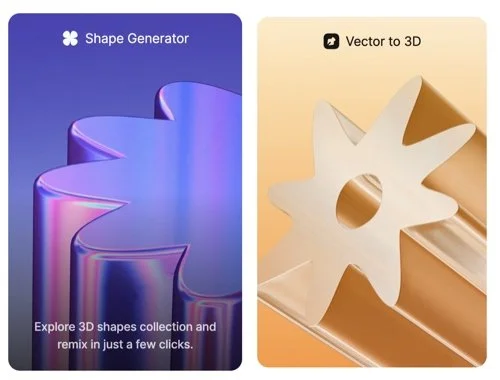
A web based suite of tools comprising shape and abstract generator, vector-to-3D (extrusion), mockup creation including clothes, screen and other objects, and some basic 3D modeling.
ASCII toys
A graphic app for making modern versions of ASCII art to get that retro tech look. Works on iPad, iPhone, Mac or Vision.
Strum Surfer
Don’t be fooled by the cute look of the site. The one I’m telling you about is the “Painting by Sound” item which is a visualiser for taking audio input and turning it into an animated watercolor visualizer. If I were the maker of this I would split this off into its own app and add more features for controlling the color palette, mapping of color to frequency, that kind of thing.
Beatflo Nuclyr
VJ (Video DJ) software aimed at live performances. Output video to LED panels, projectors, OBS, or NDI-enabled devices, and it includes 300 “visuals” that can be tempo-matched to your audio.
AM Design Shop Printmachine
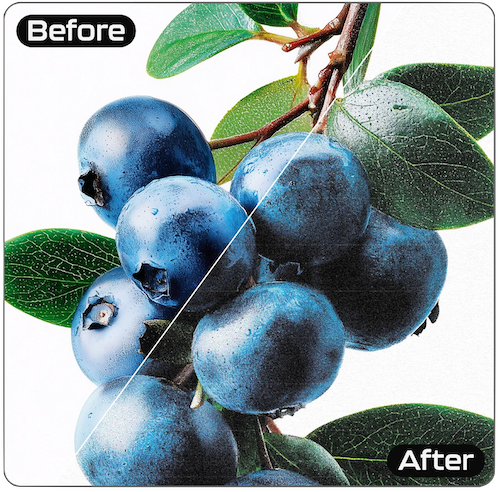
Printed materials have a unique look that was once difficult to achieve with digital tools in days gone by. This is a Photoshop plugin and 10 PNG textures for achieving that look. It’s not clear if it will work in other hosts like Affinity Photo.
The Effects Guy Viral Text Animations
Over 32 text animations for use directly in Premier Pro. Buying now also gives you all future animations and an editing masterclass training item (document or video not specified).
ICYMI
Master Bundles
I found this site in June 2016, but of course this blog didn’t exist back then. It is an online store for buying graphics assets, stock photos, template and fonts. It appears to have filters for an impressive range of the file types PSD, EPS, PDF, AI, JPG, PNG, TXT, JPEG, ZIP, DOC, PPTX, SVG, KEY, INDD, EPS10, CSS, JS, RTF, Google Slides, PAGES, PPT, HTML, PHP, DOCX, TTF, CDR, FIG, OBJ, EPS8, EPS CS4, MAX, WORD, OTF, 3DS, FBX, DXF, RAR, TIFF, POTX, XML, BLEND, SKETCH, GIF, CSV, XD, AIT, IDML, ATN, ico, MP4, DAE, AICS4, ABR, WOFF, zxp, PPTM, STL, tpl, ACO, MB, PAT, XLSX (who is buying spreadsheets?), EOT, ASL, MA, AIA, BRUSH, DNG, numbers, THMX, ASE, DWG, EXE, KTH, TGA, csh, EXR, XLTX, XMP and fla but there is no option to omit search results for things made using AI, which is a shame.
Blue Tail VectorView
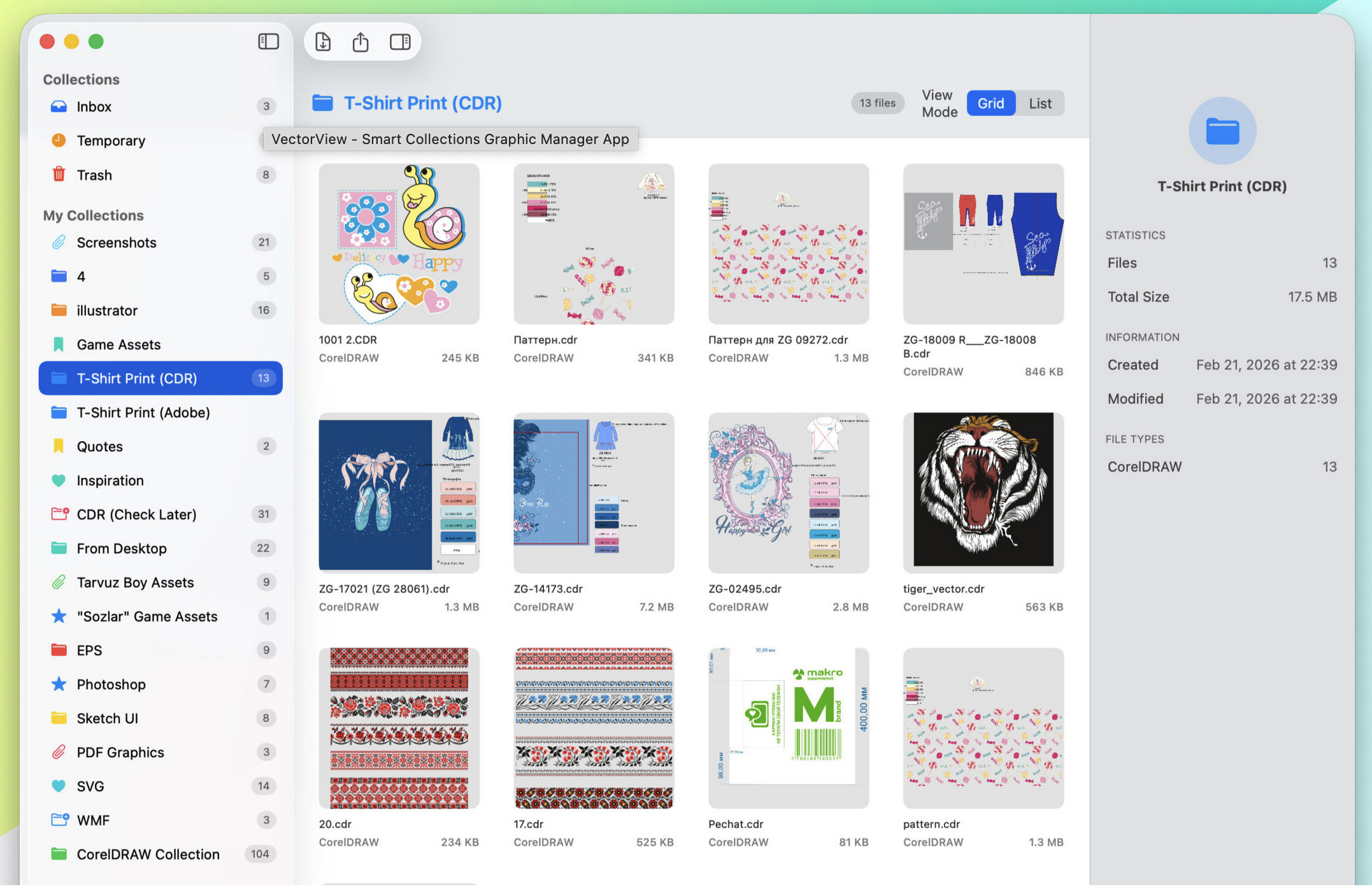
View your vectors in VectorView
A file manager for graphics files. Supports CorelDRAW, EPS, PS, AI, PSD, WMF, DXF, PDF, SVG, PNG, JPEG, TIFF, and “all standard image formats”. I guess the latter means older ones that are less common to find lately. It’s free for viewing the files and the Pro version AU$5 a month, $30 a year or just buy two years’ worth to have it forever. This gets you exporting to SVG, PNG, JPG, PDF, or TIFF at custom DPI resolution.
Animation
Duik Ángela
This claims to be the “comprehensive rigging and animation toolkit for Adobe After Effects”. It’s free and open source.
video
Video
Avidemux
A free video editor designed for simple cutting, filtering and encoding tasks. Available for Mac, Linux, BSD, and Windows. It appears from the download name that it hasn’t been updated since Monterey, but it may still work with newer OSes — I haven’t tested it.
NodeMill LensNode
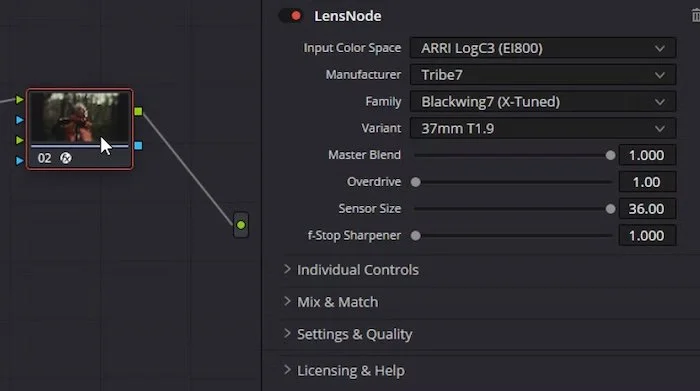
Lens simulation plugin for DaVinci Resolve on macOS and Windows, and Final Cut Pro. If you know your lenses, this may be for you. It simulates chromatic aberration, bokeh blur, vignettes, color casts, fringing and other attributes.
Multicam Flattener
I just found out that Final Cut can’t apply stabilization to Multicam clips, or at least it couldn’t when this app was invented. So this does some magic for you that allows you to do that.
PT EDL
EDL Rushes and reconforming assembly for Pro Tools. Although this is an audio tool, it’s here in the Video category because it’s for filmmaking.
SendToX
A utility app for moving Premiere Pro, FCP 6 or 7 XML-exported movies into FCP X.
Development
Netbird
It you’re a freelance or subcontracted developer, you’ll need to share your work in progress with your employers. But how can you get them into your system so they can have a look at the work-in-progress? People have made all kinds of complicated ways for that. This thing attempts to make it all easier.
Remix
“A web framework for building anything” Some very cool particle effects are demonstrated here.
Keylight

Traditional non-app store software purchases mean assigning license keys to each customer. This app aims to simplify that process. Of course it supports multiple app products and can hook in to Stripe for the billing side of things.
Polar
Not really for development, but once you have your product ready you need a billing system. This one looks and feels modern, but has a passwordless login system; it doesn’t seem to use cookies, so if you close the tab, you have to ask for another code to be sent, and doesn’t seem to include the link to the thing you bought so you can get a bit lost trying to find your order or download link.
Postspark
A website for creating attractive screenshots for your app.
Astro
A JavaScript web framework optimized for building fast, content-driven websites.
Joao Castro’s Vela
A macOS menu bar app that scans, analyzes, and monitors all your projects automatically. It can scan project in the forms Swift, React Native, Next.js, Node.js, Python, Flutter, Rust, Static Sites, Documentation, and others. You can use AI software to analyse your projects using Apple Intelligence (on-device, free), Ollama (local, free), Claude, OpenAI or Gemini.
Arboreal Audio Arbor
I listed Arboreal’s PiMax back in TMF7. This is a plugin framework for creating cross-platfrom plugins in CLAP format. They appear to be working on AUv2 support.
VisualDiffer
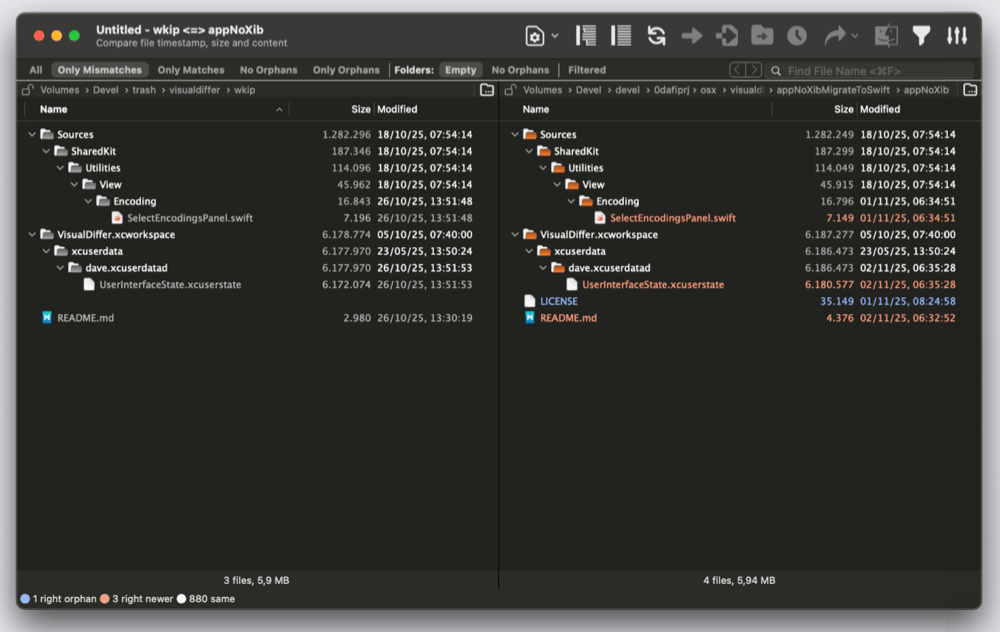
Although it’s not specifically for development, people writing code are more likely to need tools like this. But if you are managing lots of files, a utility like this that can compare files and folders in a side-by-side view might be useful.
Divriots
Twelve Figma plugins.
Hyperblam
Make music with HTML. A declarative implementation of the Web Audio API.
Sent
A unified messaging API for SMS, WhatsApp & RCS.
Zauth Vector
“AI-Powered Penetration Testing & Vulnerability Scanner” Another one that’s hard to decide which category to place it in. Although it’s “AI-powered” it’s not a purely AI based tool like a text or image generator is, and it’s not for productivity or creating anything so it doesn’t quite fit in the Work category. As it’s a tool for testing the security of websites it ends up here in the Development section. Use it to ensure no one is able to access parts of your site they aren’t supposed to.
AI
This category is still on the rise. In it you’ll find a mix of services and tools, but they’re in here rather then their respective categories because they specifically use or are about AI rather than just having that as an included feature.
Relume
“Websites designed & built faster with AI” It turned out once AIs were taught how to read and write HTML and CSS, they could make basic websites.
Ragie
“Fully managed RAG-as-a-Service for developers” I never remember what RAG stands for. Anyway this one is all about APIs, and you use services like Google Drive, Notion, Confluence and Slack to give it access to data that you need to manipulate. You can get it to do tasks without having to build a pipeline first.
Prompt Catalyst
All the AI experts know that writing and recursively editing prompts is how to get them to do what you want. This site is for writing the prompts, then saving and organizing them. For images, you can do the generation from here without having to cut and paste. I assume you need to use your API keys for this.
Supermusic
Some kind of combination of AI music maker promotional site with a Suno variant included for making new songs. I’m not sure why a person using AI to make music would need any extra promotion as from what I hear they are doing fine on sites like Spotify anyway. An iOS and Android app are both offered.
Speechify
We have been using software to read to us for years. I think I first started with MacinTalk around 1986. These days AI software does it for us. Which is a shame because there are a lot of people that could be recording text and if there was a Fiverr type site then maybe this type of app would be less popular. Good quality voices will need the Premium IAP at AU$40 a month.
Playmaker
“AI Sales Reps that Run Outbound for You” This tailored AI service will search the web and find prospective customers or clients and then create personalized outreach for them. It claims to be able to connect to over 6000 services such as Slack and Salesforce, including your calendar so you can book meetings automatically.
Cortico
Ever been in a meeting and someone dominates the conversation? What if you’re a slower, more methodical thinker and take a little longer to decide what to say for your contribution? This is an AI tool that is designed to restore balance to meetings and sensemaking workshops. It records and transcribes the whole session and does the summaries you’d expect, and has tools to ensure that all members have a turn so no one is left out.
Kalia Labs Lekh AI
For some users of AI software, the thought that it’s running on a server they have no control over is concerning. They want privacy or to be able to use it without a network connection. Hence we have local, offline models such as this one. It’s US$5 for the base version and $30 for Pro. It can also generate images, videos and music as well as the other functions we have come to expect from LLMs. I’m not sure how it compares to the server based offerings, because you download models from Hugging Face or other open source platforms. For example Qwen, Llama, Mistral, DeepSeek or Microsoft Phi. For the Pro version, it claims to use Flux for images, LTX for video and ACE-Step for the songs (coming soon). I hadn’t heard of the last two. Available for Mac and iPhone.
MacinAI
Yes it’s for Macs only, specifically vintage Macs but it is specifically for accessing AI on these old machines, so it’s here instead of the Mac section. You can do things that involve reading and writing files, writing AppleScripts and searching a vintage software catalog.
Z.ai
An “advanced” LLM chatbot based on the GLM-4.7 model, which I hadn’t heard of before.
LinkSpree
Many a bookmark is saved for later but then never revisited. LinkSpree uses AI to watch which of your saved links you seem to have forgotten about and then asks you to review them to see if you still need them or not.
Viktor
A customized AI tool for work: reports, dashboards, code, marketing campaigns and more. It claims to be able to connect to over 3200 other tools. Stripe, Meta Ads, Notion and GitHub are listed. Use Viktor via Slack.
Devin CLI
Devin is a program for using AI services from your Terminal. You install it locally and it hands off to cloud based AI services as necessary. Multiple models are supported. Opus 4.8, GPT 5.5, and SWE-1.6 are listed as examples.
The Living Library
“Converse with any Book” this is a website that has been tweaked to give you replies to queries on any book it has in its training data and give you answers in the style of that book. It doesn’t seem to have a list of what books are in the training data.
ACE-Step-1.5
The most powerful local music generation model that outperforms most commercial alternatives.
Sassbook
AI based writing, Summarizer, Paraphraser, Headline Generator and Story Writer. I’m not sure why sites like this exist because it seems to me that they just do what the commercial models can already do.
Meli
Meli aims to do what we thought AI should be able to do: the Second Brain concept. To some extent Google is getting there, which is to look at your personal stuff and help you get that organized and get some of the tasks done. This one can hook in to your Google Calendar or Todoist account so it knows your appointments and todo list. For this they want $40 a month.
Training
WVFRM
A course on JavaScript fundamentals in Max (free), P5JS5 & Max and UI Design for Music Technology, the latter two are set to waitlist mode.
TrueFire Online Guitar Lessons
TrueFire Studios encompasses TrueFire, ArtistWorks, FaderPro and JamPlay to make a large library of music tuition materials. This guitar-specific offering includes “every style” with lessons from over 400 players, some of which you have probably heard of.
Work
Letterly
A voice-to-text app (yes they’re all AI based these days) so you can dictate instead of type. It support over 90 languages and can integrate with services like Zapier. So I suppose it’s better than using Google and it wouldn’t be hard to be better than Siri (at press time it’s still iOS 26 days). The cheapest year you can buy as an IAP is AU$98, but the list of IAPs is confusing and goes up to $150, perhaps that’s for more tokens.
Atera
IT Helpdesk management system. I don’t have a category for this subcategory so here it is in the Work section.
Also check out
Risotto
Another help desk but with AI automation features to help the helpers.
PicoPDF
PDF editing software. All the usual PDF manipulation features from a company that has been around for several years. Create, edit, sign add text, images and (do something with) forms. Free for Mac and Windows.
Media Consumption
Nuotit
Tired of being tracked every time you listen to something? Listen to podcasts, audiobooks, memos, and local files downloads in one private library. It offers on-device transcripts, pro-grade audio, and no accounts, ads, or tracking. Works on iPhone, iPad and Mac but needs OS 26. Its AU$80 a year or $130 for “Full Access” but I don’t know what that means.
CD Wally album player
A nostalgia music player app. Yes, the “wally” in the title is short for wallet, longing for the days of carrying around CD wallets of your music collection.
Reading special!
Here are a few for the book lovers. They seem to have similar goals: track books you have read or want to read, rate them and so on.
Bookmory
Margins
Booktracker
LibraryThing
This one is free and available in over 50 languages.
Libib
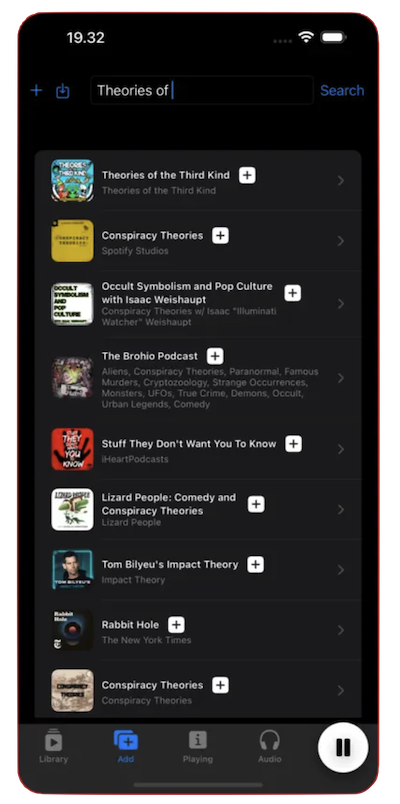
Not quite the same as the above, this is more a cataloging app for your personal collection. But it can also be used by anyone with a library. You can add your media by scanning the item’s ISBN/UPC barcode.
James An’s Soundcli
Soundcloud can normally only be played via their web interface or mobile app. This is a way to play the songs via command-line. There does not appear to be any binary downloads so you’ll have to build it yourself.
Cider Collective
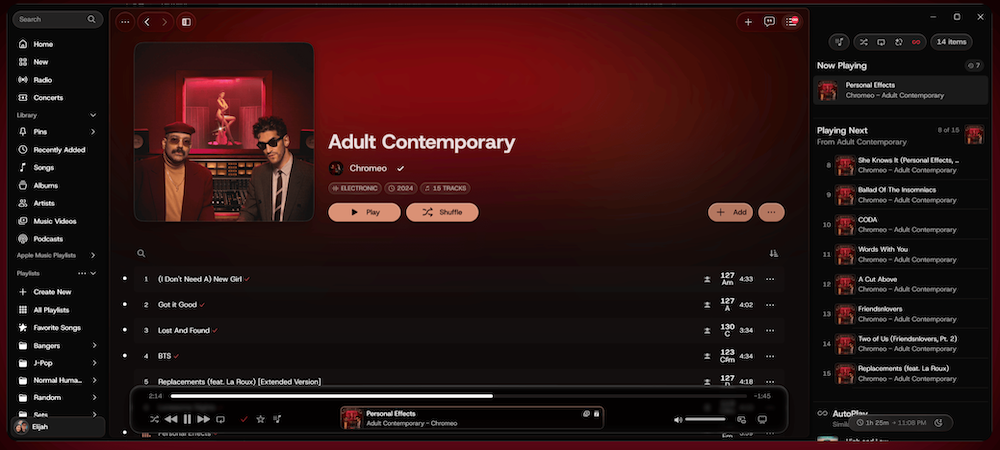
Based on the number of complaints about Apple Music I see online, I hope this one gains popularity. Because with alternative player apps like this you have the choice to use Apple’s service without having to use their actual app. Kind of like how you can write text without Pages or take photos with Halide and still save your documents in iCloud.
ICYMI
Popcorn Time
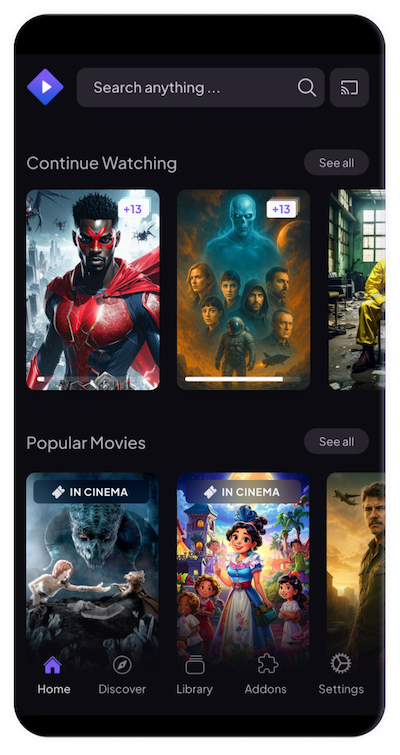
A free BitTorrent client that includes an integrated media player. Instead of streaming, you use this to watch what you want.
Also check out
Stremio
Watch all your movies and TV shows on almost all your devices. Works on Android, Android TV, Windows, MacOS, Linux, LG TV and Samsung. It’s open source.
So that’s my slice of what’s around that looked worthy of checking out. A reminder to any new readers that I have only bought a few of these items so the descriptive snippets are based on reading and summarising longer texts and sometimes watching their promo videos. Let me know on the social sites if you found something that makes your stuff look or sound better, or makes your work quicker.
Below is one of those word cloud things that goes to the tags for this blog. But the funny thing is, most of the posts include all the tags.