
Music Software Installers Comparison 4
Here we are again with more comparisons of the stuff you have to deal with after you’ve bought a plugin from one of the many vendors around. They’re mostly similar, with some conveniently showing you the latest version, a picture to remind you of the product and links to download it. But what’s it like when you have to check what the latest version is? Is it clearly shown? Do you have to get links emailed to you, find old emails with links or just click to download? Are you forced to deal with unwanted Mac versions if you use Windows or vice versa? See who has things running smoothly and who makes it more annoying than it needs to be.
Auburn Sounds
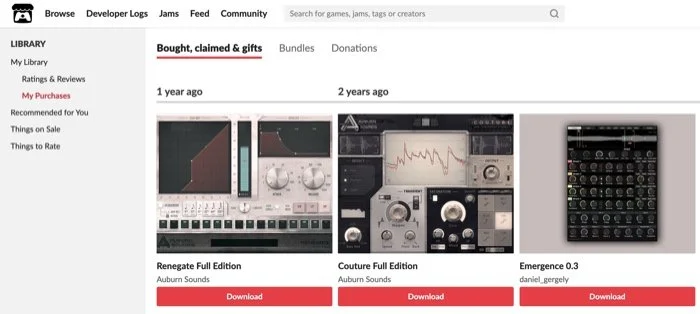
Itch.io shows you everything you bought through them, like Gumroad
Auburn has chosen the usually-for-gaming Itch.io as their distributor, and they have nice screenshots, but no version numbers. Versions for all platforms are included in the zip file, which has the version number in the name.
AuroraDSP
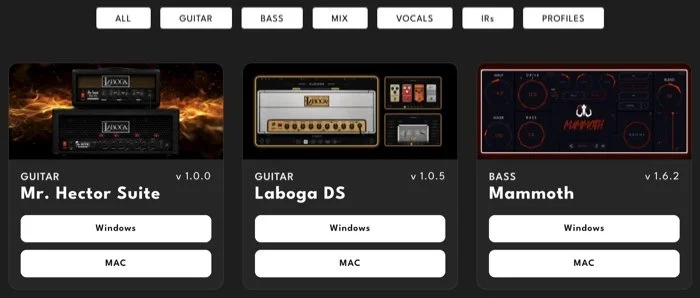
Screenshots/product shots, version numbers displayed, and separate categories and platforms. Only one gripe: “Mac” is in all caps, which is a no-no for Mac users.
Cherry Audio
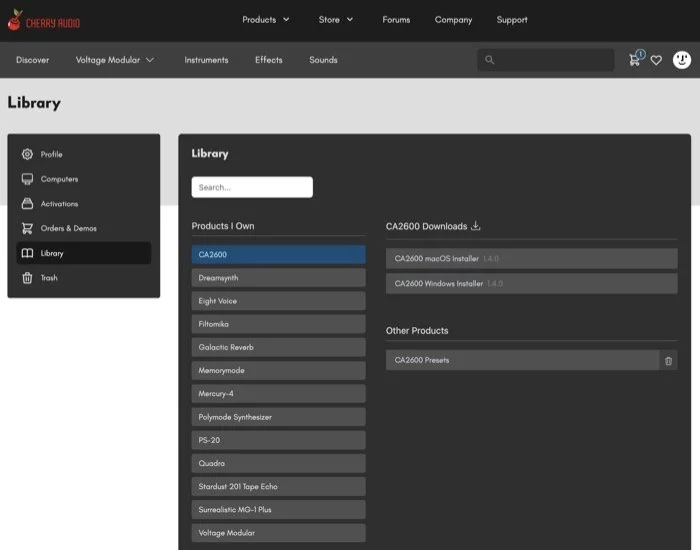
Cherry doesn’t display screenshots on the download page, but the version is shown once you click on each one, which are separated into platforms. The part I found weird was the add ons listed in the Other Products section, which have a delete button on the side, but you’re not supposed to download them. Does that mean they’re inside the main download? What is the delete button for?
ExpressiveE
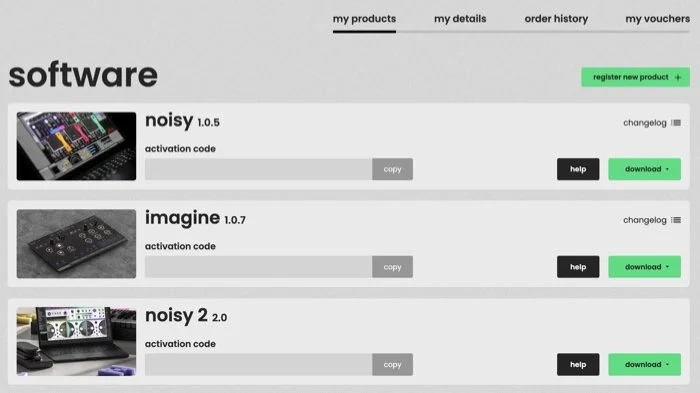
Product shots, version numbers shown and your serial number easily copyable all in one place.
GRM Tools
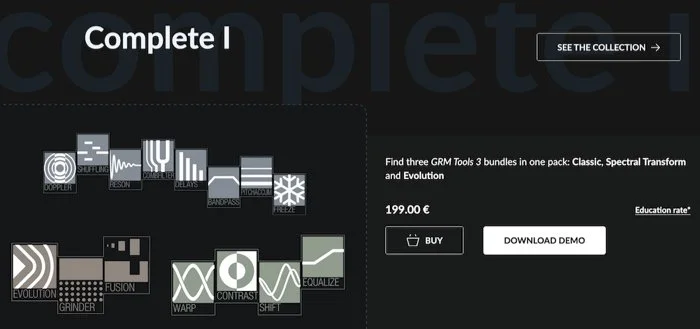
Maybe because their plugins were never much to look at, there are no screenshots. For the Complete bundles, the installer is a large zipped mpkg which installs everything. I found their range confusing. Let me just “complete my bundle” to allow me to get everything I don’t already own without doubling up.
GS DSP
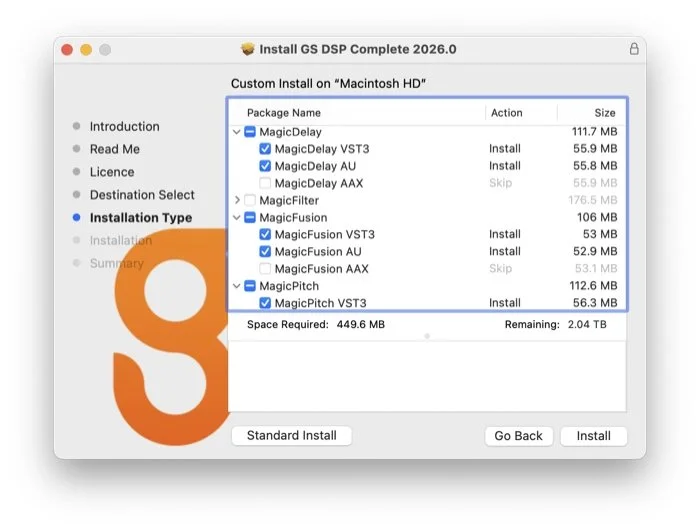
This crew has an all-in-one installer, versioned by the year and a point number, and it lets you pick the product and the formats you want.
Hertz Drums
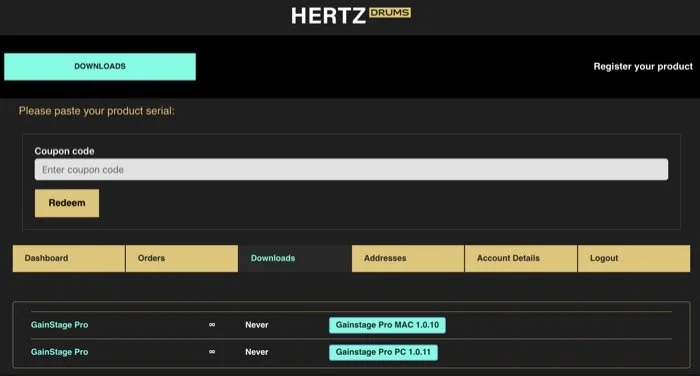
This relative newcomer has a functional downloads page with version numbers shown and separate platforms, but no screenshots.
HY
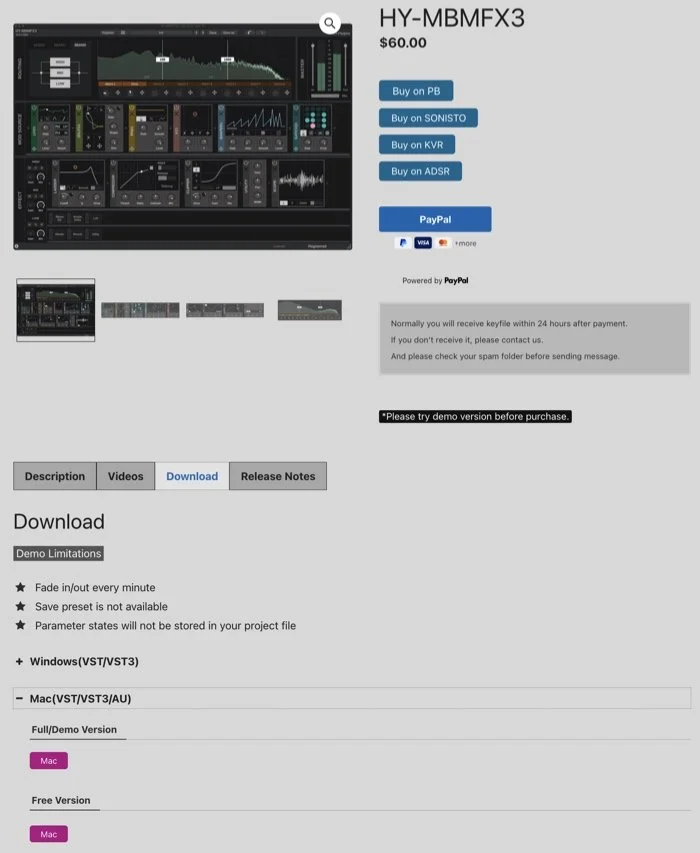
Sorry to report but I often get lost when I try to update from these folks. As you can see from the screenshot I do end up finding it, but then the downloads aren’t versioned so you have to install them to check and rename your zip file. Product screenshots and separate platforms are welcomed.
Inertia Sound Systems
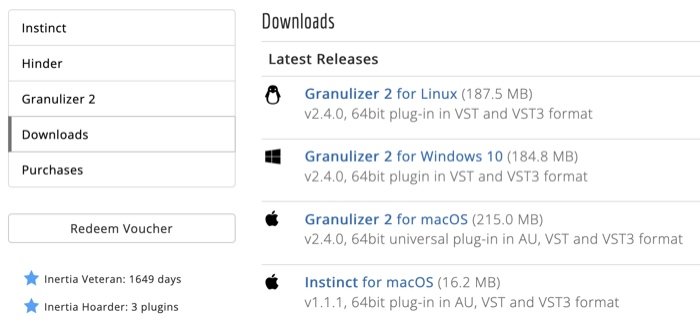
I like that they tell you how long you’ve been a customer
Platforms are stored separately and version numbers are displayed, but no interface screenshots. I had some trouble getting the licensing to work when I downloaded the license files from the site, but I tried again from within the plugin and the license files downloaded that way worked fine. So I suggest using that method, just make sure you’re logged into their website first.
Initial Audio [update]

I just installed DynamicEQ 2 and it appears they are moving to custom made installer apps like Audiodamage. I am not sure of the reasoning for this, but I was that the installer said “downloading” so it always fetches the latest version from their CDN or servers. It is quite basic and gives you no choice of formats, but does offer uninstallation.
Lunacy Audio
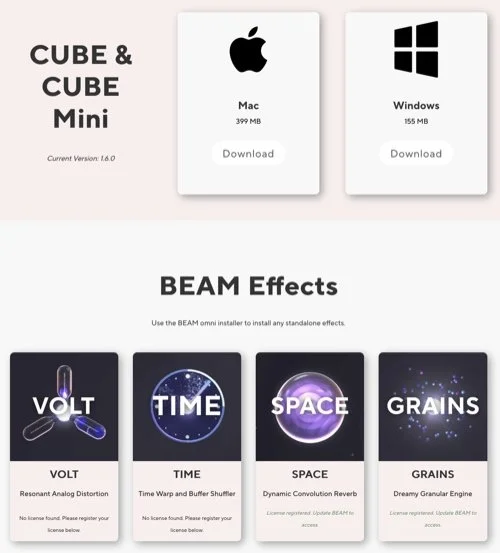
These folks have a main plugin which allows add-on packs to be installed. Those get a graphic to remind you of the product. Version number is displayed and platforms are separated.
McDSP
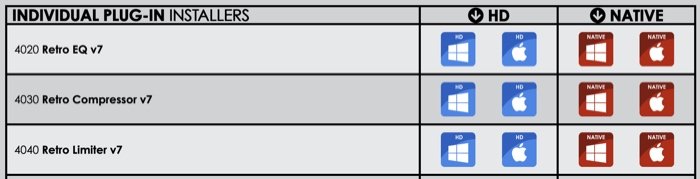
HD… High Definition? Native… to what?
The issue I am wondering if anyone else has is remembering which format is which. One is a normal ITB plugin and the other is a special one for external hardware. Product shots must be found on the individual product pages, and as you can see in this example only the main version number is displayed, not the point updates.
Mok
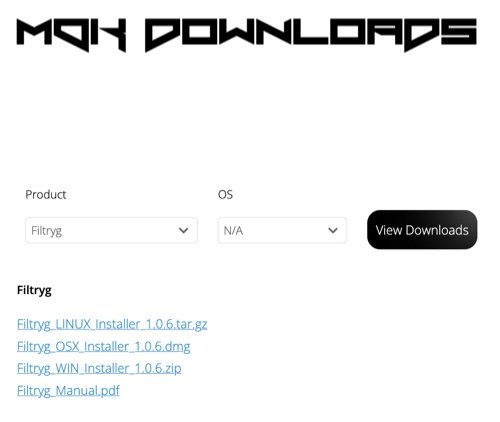
A fairly basic downloads page, no screenshots, but the version number is shown and separate platforms is good. But you have to pick the product from a menu, which is a little clunky like Kazrog’s site was before they released their downloader app.
Noiseworks
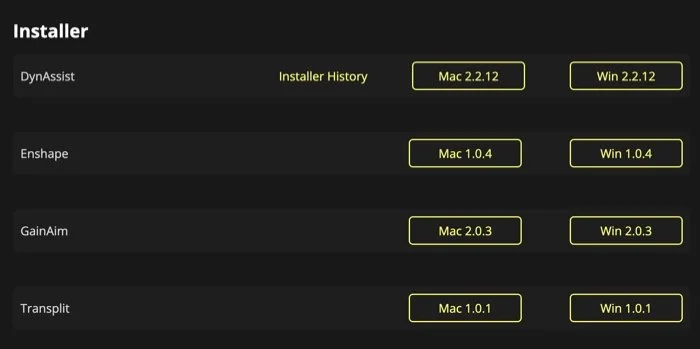
Full version number shown and separate platforms is good, but to see which product is which you need to visit the product pages.
Polyverse
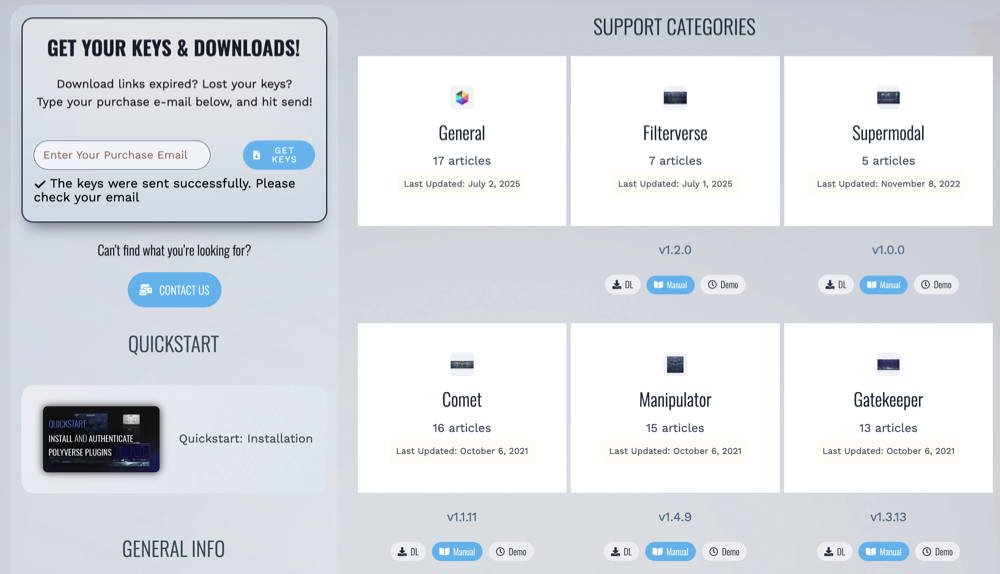
Very tiny screenshots! But there are version numbers and even release dates. The downloads are for your chosen plaform, and they are versioned dmg files.
Rast Sound
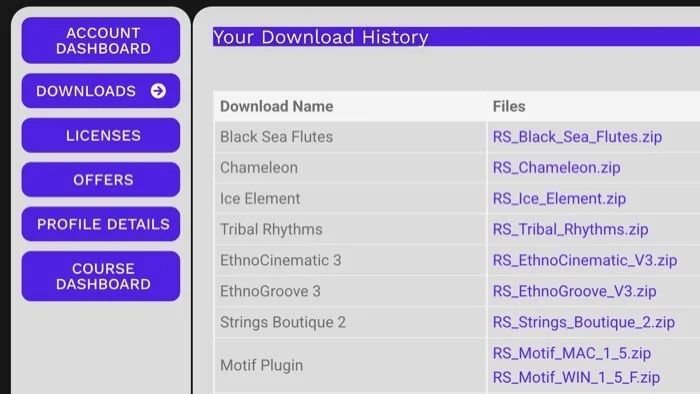
No screenshots, but when a new version is released the link and download have the version number in the name, and as you can see, separate downloads for each platform. Yes, they also have “Mac” in all caps but so is “Win” so that’s forgivable.
Serato
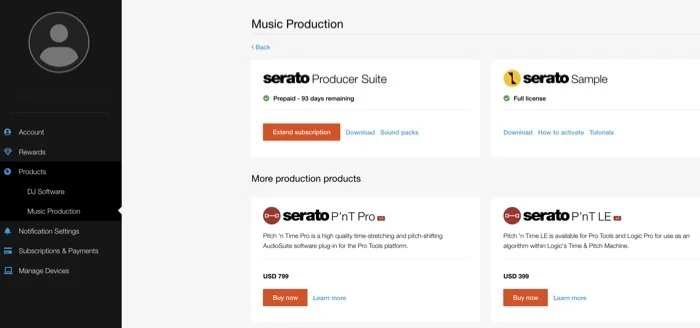
As there aren’t many products they can be forgiven for lacking screenshots. The download gives you a pkg file which is versioned for your convenience.
Sinevibes
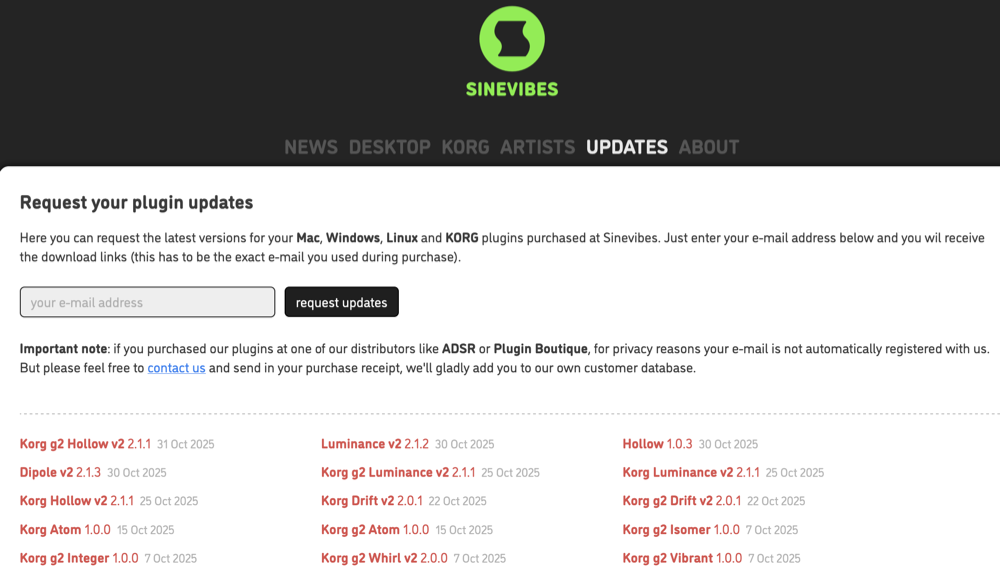
These folks get points for displaying the latest version number but they have a system like DDMF where you provide your email address and they send you an email with links for everything you’ve bought from them. When you download the files you get zips with a standard pkg inside, but also the Windows version. They're not very large so that doesn’t matter, but the newer offerings don’t give you format choice so you have to clean those up yourself later.
U-He

This well-regarded vendor has good-sized screenshots and download links that show the version and build number on rollover so you can check if you have the latest versions. Or, you can opt to have them email you both your serial and download links in one hit.
Valhalla
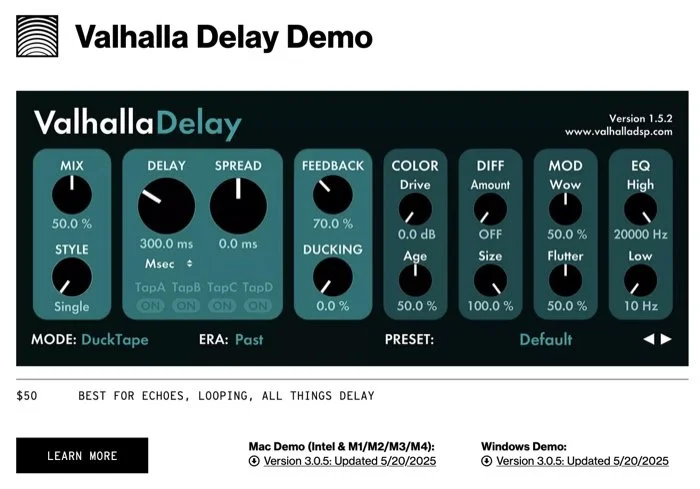
Prominently showing the screenshot of each product, the version is shown in the corner, but that’s not the current one: the version is shown in the download link, along with separate platforms. Downloads are usually raw dmgs.
That should do for now. If you stumbled across this post, be sure to check the previous posts in this series 1, 2 and 3.
If you want to know about new tools including graphics, fonts, video, animation and productivity, wander over to Tool Much Fun in the Unfraught Perception blog.