
Things Apple Needs to Work on 3
While some of you are complaining about rounded rectangles on window corners not matching up properly, or perhaps a slightly more justified issue of readability for interface elements — sometimes self-caused by choosing inappropriately light wallpapers — a number of features are either missing completely or need work. This is the third in a series. If you want to catch up with the first two, check here and here.
In this one I have taken note of public complaints on Threads and taken note of who said them, and added a couple of my own.
Timer app
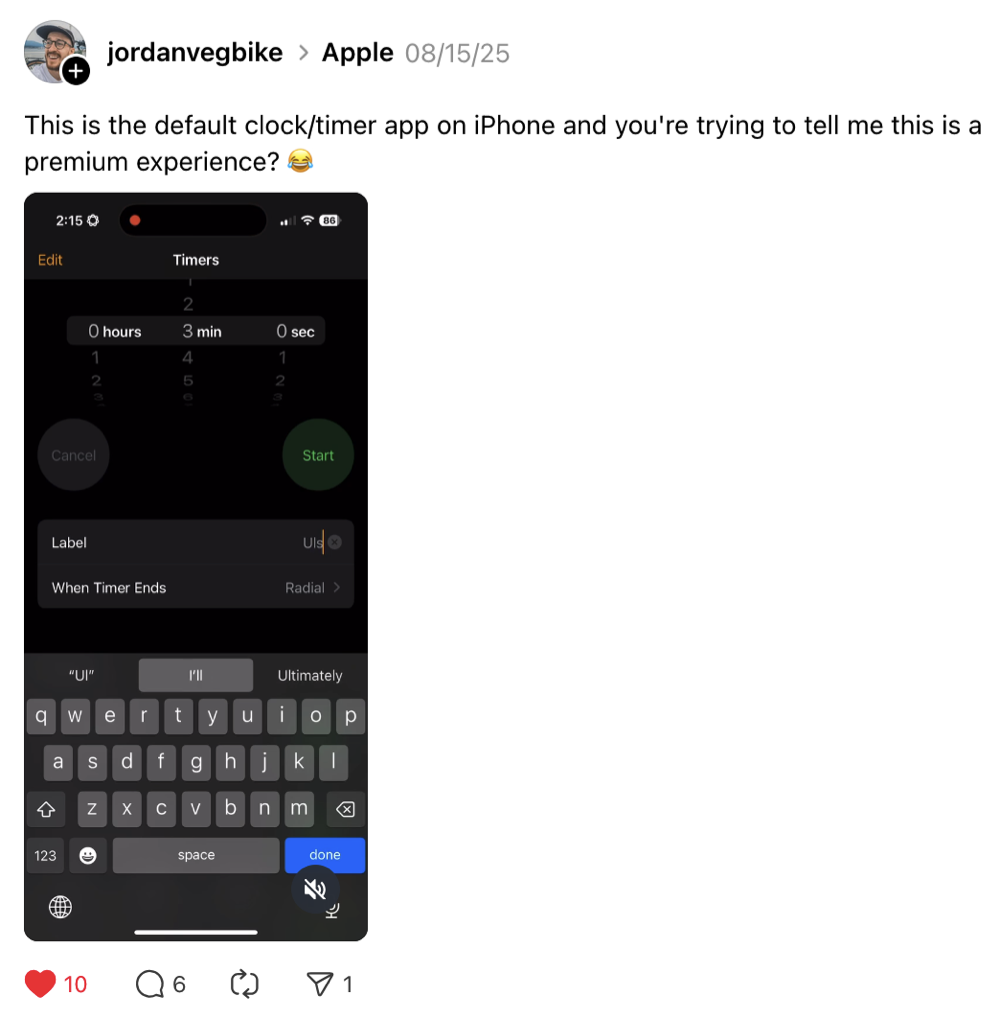
In the timer app, jordanvegbike noted that the keyboard completely obscures the Label field when you’re trying to edit it. At least one other person has mentioned that you should have the choice to use the scroll interface to pick the numbers or just fields you can enter text in, like you can in many other apps.
Synced timers
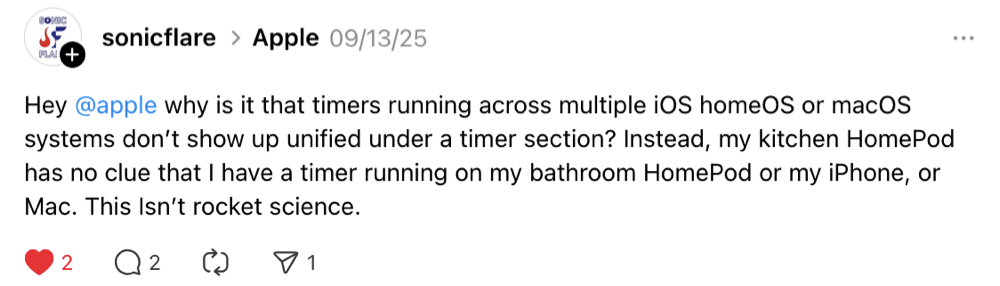
Still with timers, sonicflare noted there is no way to synchronize them across multiple devices, or control them either.
More options for repeating events
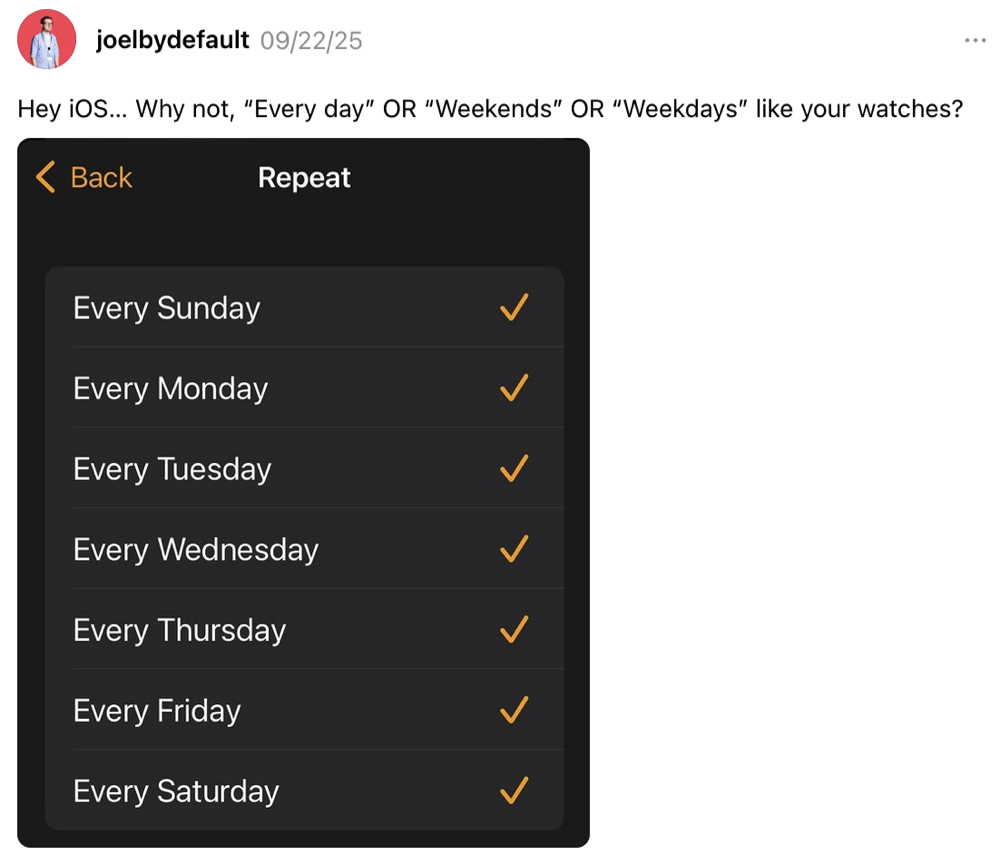
Joelbydefault noticed that there are missing options for repeating events on the iPhone… you can only choose the day of the week.
Visual Voicemail with waveforms
This is one of mine. When you get a voicemail, you can play it and drag a slider if you want to scrub through it. However unlike the Voice Memos app, you can’t see the waveform to find the part you’re interested in. You would have to use the share sheet to send the voicemail file into another app that can do that, and Voice Memos isn’t even offered in the list.
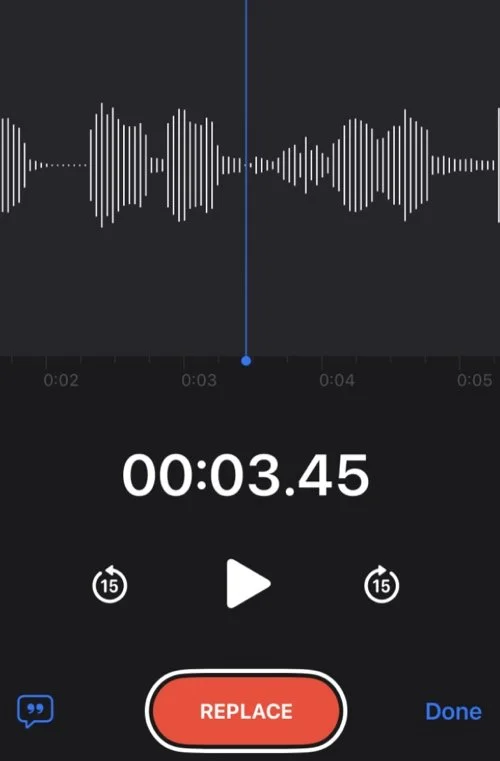
Why can’t we do this in voicemail? It’s just another audio file.
Scheduled Alarms
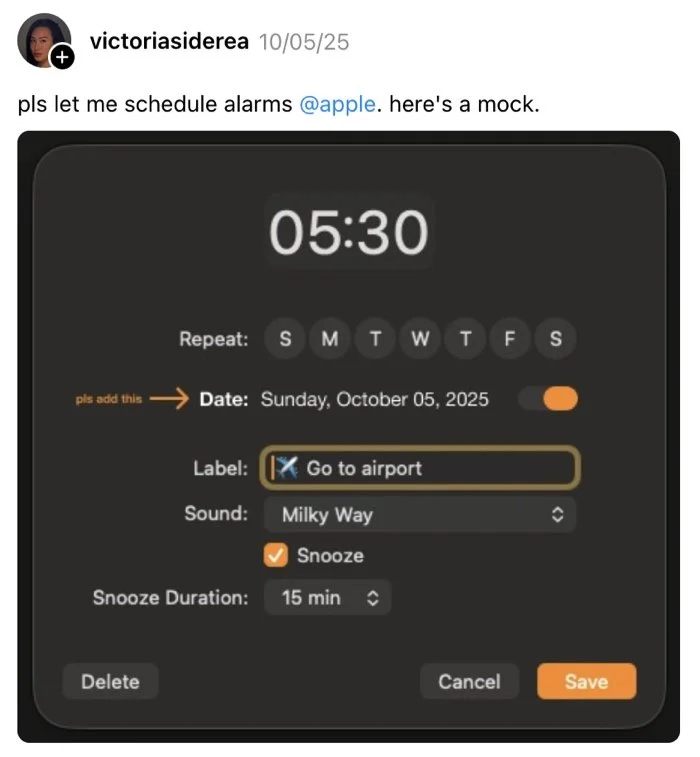
Part of an ongoing debate about using alarms versus using reminders, user victoriasiderea wants to be able to schedule an alarm, not create a reminder. I think this is reasonable because some people may want to keep those things separate. There are a number of other improvements suggested in the thread, including being able to set an alarm as a one-off that automatically deletes, and being able to group and sort them.
Save your preferences in iCloud for logins to new Macs
Another one of mine. Sure, most people don’t login to different Macs that often. Given that there are hundreds of settings that can be used to customize Macs, why isn’t there an option to save all those into iCloud so when you do sign in, all those settings are activated? There is a precedent: the Text Replacement table is synced across devices, so other settings could too.
Then — here’s the magic part — you could also share your favorite settings with other users so once you have The Sweet Setup others can benefit from that too. This would also make things easier for Mac admins so they don’t have to maintain payload-free (command-line scripts only) packages of these settings to push out to the users.
Sync your autocorrect dictionary
theeandre noticed that your autocorrect dictionary is also not synced. This is a good idea, however it must be implemented carefully because as we have seen over the last couple of years it’s quite easy for this to become corrupted, and if one device is the source then we would need options to be able to either clear it locally or on iCloud so all devices get reset in one hit.
That’s it for this episode. I’m sure there will be more to come. Plus, there are possibly dozens more things that need work in products such as Apple Vision Pro which are not as popular and thus don’t have the same quantity of customers that can scrutinize it.
Social sharing image by Negative Space on Stocksnap.