
Music Software Installers Comparison 5
Another installment of the wonderful world of music software installers. Besides the payment side of things —which is another world entirely and not covered by these posts — what stands in the way of you getting your plugin or keeping it updated after you’ve bought it? It’s the sites and methods used by each vendor. Some make it easy, some don’t. If you’ve just found this page, the reviews start here, then keep going for 2,3 and 4.
AixDSP
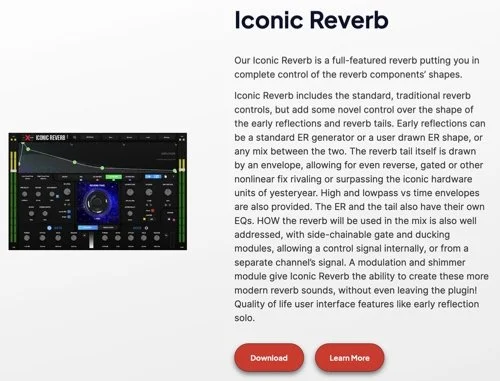
These lesser-known folks show you a thumbnail and description, but not what version you will be downloading.
Ben Schulz
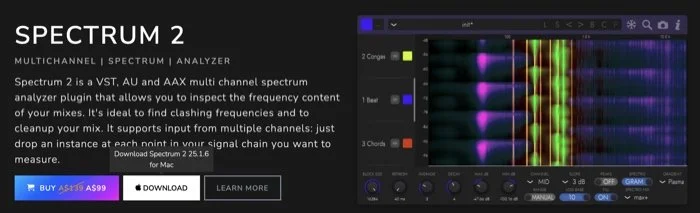
Ben’s site has a nice large thumbnail and description and the version number is shown with a mouse rollover. Separate Mac version.
Gooey
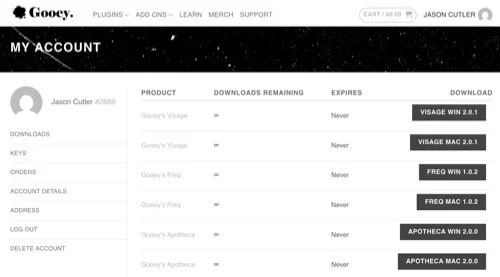
Relative newcomer Gooey Audio doesn’t show you a thumbnail, but the version numbers are displayed clearly and the Mac and Windows installers are separated. Plus there are no limits placed on the downloads.
Dragon
No, the makers of the famous dictation software haven’t gotten into plugins. This is a newcomer that has released a sampler and other tools. I must admit I had some issues, because they use Shopify and when I thought I was making an account in their site it is just a Shopify account. So when you click the order, you see the order number and product you bought but not download links. Why? Because they have done it another way, possibly because the assets are too big for Shopify. You get sent a download link, code and serial number. The download installs a standalone downloader app. It looks like the one that Soundiron uses for its Kontakt instruments, where you are given the choice of where to download the files to and then the destination, which is nice but in this case I wasn’t sure how it would handle the plugin itself. It’s a dmg file which you install manually.
Madrona Labs
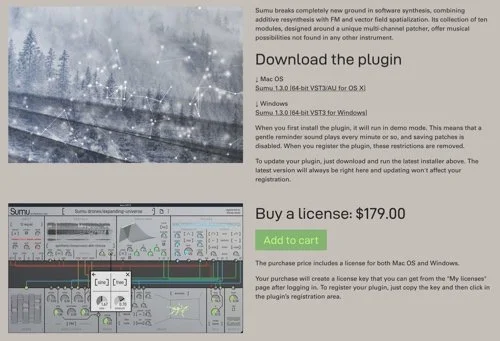
Note the screenshot was taken April 2026 and the price may change at any time.
This lesser-known developer has separate product pages for each of their offerings, and on those you’ll find both separate Mac and Windows downloads, some pretty artwork and a huge thumbnail of the product. The installer is a pkg in which you aren’t given a choice of which plugin format you want, and the other amusing thing is that it’s still listed as being for “OS X” when it hasn’t been called that for since 2016.
Minimal Audio UPDATE
They now give you the choice to use an all-in-one installer, but it’s not their own app. It’s the standard Apple installer, and the pkg is just called “All Access” so you might want to rename that so you know whose it is. This now gives you the choice of each of their plugins plus the formats you want. So that’s nice.
New Sonic Arts
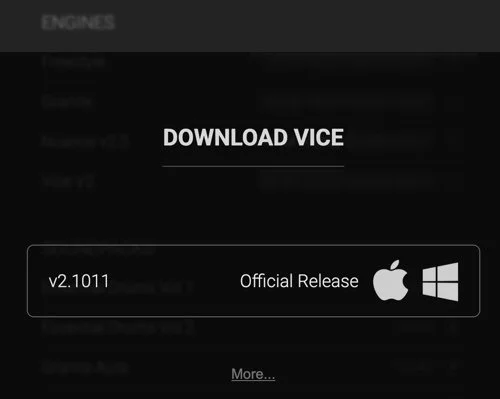
Adding thumbnails would perhaps spoil the grayscale aesthetic, so they are not to be seen in the user area. The major version number is shown and then the minor patch number is shown when you click on each item. Beta testers get a choice of the beta or full version here. Separate platforms, and the version is in the pkg name.
Nightfox Audio
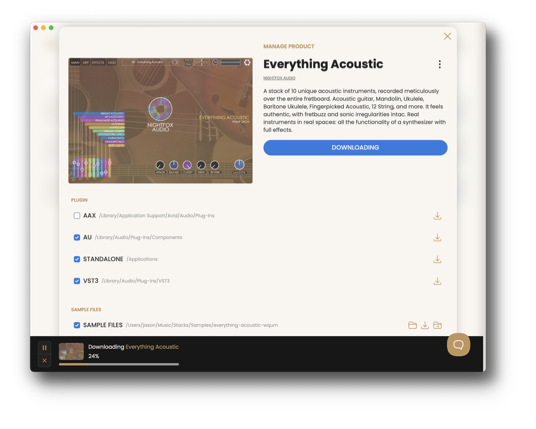
These folks have gone for an installer app called Stacks which seems to be one for multiple vendors like Pulse Audio. There is a tab for a Store where you can browse for other products from other vendors such as KIT, Nugen, Safaripedals and Morbid Electronics which I hadn’t heard of before. The MyStack tab shows your purchases, a small thumbnail, the download size and version. I’m not sure if it only downloads the platform you’re on, that might be up to each developer.
Noise Engineering
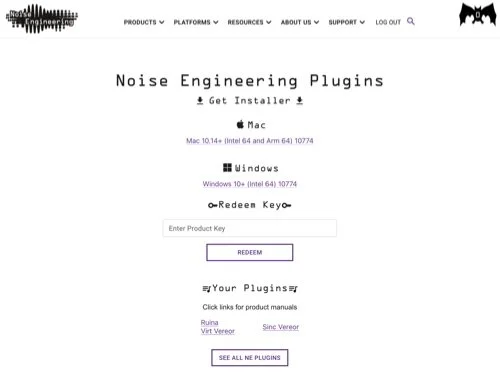
This company is more about hardware, but they also do plugins. When you download the versioned zip file you get their all-in-one installer "NE Products". This does a quick web login then immediately starts installing, with no choice about the formats you want.
Phil Speiser
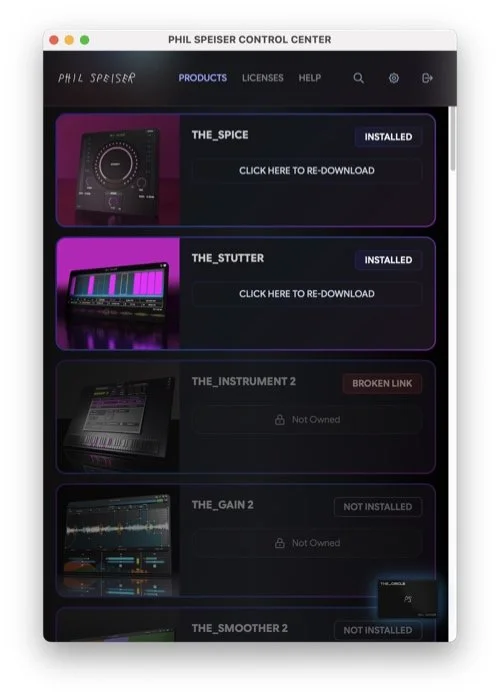
Mr Speiser and his crew have gone for the installer app, the PHIL SPEISER CONTROL CENTER, which you download, install and sign in to, and much like Nembrini and IK Multimedia’s, it was designed to help people get their stuff installed quickly. The installer is platform specific, shows product promo shots and shows what you do and don’t own. Clicking on not-owned products doesn’t take you to their web page, and it also lets you manage your licenses and create a support ticket from within the app.
Physical Audio
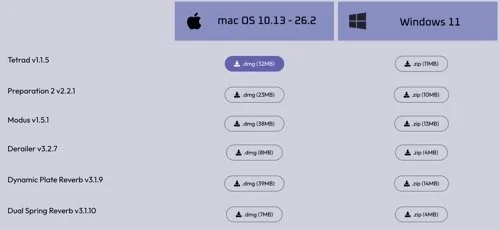
No thumbnails, but the version number and download size is displayed and you don’t have to waste disk space with platforms you don’t have.
Safari Audio
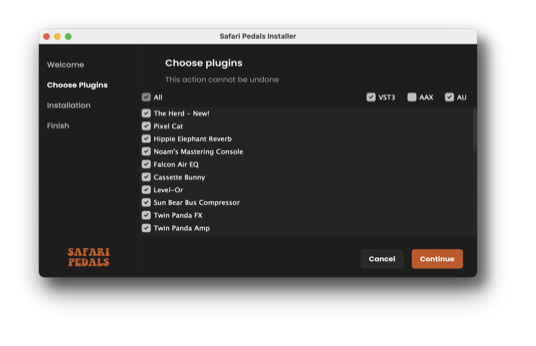
This crew has made their own installer called the Safari Pedals Installer. It lacks thumbnails, the version number and what version you have currently installed or what is offered. However you can choose to omit plugin formats that you don’t use.
Soundmorph
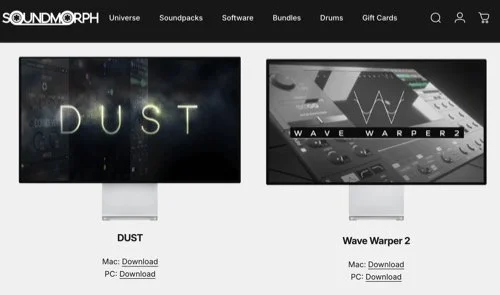
These folks have more sound packs/samples than they do plugins, but for those you get a large graphic and separated platforms. The version number isn’t displayed but it is in the downloaded pkg file.
Sound Radix
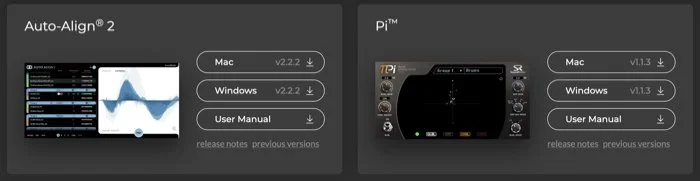
Thumbnails are shown, along with version numbers and separated platforms. The version number is in the downloaded pkg filename. All good.
Stagecraft
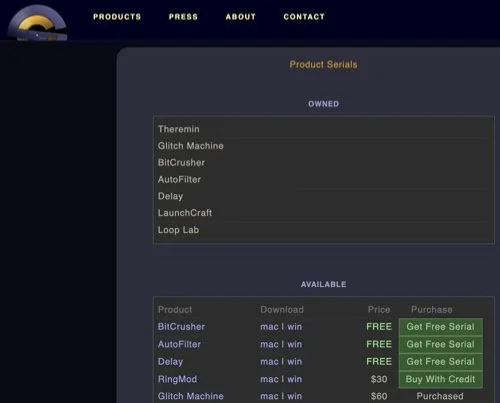
Product images or thumbnails are only to be found on each product page, but your purchases are displayed separately plus in the list of all products, and the Mac and Windows versions are separate also. Stagecraft also has a credits scheme where you can purchase more of their range directly.
Synchro Arts
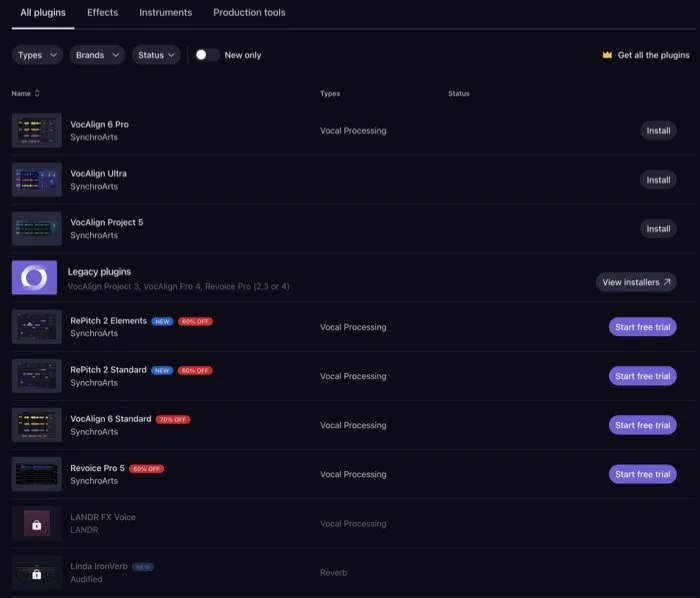
These folks have a smart looking downloads page which can be divided into Effects, Instruments and Tools, is sortable and have a baby thumbnail for each item. Version numbers are one extra click away, along with your serial number and when you download the pkg file the version isn’t embedded in the name so you have to change that yourself.
Waldorf
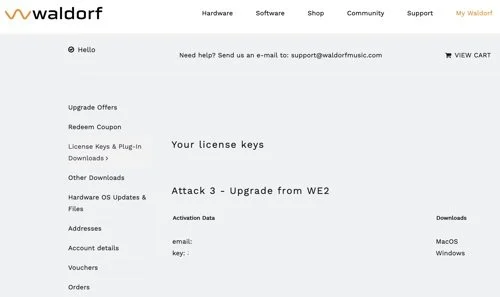
These folks don’t bother with thumbnails of their products on the downloads page, but the version number is displayed, and is in the name of the zipped file, which are separated by platform. But then there is a zip within a zip to get to the package itself. Why the extra step?
XLN Audio
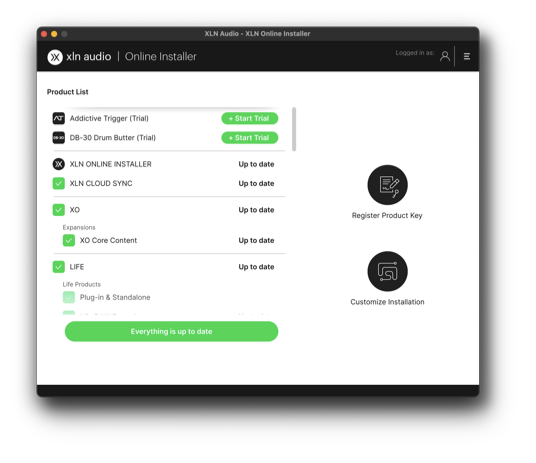
Another one which has their own installer app, called XLN Online Installer. No thumbnails are shown here, but it checks what you have installed, including the add-on packs, shows you an option to update and it goes off and does it with you only needing to type your admin password once.
Zak Sound
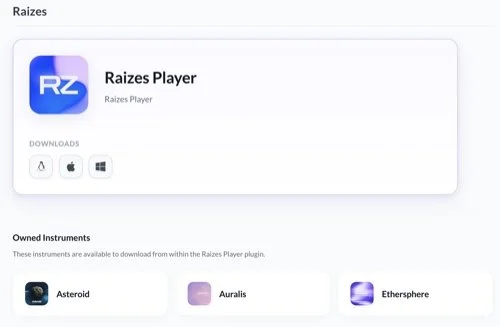
Zak has a clean website with small thumbnails of each product, except for those which are submodules of the Raizes Player, of which I wasn’t aware that they made. For those you get an icon to remind you of the product. For plugins the Mac and Windows versions are separated and the version number is in the zipped download if it is anything beyond v1.